

 beeradmoore
[BUG] Why doesn't my game cover appear?


That is an interesting one. Images are loaded directly from steam.
Path used is https://steamcdn-a.akamaihd.net/steam/apps/{appID}/library_600x900_2x.jpg
So for Portal I can lookup that the appID is 400, so if I put that in the URL I get https://steamcdn-a.akamaihd.net/steam/apps/400/library_600x900_2x.jpg
Does that image load for you if you go to it in your browser?

Sometimes it can be opened, sometimes it can't. Why not load images directly from the Steam installation directory?
The URL is what Steam is using to load the images.
As far as I know the cover images are not in the steam installation directory. Can you provide paths to where they are located?
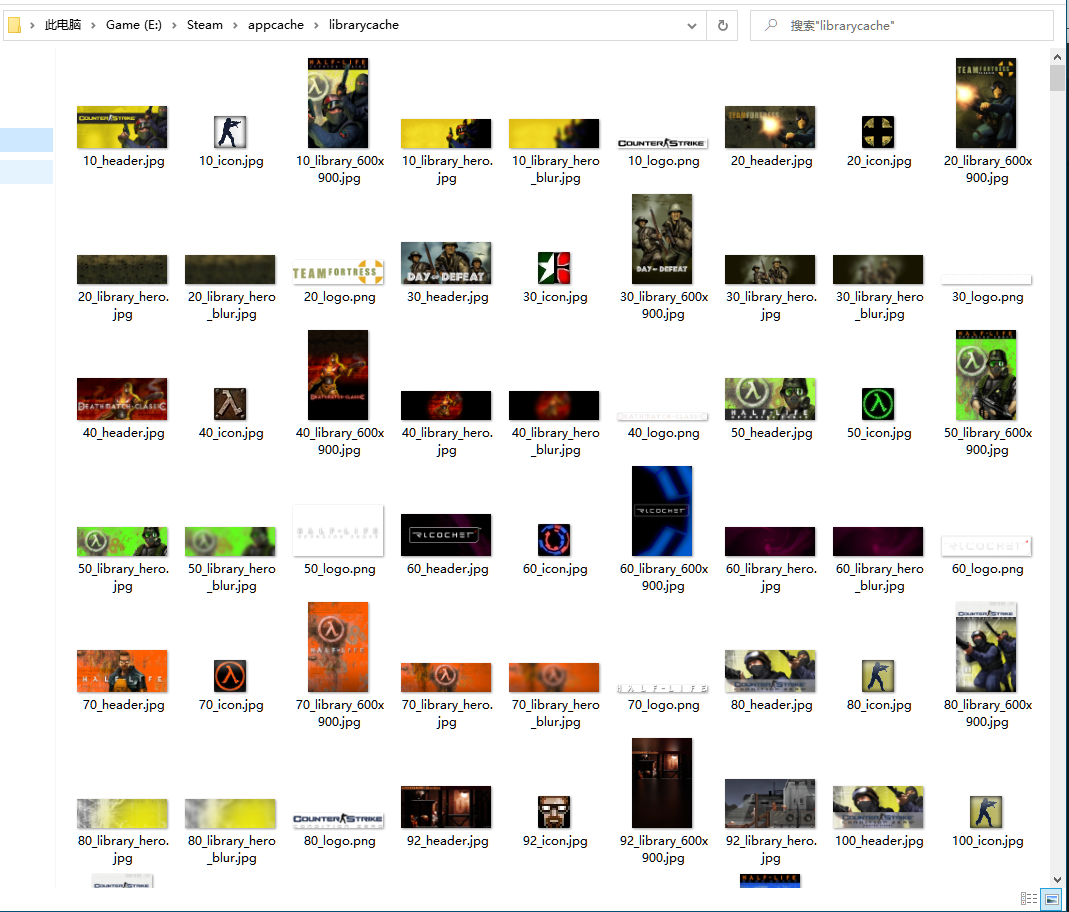
Very interesting. Unfortunately being app cache that we have no control over we can't guarantee the files will be there.
When you say sometimes it does sometimes it doesn't, do you mean you load the URL today it works and in 1 hour later you try again and it doesn't? Is it possible your network is being blocked loading from accessing Steams CDN?
Yes, you can try to load from the local path first, if the file does not exist, then get it from the network, and save it to the default path using the standard steam naming method.
The network problem should be caused by my service provider. Because of the GFW, the Chinese network is always bad when accessing foreign resources.
Trying local and then falling back to remote could definitely work. However because of how the system is setup it isn't something that can be slipped in to work easily as Game objects currently only return a single asset and not a list of assets for cover images.
The fallback behavior of images isn't ideal to work with that system but I can see some ways around it. Another useful thing could be using some image caching so we aren't loading images from the internet every time.
Priorities currently put this lower on the plan (which is currently changing download system, publishing to windows store), but I'll keep it in mind in case I come across an easier way to implement it. Launching DLSS Swapper without internet access will result in the same thing you experience which isn't ideal and something that I am glad I am aware of now.
A little overdue but loading the image from disk with a fallback to the URL will be in the next release along with GoG support.