

 beekeeper-studio
BUG: Rearranging tabs only moves names, not content
Describe the bug When clicking and dragging tabs to rearrange them, the titles of the tabs switch places, but the contents stay in the same order they were. This means that contents of each tab is replaced by the previous contents of the other tab, and a banner appears on both saying "This query has been updated by someone else."
To Reproduce Steps to reproduce the behavior:
- Open multiple tabs (saved queries or not)
- Click and drag one tab to move it to a different place in the tab order
- The contents of the tabs does not rearrange, but the titles do.
Expected behavior Rearranging tabs would reorder the full contents of the tabs and not edit them.
Screenshots / Gifs
Before moving:
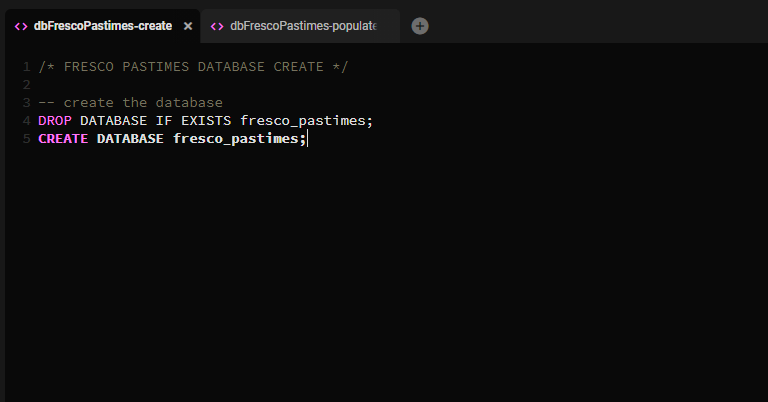
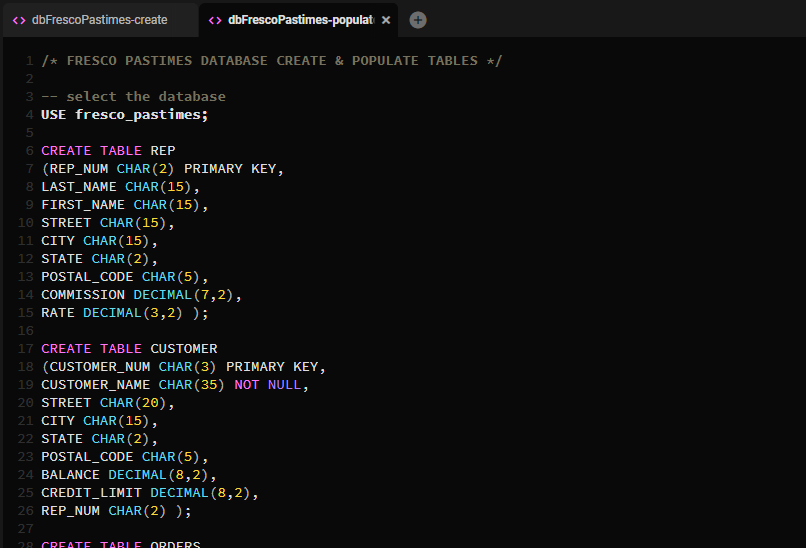
After moving:
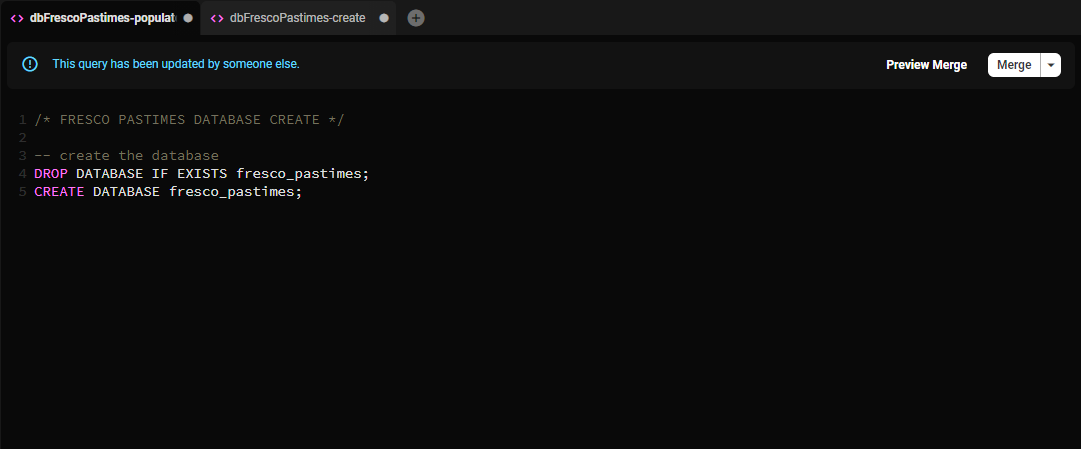
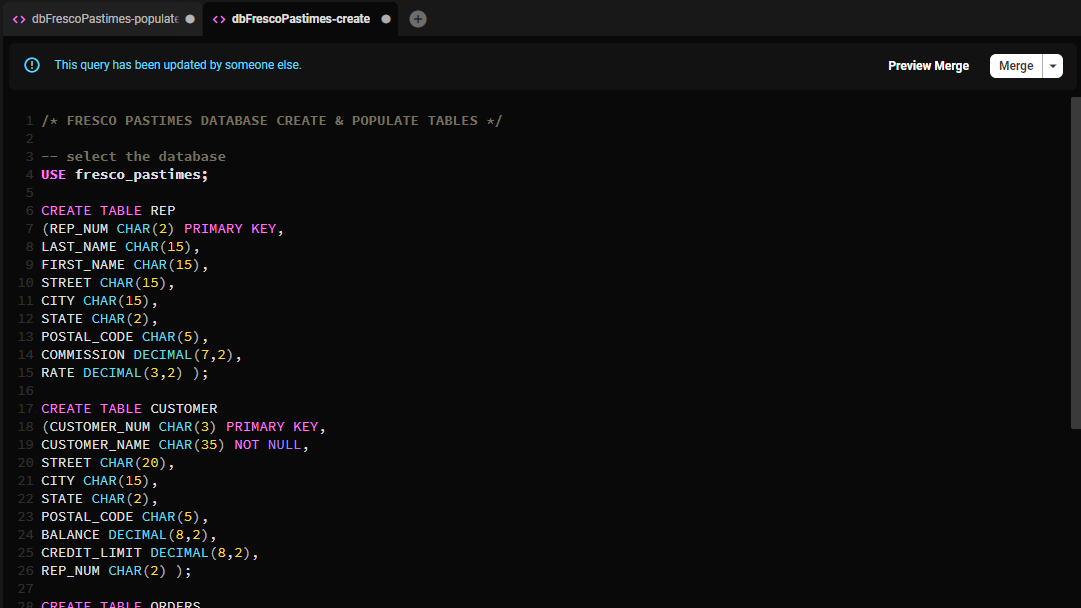
Version Information (please complete the following information):
- OS: Windows 10
- App Version: Beekeeper Studio 3.4.3 Portable
- Database type and version: MariaDB 10.4.24
Additional context To be honest, I'm not super familiar with this software. I've only just started using it for a class, but I think I have everything configured properly and this behavior doesn't seem intended. Sorry if I've missed something simple to fix this!

Update: having seen the release of 3.5, I downloaded the 3.5.1 Portable release and tested that one, and this bug is still occuring (at least for me) in 3.5.1.

Tested on v3.6.2 on macos and wasn't able to replicate. Is this still an issue on the latest version @Mous3kteer?

@wmontgomery Sorry, didn't see this before now! Just tested a fresh download of v3.6.2 Portable and a fresh install of v3.6.2 Setup and yes, it seems like the issue is still there for me on both versions.
Hey @Mous3kteer unfortunately we're totally unable to replicate this problem. Unless we can figure out a way to replicate, we're not able to fix it.
Some questions that might help:
- Are you using a team workspace?
- If you close all the tabs and reopen them, does it work?
- Can you record a gif of a totally empty editor, opening 2-3 queries, and showing them swapping contents?
Hey @rathboma, that's odd that it seems to only be my system so far.
For your questions:
- I don't know what that is, and anything I've been working on I've been doing alone, so I'm going to assume no, I'm not using a team workspace.
- This problem has managed to persist through uninstalling and reinstalling the latest version, so closing and reopening has also not fixed it.
- I've attached below a video of the rearranging issue, as well as one demonstrating that I also appear to have the "all 'close tab' buttons close the rightmost tab" bug that I think I've noticed some bug reports for in the past.
https://user-images.githubusercontent.com/52615946/188759131-740e2309-88e4-4646-9460-434c418079b5.mp4
https://user-images.githubusercontent.com/52615946/188759153-618c249b-6510-4239-a13c-f5d263c819be.mp4
Sorry this issue is being such a challenge to track down. Let me know if there's any other info I can provide.