

 beefytech
DbgVis failed/garbage on const char* path and UTF16String
Tested with todays build (however, llvm in extern folder was built in April 2021, if this is the problem let me know or if this doesn't repro).
In the attached project, press F5 three times to land on // HANDLE handle = ::CreateFileW(wPath.c_str(), desiredAccess, shareMode, NULL, creationDisposition, attributes, NULL);
Then look at how the Auto window shows path and wPath being garbage/DbgVis failed.
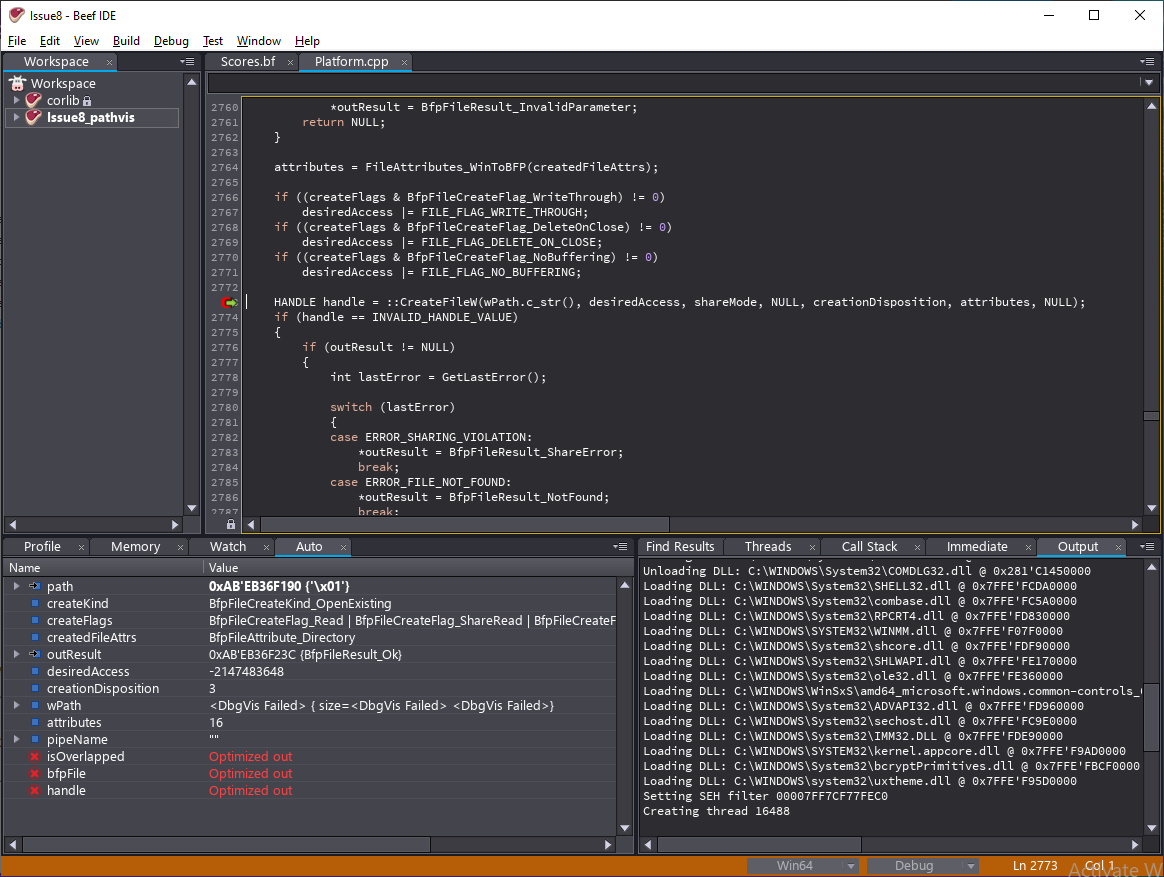

Re-uploaded the zip as Issue8fixed.zip because the third BP had not been saved for unknown reason
You're debugging release-compiled code there - VS also can't display those variables. You can set "Beef Library" under "Targeted/Build" to "Dynamic Debug" if you want to debug BeefRT

Okay now it shows (in Auto tab) path: 0xD4'8C4FF110 {'t'} wPath: { size=10 {116, 101, 115, 116, 46, 116, 111, 109, 108, 0}}
if I manually add "path" to Watch tab, then go back to Auto tab, then path shows 0xD4'8C4FF110 "test.toml"
which is correct.
Is this working right? if so, it would be nice to have right click menu option in Auto tab to add the variable to Watch tab to get the full path without needing to manually type the variable name in Watch tab.
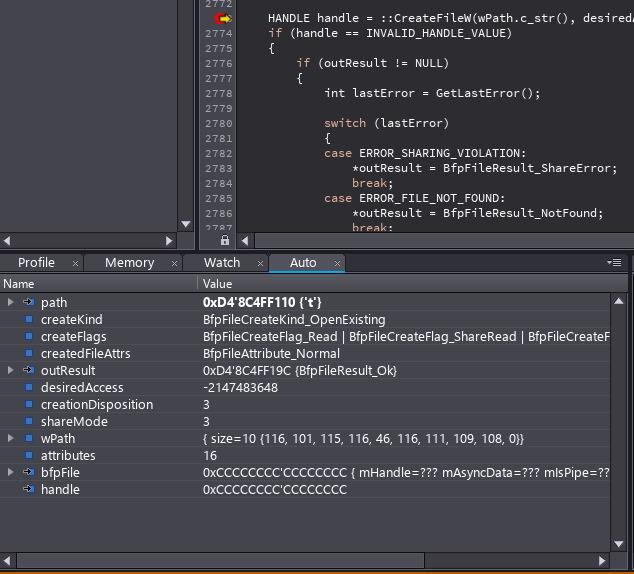
I see you can use Copy Expression and manually ctrl+v paste it in Watch but I'd still like to know if this is working as intended. Perhaps adding something to documentation about how to use watch window for when doing non-Beef debugging. Also: desiredAccess: -2147483648
Hovering over desiredAccess doesn't give any clues and F12 (go to def.) doesn't work on ::CreateFileW as to what is needed to type into watch to get the flags instead of integer. Is there something that can be done here or is it time to use VS for these .cpp files? I tried to watch (ACCESS_MASK)desiredAccess but that says "unable to locate type".
That value (-2147483648) is #define GENERIC_READ (0x80000000L) from winnt.h
Having an "Add Watch" from the Auto window is probably a fine idea.
And, no, it's not possible to have F12 work for C++ code in the debugger. You need a full-fledged C++ IDE with full source to make that work - the debug info (PDB) and DLL alone do not contain the information required to support that.
Okay Thanks - You didn't mention though if it's normal for the path (const char *) in the example to show only the first character in Auto until it's added manually to Watch. Bug or performance issue in showing more characters up to some limit?
The const char* should probably always show as a string while debugging C code. So yeah, that's a (minor) debugger bug.