

 bazelbuild
Code completion/highlights not working in Swift
Overview
When using Tulsi to generate an Xcode project with a swift_library target and corresponding ios_unit_test, all the source code appears correctly in the project, but code completion and jumping to definitions does not work.
Building the project and running the tests works properly.
When generating with an additional objc_library target, code completion and definition jumping in the Objective-C files works correctly, but Swift still does not.
Reproducing
This is currently 100% reproducible using this sha from this Envoy Mobile PR after generating a Tulsi project and opening it.
Screenshots
For example, command-clicking on this type in Xcode will yield a ? modal in Xcode, and the properties are not available in code completion:
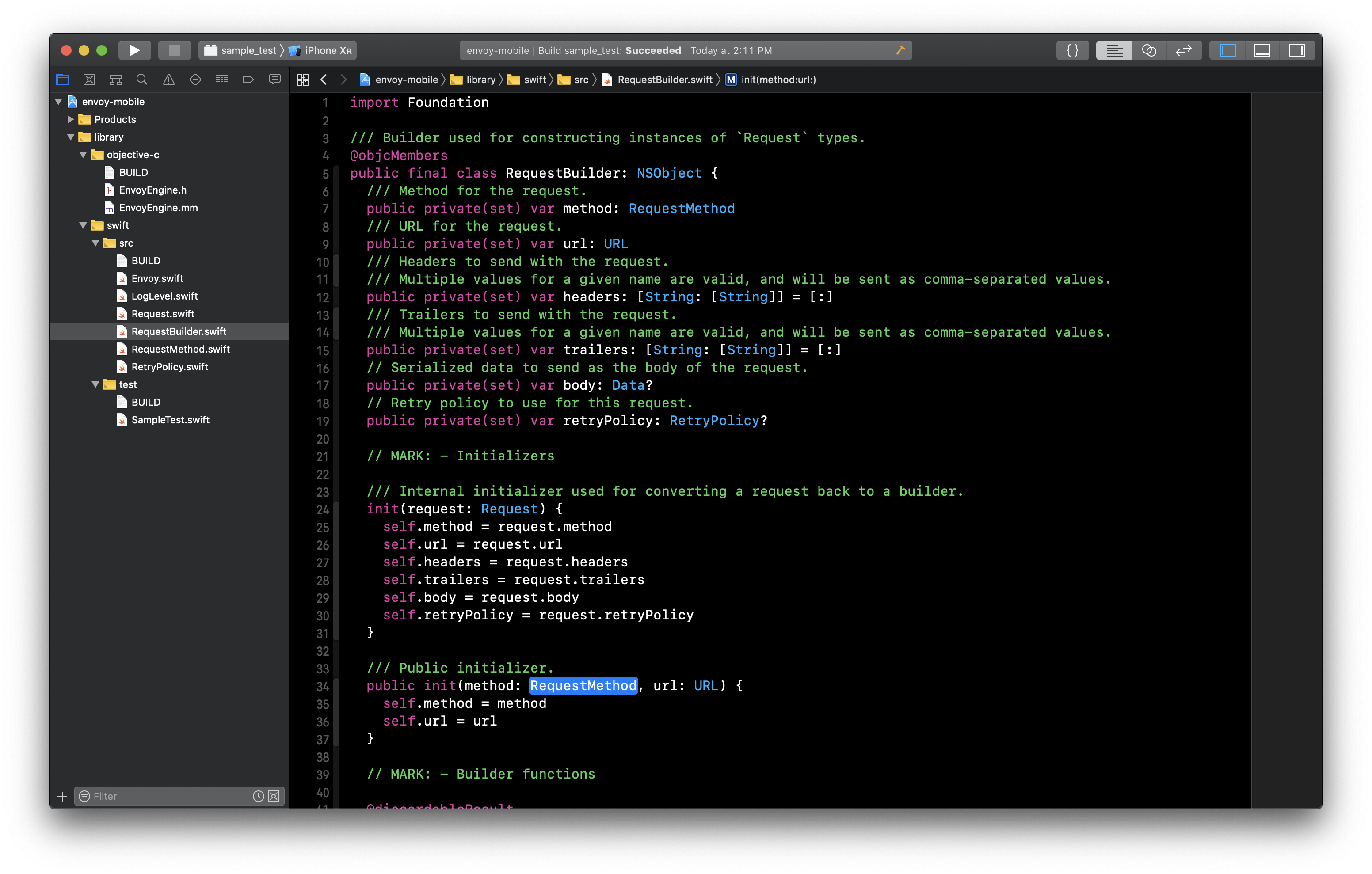
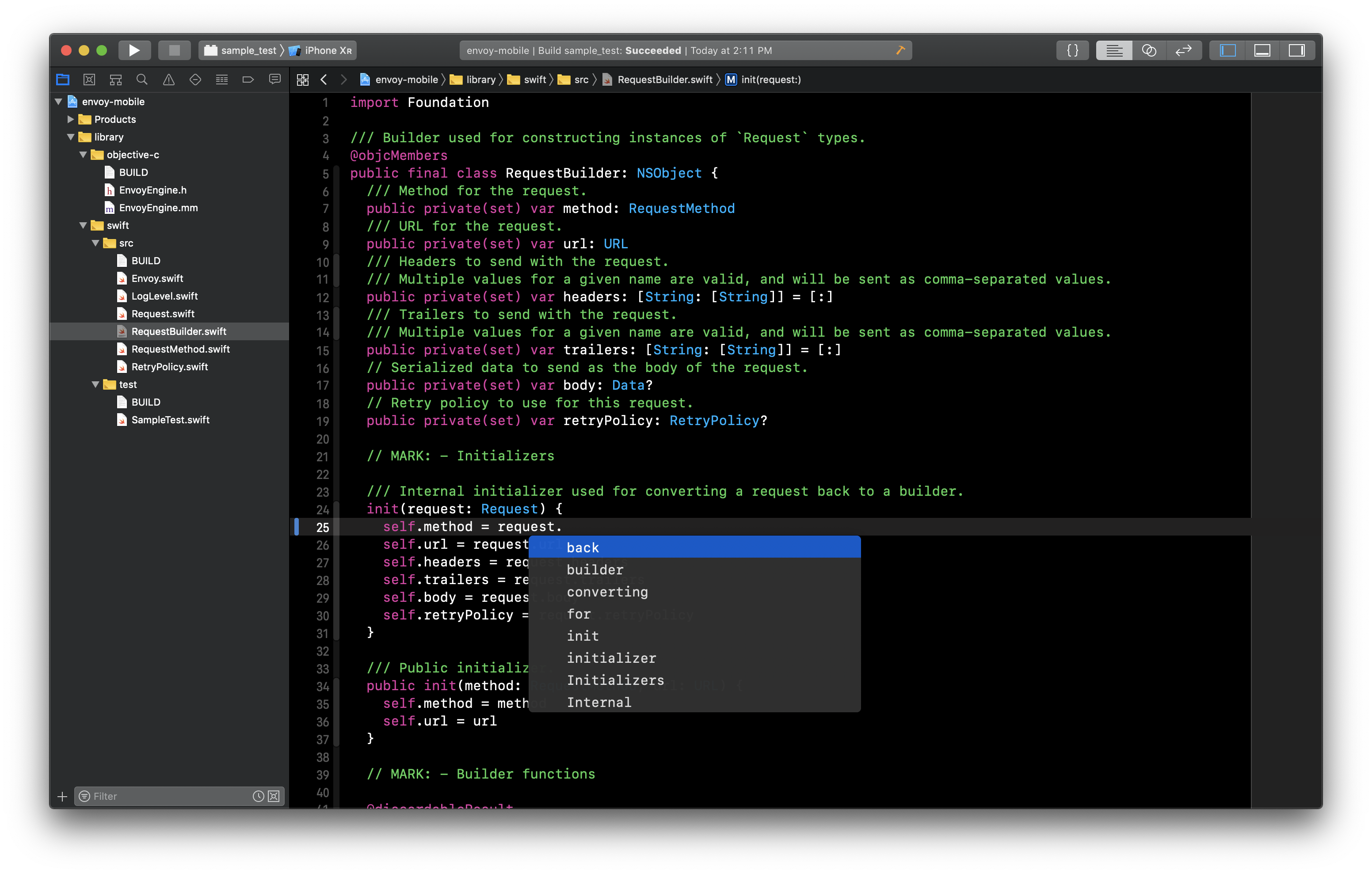

~There's a workaround to make code completion and highlighting work: build the indexing target once (the build doesn't need to be success).~
Update: It doesn't seem to work in all cases.

It seems to be because of custom Swift compiler flags, because Tulsi doesn't expand the Make variables correctly. You can remove all flags in Other Swift Flags from the generated project to make the code completion/highlights work.
Removing the Other Swift Flags from the Envoy Mobile project above seems to have the same issue with completion/highlights. Did this work successfully for you?
Yes, it worked for me.
Did you remove it from the indexing target? (the framework target starts with _idx_)
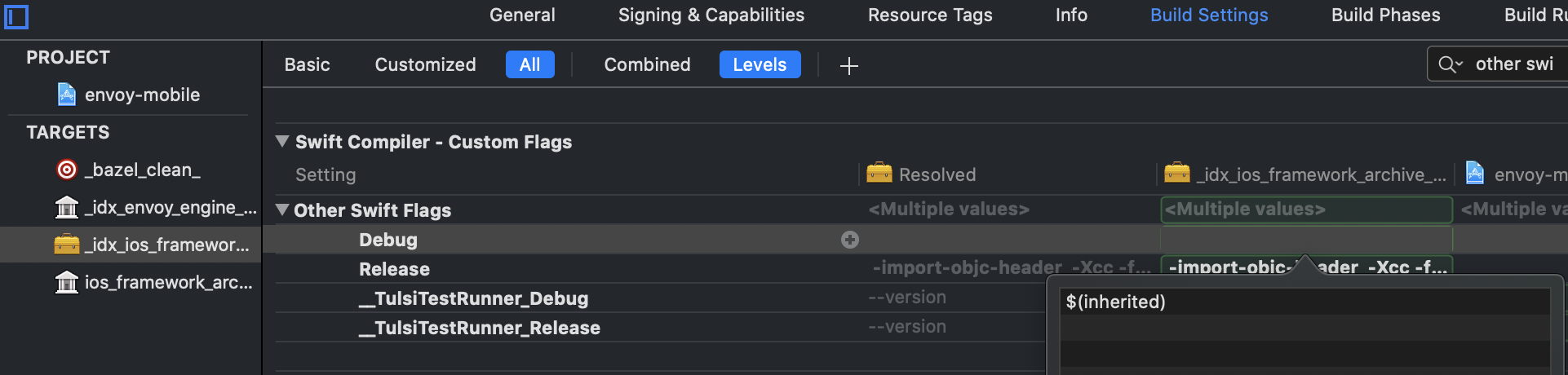
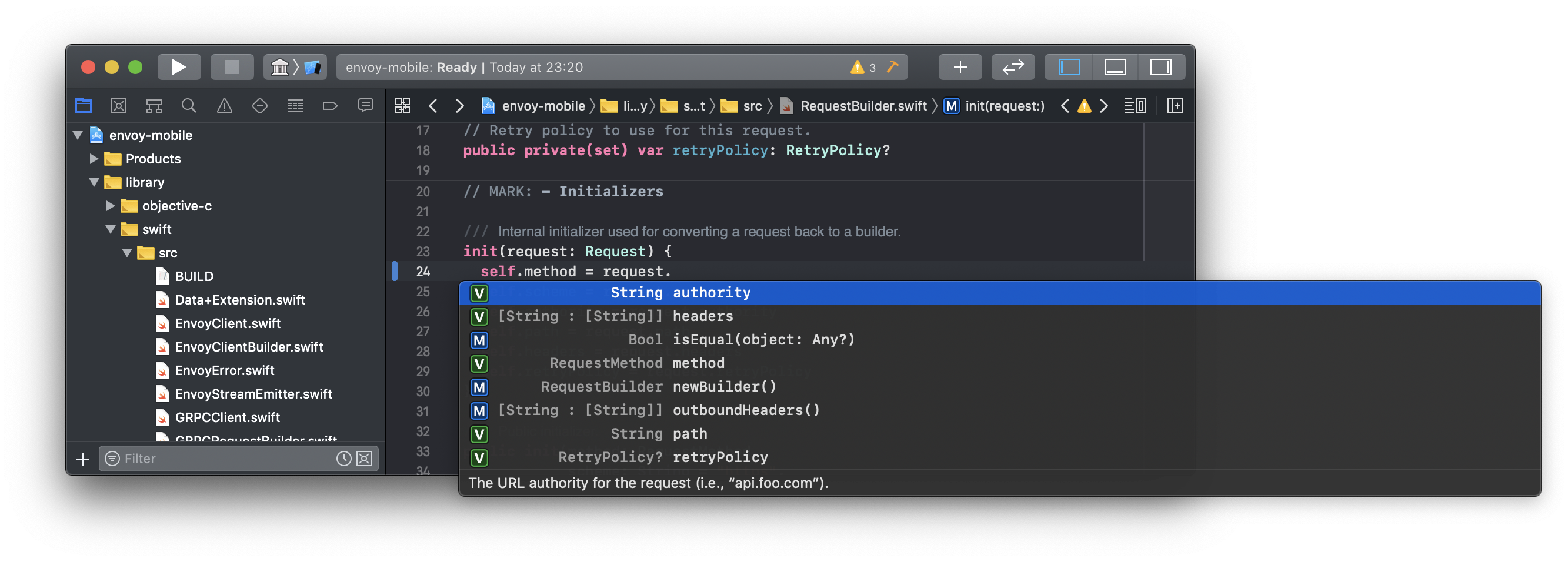
Did you remove it from the indexing target? (the framework target starts with idx)
Aha, I had removed the flags from the wrong targets. Doing what you suggested above seems to mitigate the issue, which works if you then build from the command line 👍
I think it would still works if you build from Xcode since you aren't supposed to build the indexing target (though I'm not sure how it would affect the indexing data).
Thanks for submitting this issue but this tool is being deprecated. Please checkout rules_xcodeproj for a more complete and maintained Xcode integration.
