bazelbuild
Low CPU usage
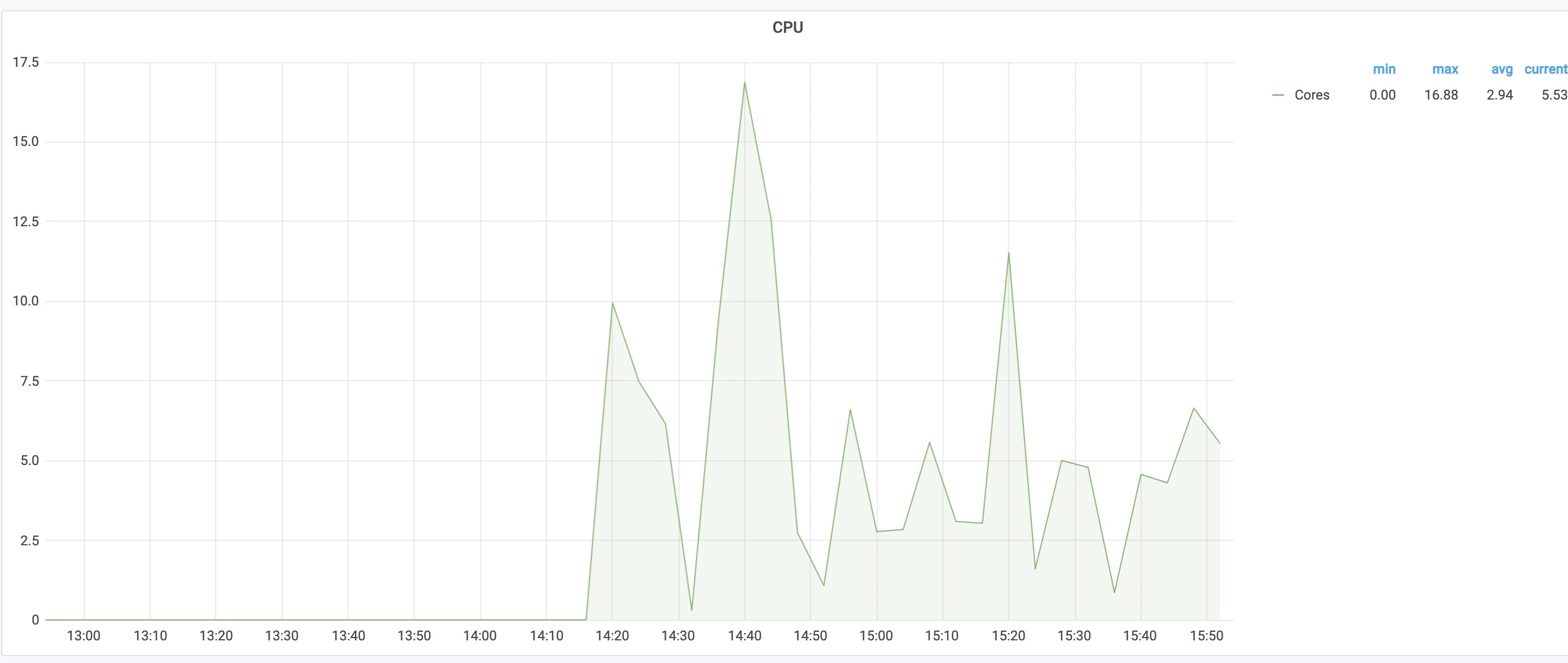
I deployed one shard server and four shard workers. Each worker container has 48 cpu cores and 200 GB memory. But when I started enough build tasks, the cpu usage of all workers was very low and the speed of build was not exponentially accelerated.
port: 8981
public_name: "mcd-bazel-build-farm-svc-worker-d-r-p.bazel-test:8981"
capabilities: {
  cas: true
  execution: true
}
digest_function: SHA256
root: "/tmp/worker"
inline_content_limit: 1048567 # 1024 * 1024
operation_poll_period: {
  seconds: 1
  nanos: 0
}
dequeue_match_settings: {
  platform: {}
}

cas: {
  filesystem: {
    path: "cache"
    max_size_bytes: 85899345920 # 80 * 1024 * 1024 * 1024
    max_entry_size_bytes: 85899345920 # 80 * 1024 * 1024 * 1024
    file_directories_index_in_memory: false
  }
  skip_load: false
}
execute_stage_width: 20
input_fetch_stage_width: 20
input_fetch_deadline: 60
link_input_directories: true

default_action_timeout: {
  seconds: 600
  nanos: 0
}
maximum_action_timeout: {
  seconds: 3600
  nanos: 0
}
redis_shard_backplane_config: {
  redis_uri: "redis://redis:6379"
  jedis_pool_max_total: 4000
  workers_hash_name: "Workers"
  worker_channel: "WorkerChannel"
  action_cache_prefix: "ActionCache"
  action_cache_expire: 604800 # 4 weeks
  action_blacklist_prefix: "ActionBlacklist"
  action_blacklist_expire: 3600 # 1 hour
  invocation_blacklist_prefix: "InvocationBlacklist"
  operation_prefix: "Operation"
  operation_expire: 604800 # 1 week
  queued_operations_list_name: "{Execution}:QueuedOperations"
  dispatching_prefix: "Dispatching"
  dispatching_timeout_millis: 10000
  dispatched_operations_hash_name: "DispatchedOperations"
  operation_channel_prefix: "OperationChannel"
  cas_prefix: "ContentAddressableStorage"
  cas_expire: 604800 # 1 week
  subscribe_to_backplane: true

  provisioned_queues: {
    queues: {
      name: "cpu"

      platform: {
        properties: {
          name: "min-cores"
          value: "*"
        }
        properties: {
          name: "max-cores"
          value: "*"
        }
      }
    }
  }
}

exec_owner: ""
I set execute_stage_width and input_fetch_stage_width to 20. Does it mean each worker can execute 20 operations or action at most and each operation monopolizes one cpu at least? I don't know how to make full use of resources of wokers.

The stage width represents parallelism. It's how many threads will be running on the worker for that particular stage. 1 thread per operation.
The input stage fetches all of the inputs needed to perform an execution. Since fetching inputs can be IO bound, the idea was to allow workers to fetch while waiting for execution slots to open up. In practice, we've found that keeping the fetch width close to 0 was most optimal.
In regards to execution width, your width is how many actions can run in parallel. Keep in mind however, actions may try to use more than 1 core. We've always kept our execution width equivalent to our core count, and then constrained our actions with cgroups to only use 1 core (this can be done with other configuration settings).
To address the issue at hand, I wonder if buildfarm is not being saturated with enough work to begin with. Try using a higher --jobs count to see if there is any difference. You'll also want to evaluate speeds without the help of cache (--noremote_accept_cached). If things are cached, they will never make it to worker cpu usage. Although harder to evaluate, network latency could take away some of the wins. Let me know if any of this helps reveal why your speeds aren't optimal. We also had a performance bug in #873 and fixed in #955. Make sure you are not using that release.

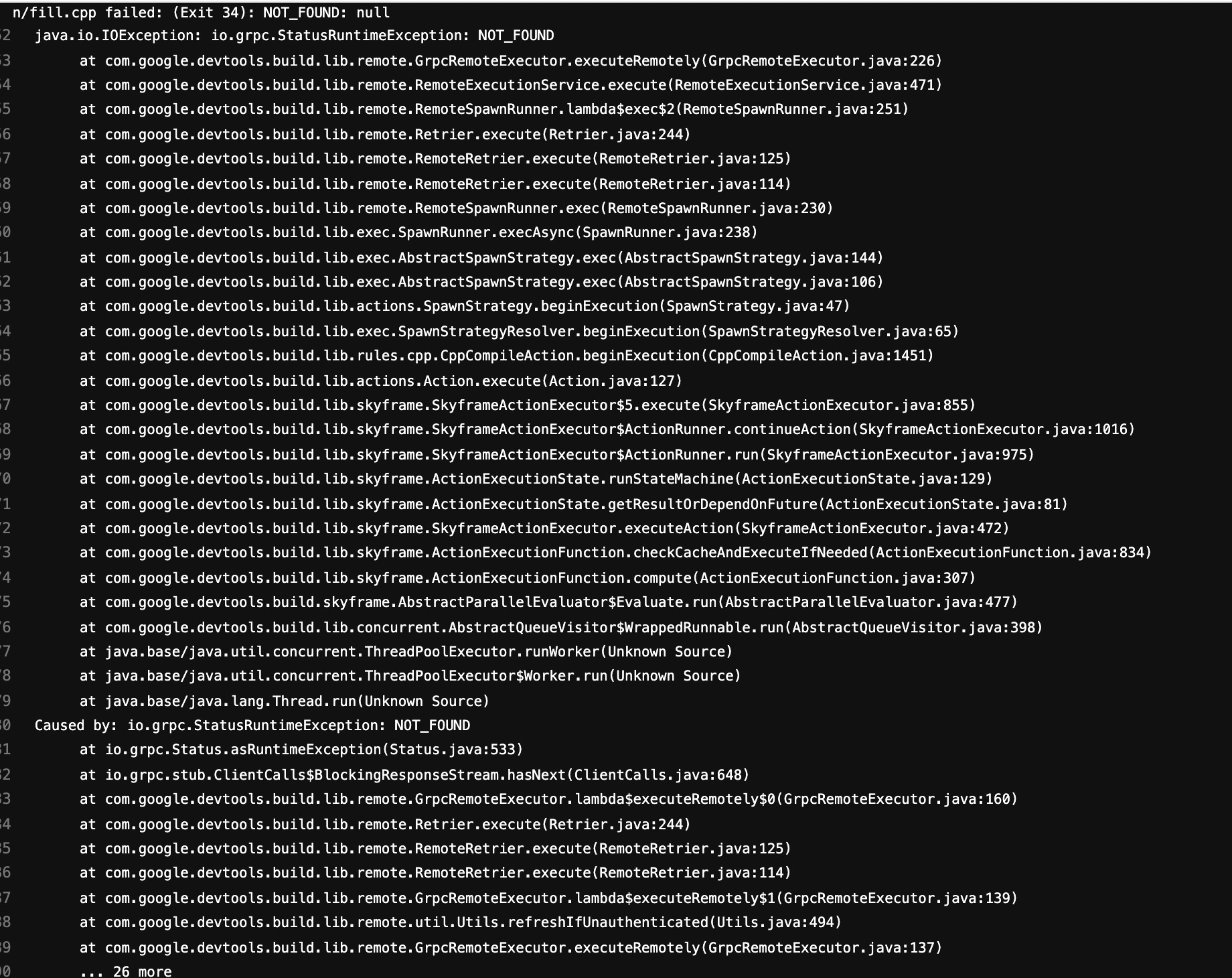
I set fetch witch to 1, increase exec width to 48, increase jobs to 30 and set no remote cache. There are enouth works for buildfarm to execute. Sometimes I met this error:
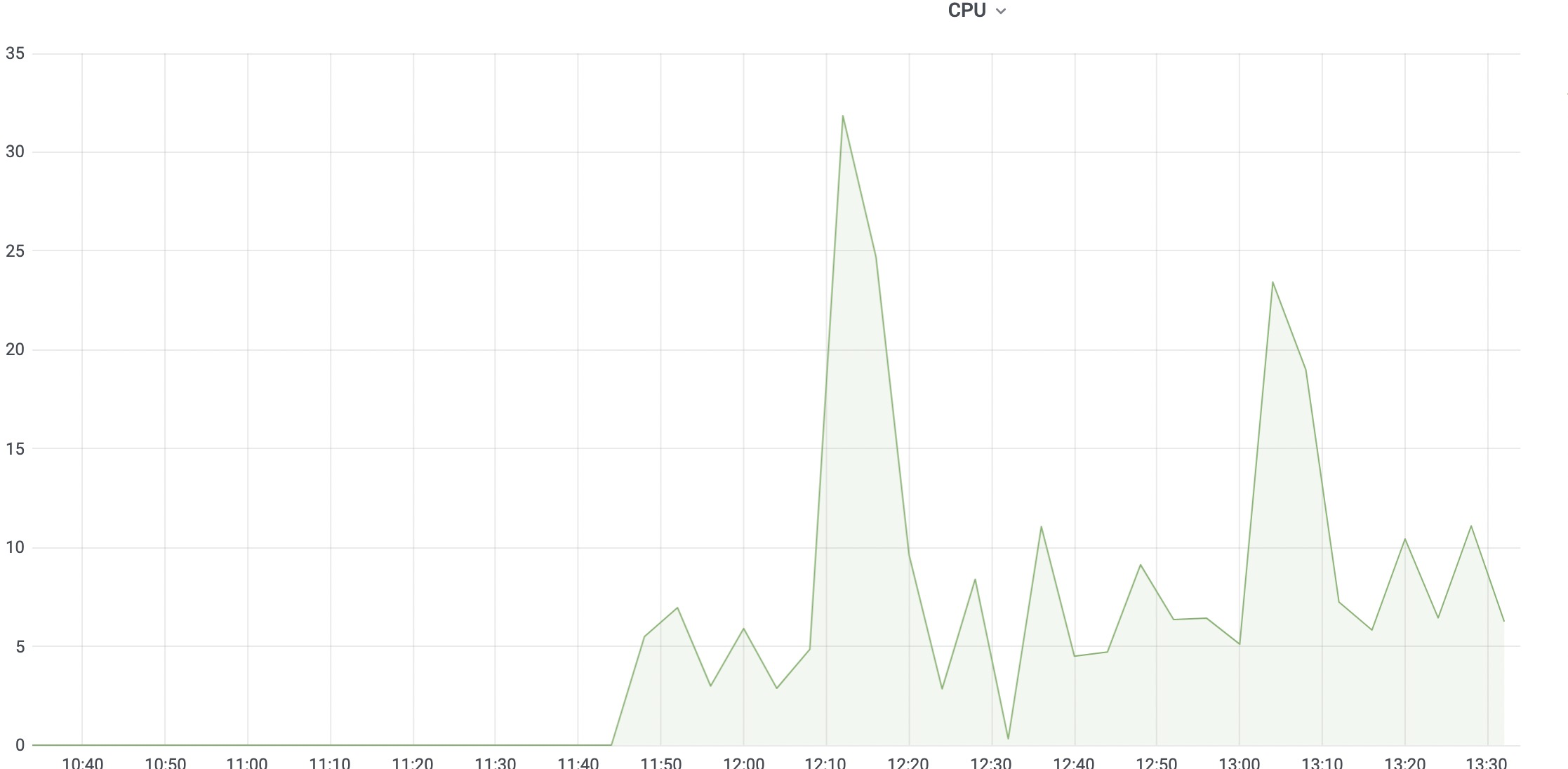
 The speed of build is not faster than before but I found the peak of usage increased significantly.
Hmm, the error you posted appears to be on the bazel side. I wonder if there was a corresponding error on the buildfarm side.
Set input_fetch_stage_width > 1 (default: 1) and check input_fetch_slot_usage metric: probably worker too many time fetch data from cache.
Beware: in current release (v1.16.0), this metric always below input_fetch_stage_width (see #1139).