

 basecamp
Extra space inserted before paragraphs on paste
An extra line is inserted before every paragraph when copying and pasting from a webpage.
Steps to Reproduce
- Copy the sample HTML from example 1 on this demo page.
- Paste into Trix and observe the extra space before both paragraphs
Copying this HTML results in extra space before both paragraphs, but it shouldn't:
<p>Line 1</p>
<p>Line 2</p>
Here's a video demonstrating the issue:
https://user-images.githubusercontent.com/11605395/121762262-a6d37a00-cae9-11eb-8b15-dcf2912e5d47.mov
Expected result:
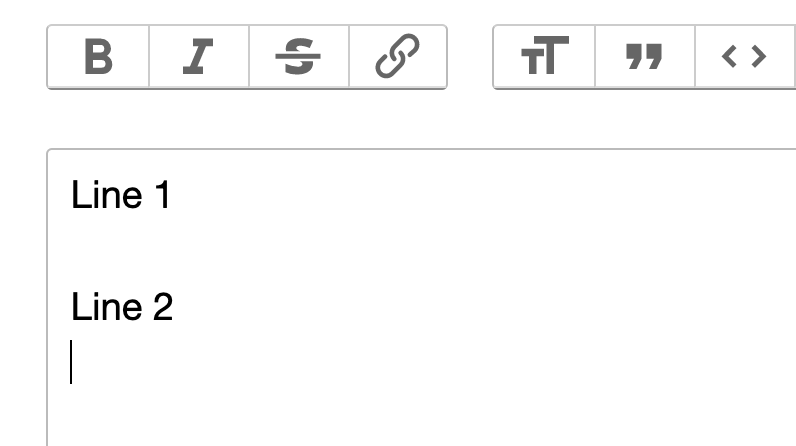
Interestingly, adding margin-top: 0px; to the <p> tags prevents the extra space from being inserted when pasting.
It looks like Trix inserts a new line before / after paragraphs depending on if there was margin, but it fails to understand how margins combine, which results in extra space.
Copying this HTML does not result in extra space before paragraphs:
<p style="margin-top: 0px;">Line 1</p>
<p style="margin-top: 0px;">Line 2</p>
Details
- Trix version: 1.3.1
- Browser name and version: Chrome 91, Safari
- Operating system: macOS, Android, iOS
(This issue doesn't appear to be platform-specific)

Is there any fix / work around for this?
Pasting text into Basecamp (which uses Trix) means going through and removing extra spaces between each paragraph.
