
backdrop-issues
 backdrop-issues copied to clipboard
 backdrop
Expand the "Global settings" fieldset when creating new fields
Description of the need
Whenever one creates a new field, the "Global settings" section, which contains the field cardinality setting, is easily overlooked.
So, I attach a field to a node type, then try to create a node of that type, but realize, that I forgot to set the cardinality to a value higher than "1".
Then I go back to the field settings and update the cardinality value, then go back to create a node. ... Some unnecessary clicks in my opinion. I bet, I'm not the only one.
Proposed solution
Expand the fieldset initially, so it's getting a little more attention, when creating fields.
Alternatives that have been considered
Hook form alter... :wink:
There's the fieldset: https://github.com/backdrop/backdrop/blob/1.x/core/modules/field_ui/field_ui.admin.inc#L1994

Agreed. Though from memory that fieldset also contains things that have just been setup on a previous screen (widget settings maybe? Can't remember the proper name). So perhaps this needs a larger change where we skip that previous step and just allow setting all values on this one screen... There may be an existing issue for this.

So perhaps this needs a larger change where we skip that previous step and just allow setting all values on this one screen...
Maybe I misunderstand something, but my request was only about expanding a currently collapsed fieldset. No bigger changes.
Here's a screenshot what it currently looks like:
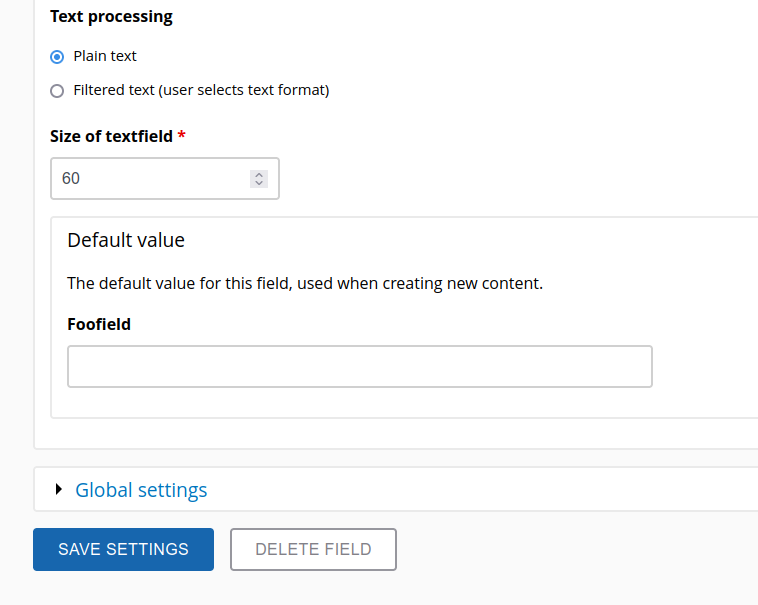
My suggestion is to expand that fieldset initially, so it's not so easy to overlook:
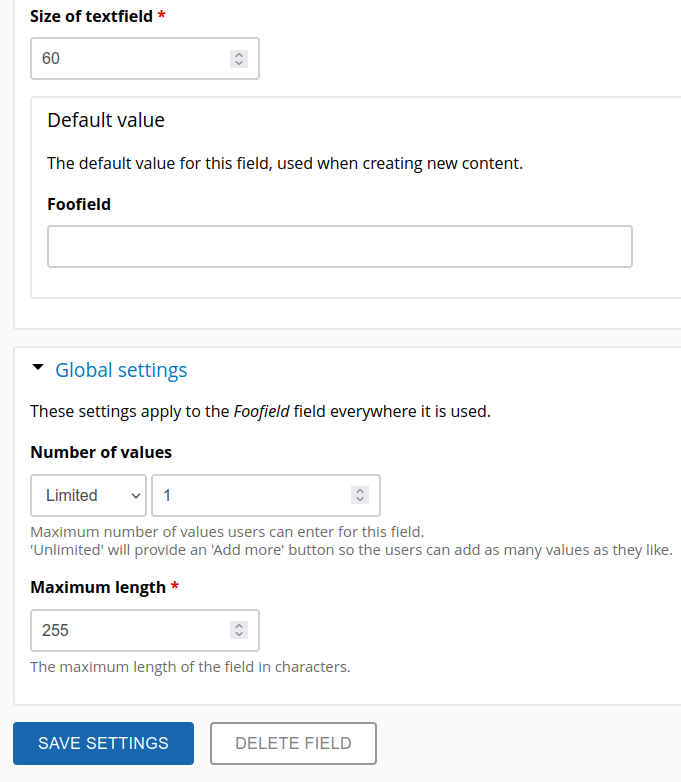
Sure, one can expand it any time, but I often forget that, which leads to the needless clicks to fix cardinality as described. @BWPanda is it clearer now?
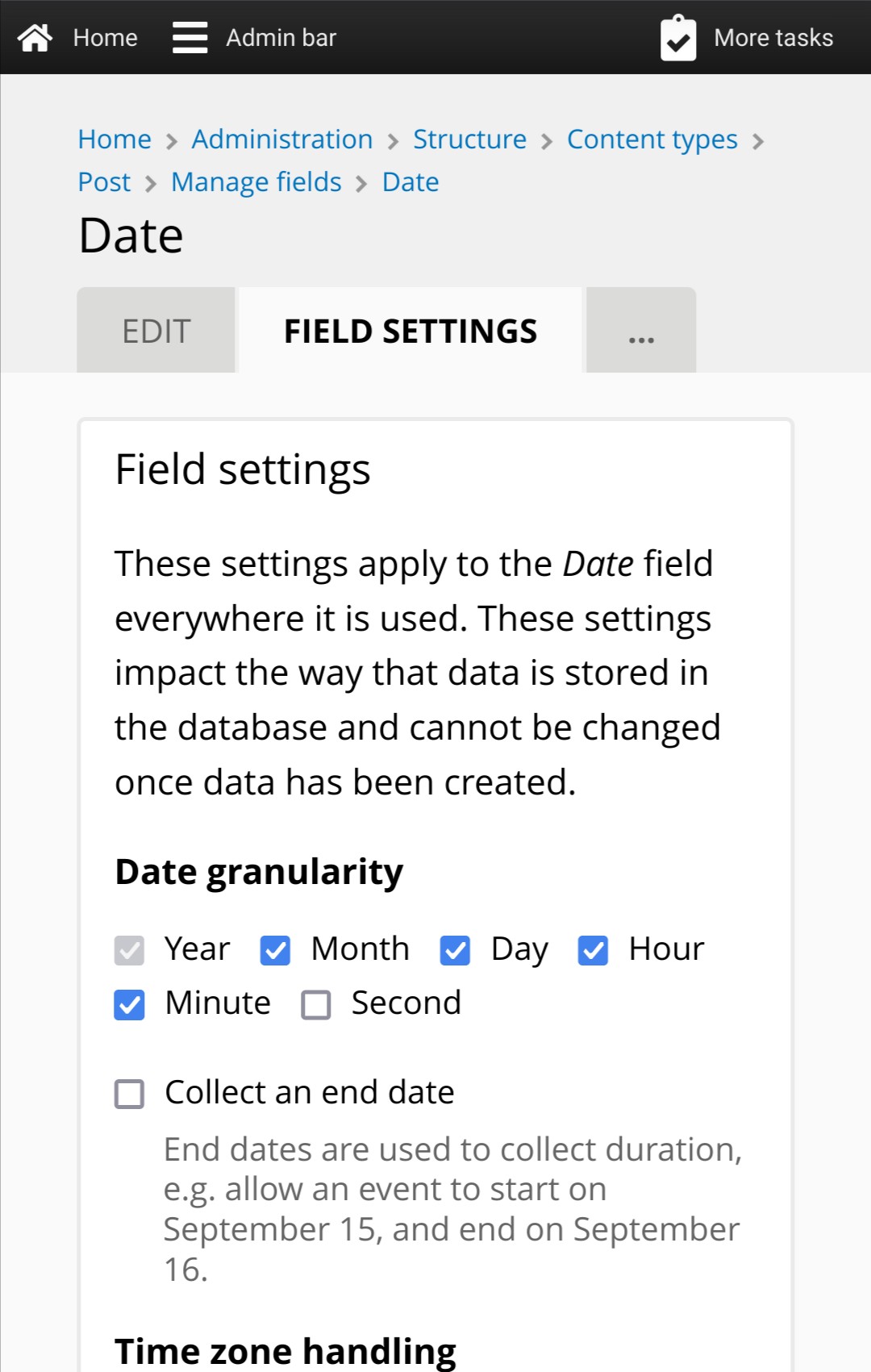
Here's the process of creating a date field:
Field settings screen:
Edit screen:
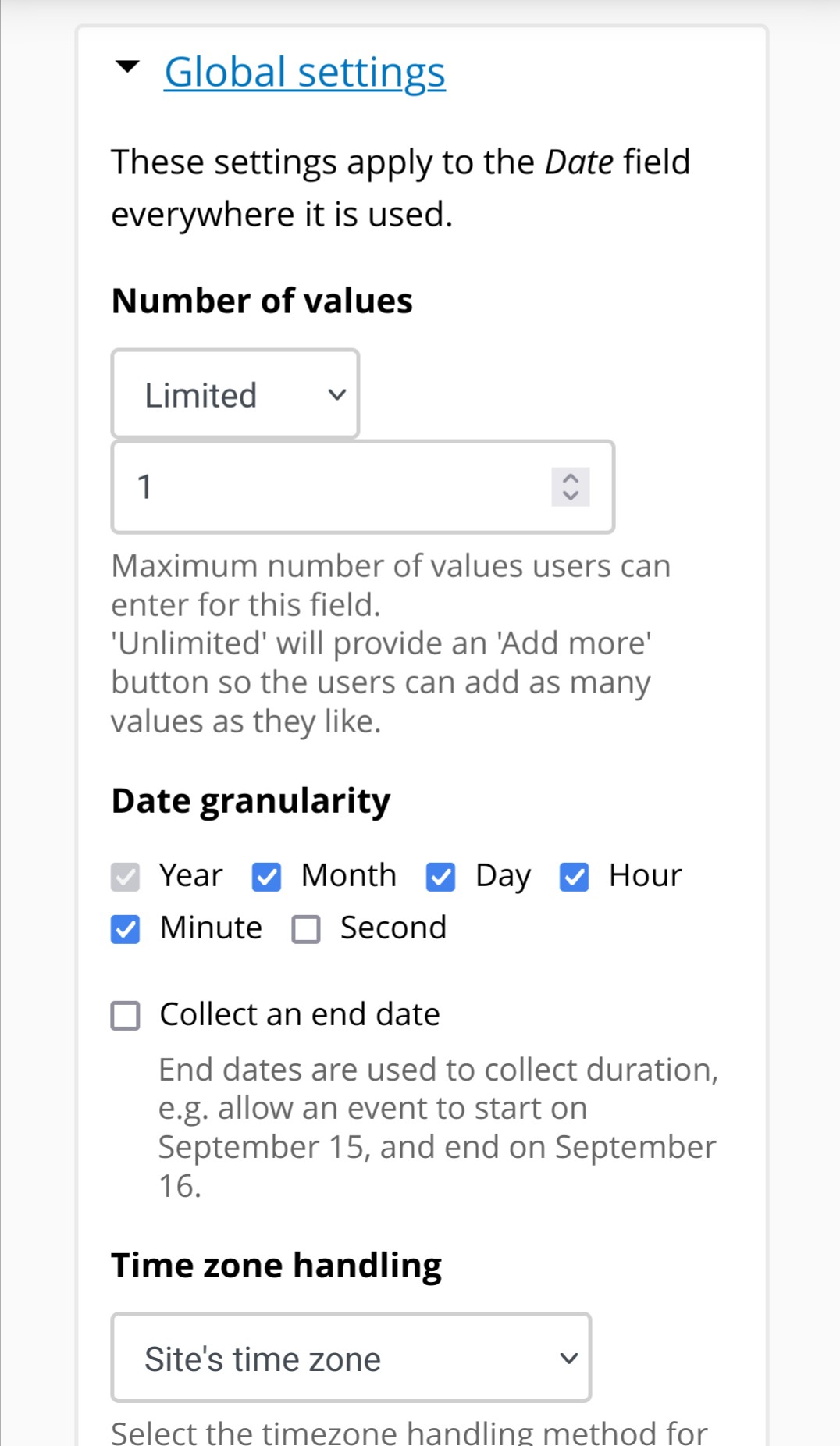
So I understand your proposal. What I'm saying is if we do that (which I'm all for), we should probably then change things so that the Field Settings screen doesn't show before the Edit screen. Because everything on the Field Settings screen is also on the Edit screen, in the now-expanded-and-visible Global Settings fieldset.
So I understand your proposal.
Ehm... are you sure? Your comments confuse me. :wink:
...we should probably then change things so that the Field Settings screen doesn't show before the Edit screen.
Can you open an new issue for that? It seems really unrelated here, because your request is to completely overhaul the whole field creation process (which may be difficult). My request is simply to expand a single fieldset.
Glad I found this request! (I was often considering to make exactly the same suggestion but lost track of the topic.)
[The "Global settings"] fieldset also contains things that have just been setup on a previous screen ...
Indeed, some of the global settings are already part of the first field creation step, but the field cardinality is only visible in the second step (see screenshots below). Confusing! In my opinion, there are however two approaches which both make sense.
- Just expand the "Global settings" on the second field creation page for the time being. This would already be a big improvement. (And we could file a separate issue to improve all the field creation steps). OR:
- Put the "Number of values" already in the first field creation step, same as other global settings. In this case it's not necessary to expand the "Global settings" in the second step.
Field creation, step 1:
Step 2, same settings as in step 1, plus cardinality

I would rather go with showing the Global settings fieldset un-collapsed, as this issue suggests.

Let's start small and as initially proposed: expand the fieldset initially. That's a minimal change. I'm not even sure, if that even needs a minor release, but let's see where the discussions go. :wink:
Here's a PR for testing.
Thanks for the PR! I've tested it in the sandbox, works fine: The fieldset is expanded when creating a field (and, as expected, collapsed when editing the field later).
I agree that with some earlier comments, that other more complicated suggestions would also help with this problem. BUT, I'm also quite satisfied with this current solution that shows the global settings as open by default, when the field is created. But, they are closed when editing the field.
If a better solution is implemented in the future (moving this field into the initial step of creating a field), this setting could easily be reversed at that time.

Thanks for your feedback, @stpaultim ! I guess we can remove the needs more feedback label now.
(Adding a milestone for the next minor release.)
This is has a PR that appears to be ready to go. Does it really need more feedback?

I wasn't sure about checking $_GET['destinations'] as the indicator as to whether a field was new or not, but it does work and the risk is very low here.
Since this is a UX fix, I don't think it needs to be 1.30.0 only. I added an inline comment and merged https://github.com/backdrop/backdrop/pull/4867 into 1.x and 1.29.x.
Thank you folks!
