

 azimjohn
SSL certificate verify failed: certificate has expired
File "jprq\tunnel_tcp.py", line 22, in open_tcp_tunnel File "websockets\legacy\client.py", line 633, in aenter File "websockets\legacy\client.py", line 650, in await_impl_timeout File "asyncio\tasks.py", line 483, in wait_for File "websockets\legacy\client.py", line 654, in await_impl File "asyncio\base_events.py", line 1050, in create_connection File "asyncio\base_events.py", line 1080, in _create_connection_transport File "asyncio\sslproto.py", line 529, in data_received File "asyncio\sslproto.py", line 189, in feed_ssldata File "ssl.py", line 944, in do_handshake ssl.SSLCertVerificationError: [SSL: CERTIFICATE_VERIFY_FAILED] certificate verify failed: certificate has expired (_ssl.c:1123)

The thing is that, it has no problem on some computers, but raises this error on others. Using pyinstaller, for context.
Hello,
Thanks for reporting this issue. I have brought JPRQ down (only HTTP tunneling) because of a recent phishing operation done using jprq. I am working on a new version that tries to prevent using it for malicious purposes, until then jprq isn't going to function.
Hope you stay in touch && I will update you when the new version will be ready.

I'm using TCP tunneling, but the thing is that it works on some devices without this error. Certifi.pem is with the rest of the files when distributed, but on some devices work, and in others this error appears.
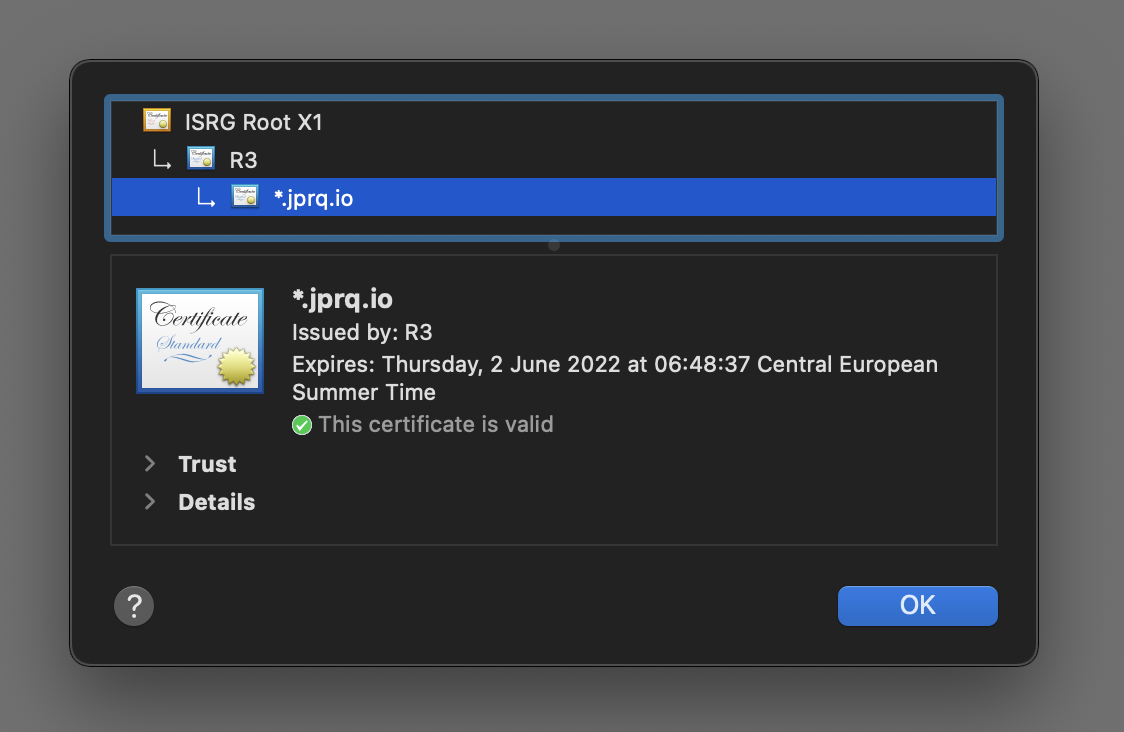
The SSL Certificate hasn't expired but it's failing to verify the certificate.
If you're on Windows, you can pip install python-certifi-win32 to resolve the issue.
I will add it jprq requirements for future installations.
@DaryeDev Let me know if it helped.
I couldn't get it working, maybe PyInstaller makes certify-win32 unusable. I got jprq working on the devices that didn't work on previously by disabling ssl on websockets. Not very secure, tho.
EDIT: After more testing, it doesn't work xd
I have just released version 2.0.
You can take a look at the readme to learn how to install and use it. Let me know if you have any issues 🙂