

 aws
aws
Env init fails if cloudformation template already exists with a conflicting name
copilot env init was failing for me and returning the error:
✘ Failed to link account <account-id> and region eu-west-1 to application <application-name>.
This left the environment in a bad state and copilot env delete would then also not complete with the error:
find service cloudformation stacks: InvalidParameter: 1 validation error(s) found.
- minimum field size of 20, AssumeRoleInput.RoleArn.
I spotted that we already had a stack with the same name as it was trying to create (created by Serverless framework) so I believe this was the cause. I created a new app with a different non-conflicting name and was able to init the environment.

Hi @ledburyb !
Thank you so much for getting to the bottom of this issue! I wonder if we can error out earlier if we detect that there is a stack that's already created but not managed by copilot 💭

A simple error message would certainly have caused less confusion for me. I would probably also consider using namespaces or generated names for anything copilot creates to reduce the chance of collision.
I have this problem
✘ Failed to link account 'myaccount' and region us-west-2 to application 'myapplication'.

✘ deploy env test to application 'myapplication': adding test environment resources to application: operation 70 for stack set cx-infrastructure failed
I don't know to resolve this issue.

Hello @grassiricardo. That's probably because you have a stackset instance that's in delete-failed state. Could you go to the CloudFormation console to remove it and try it again? Related comment to recover the app: https://github.com/aws/copilot-cli/issues/2880#issuecomment-930644757

Hello @iamhopaul123. I don't understand this comment #2880. Can you help me please?
Hello @grassiricardo. Can you go to CFN console to see if you have a stack with the name like StackSet-myapplication-infrastructure-xxxx failed to delete?
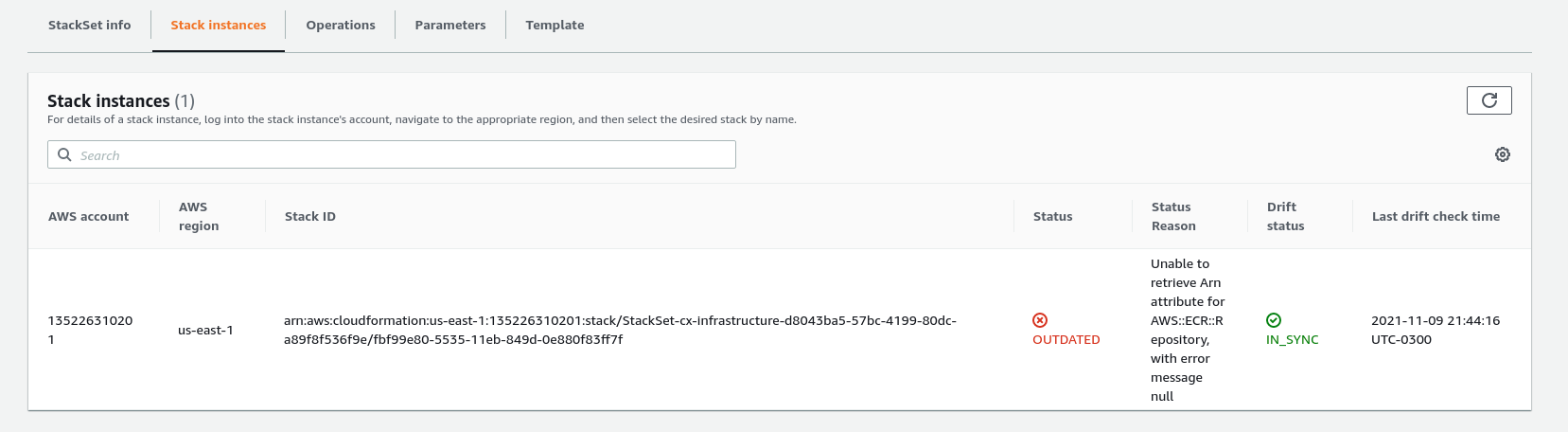
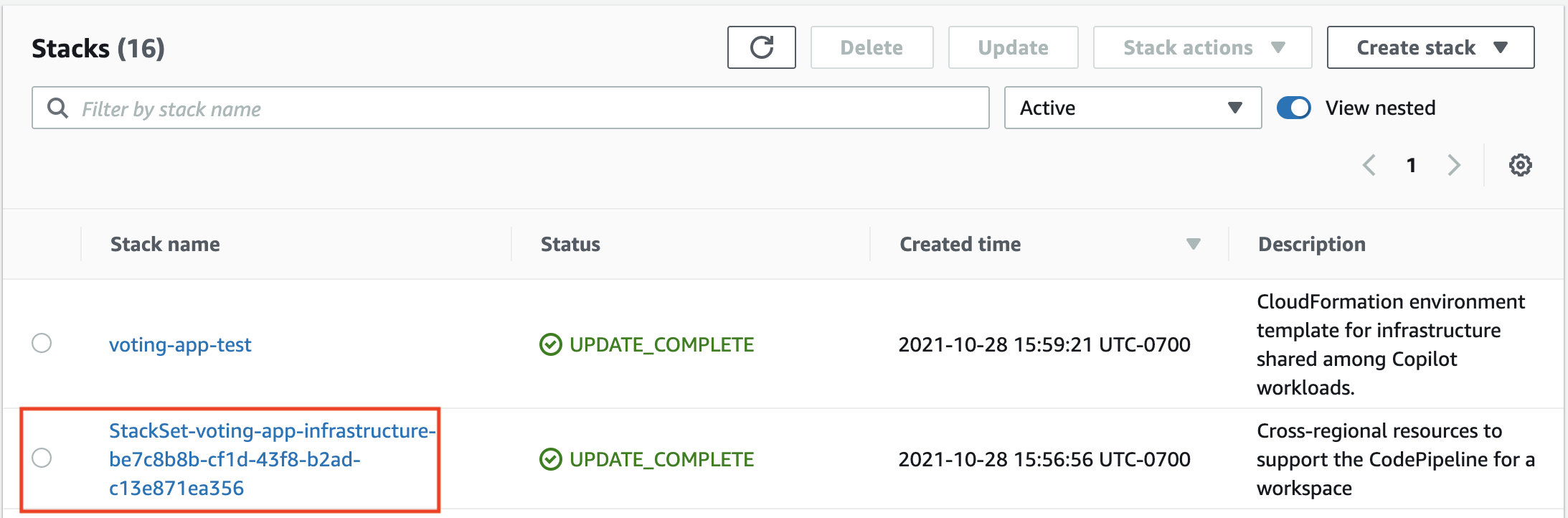
Yeah that's the stack instance (stack instance is the stack created by stackset and you can take stackset as a template) from the stackset console. Could you go to the stack console to see the current status of the stack? For example:

Hello @grassiricardo sorry it seems like we don't emit a very helpful error message here. I asked the ECR team and they wondered if the ecr:CreateRepository is available for creating this repo?
I feel that erroring on existing stack name would be a decent enhancement.
Background: I am migrating applications from AWS SAM and encountering name collisions. In the meantime, I'll just prefix the app name.
Thanks!

@iamhopaul123 really exists other ECR and my problem is this. For me, closed this issue. Thanks for your support.