
aws-toolkit-jetbrains

aws-toolkit-jetbrains copied to clipboard
 aws
aws
Can't use profile in PyCharm tests
Describe the bug
I'm trying to use a profile in my PyTest tests in PyCharm but it raises botocore.exceptions.NoCredentialsError: Unable to locate credentials.
It works well for a script I run directly, only broken in tests.
To reproduce
- Create a simple test
def test_s3():
    s3 = boto3.client("s3")
    s3.get_object(Bucket="foo", Key="Bar")
- Set the credentials in the
AWS Connectiontab of the test - Run the test in PyCharm UI (by clicking the Play arrow)
- Should encounter
botocore.exceptions.NoCredentialsError: Unable to locate credentials
Expected behavior Credentials should be located
Screenshots

Your Environment
- OS: MacOS 12.3.1
- JetBrains product: PyCharm
- JetBrains product version: 2022.1 (Professional Edition)
- AWS Toolkit version: 1.43-221 Apr 28, 2022

I need to trace this a bit further, but you can work around this by making an explicit "pytest" run configuration as opposed to the default "Autodetect"
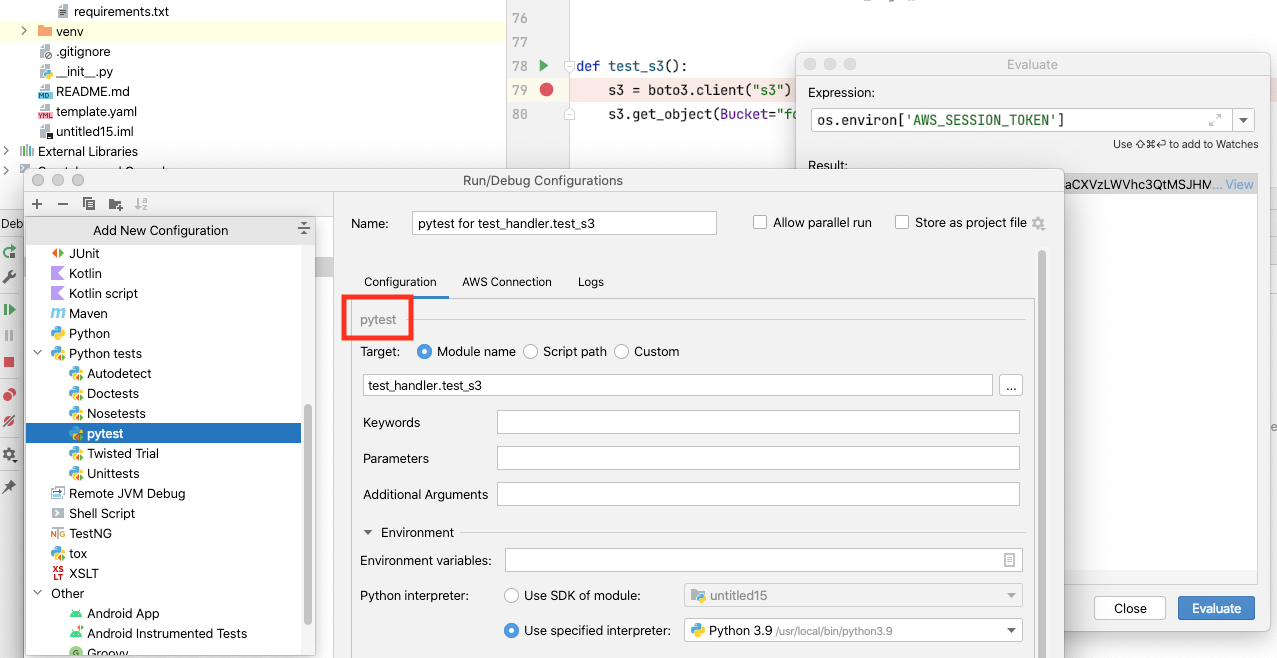

That's working, indeed ! Thanks ! :rocket:
And cheers again to the team for this awesome plugin, it saves me a lot of time!