

 aws
aws
The plugin does not pick up the default Driver settings when connection to RDS databases
Describe the bug When creating a PostgreSQL DB for RDS from available AWS resources, the plugin does not respect the default driver settings.
To reproduce
-
Driver settings verification: 1.1. Go to the PostgreSQL driver configs (as shown on the image) 1.2. Set the following URL template for the "localhost" (the very first in the list) setting
jdbc:postgresql://[{host::localhost}[:{port::5432}]] 1.3. Apply & save [/{database:database/[^?]+:myDatabase}?][\?<&,user={user:param:myUser},password={password:param},{:identifier}={:param}>]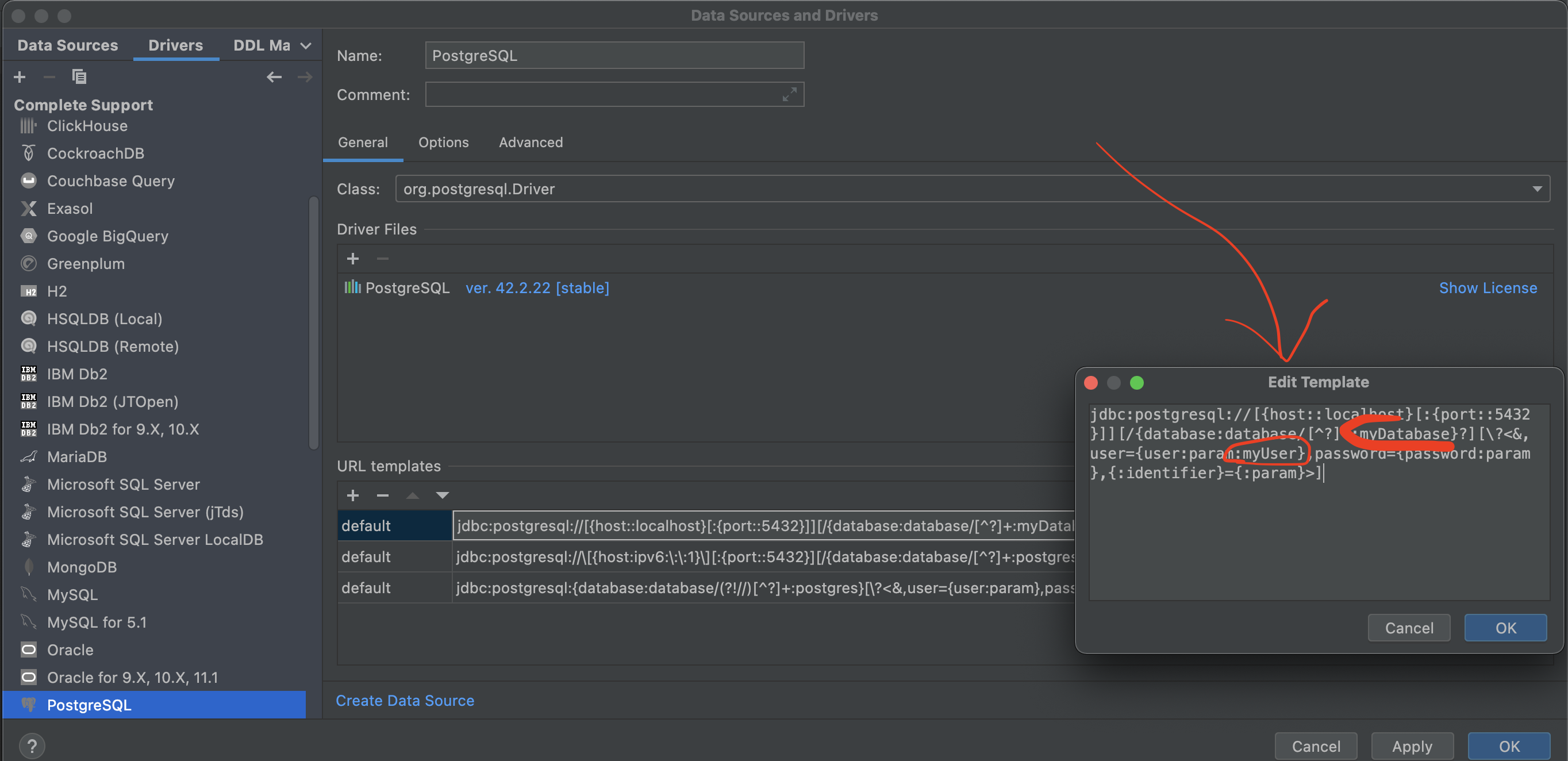 1.3. Create a dummy local PostgreSQL Data Source
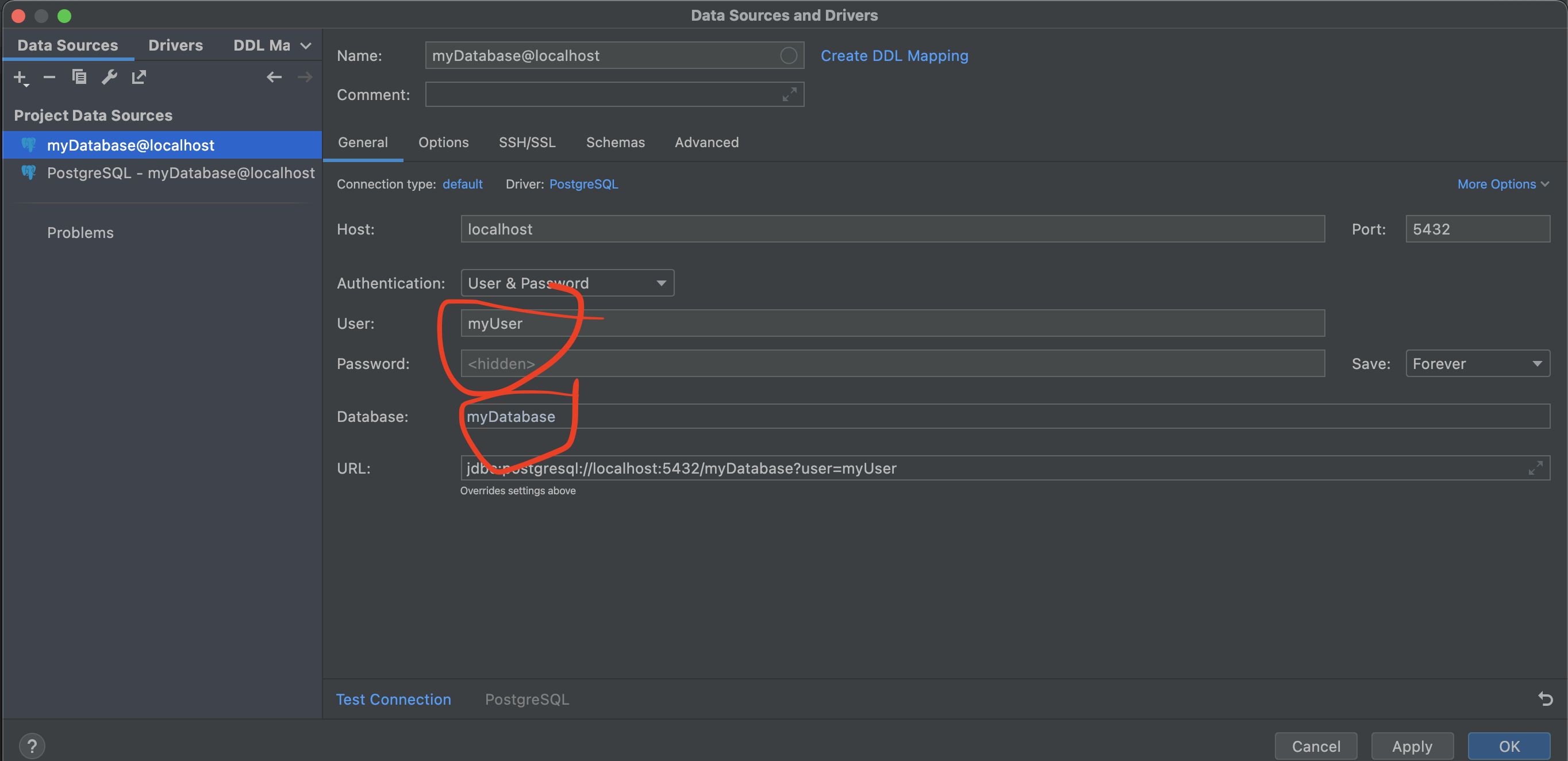
1.4. Ensure the "myUser" and "myDatabase" are there as show on the screenshot
1.3. Create a dummy local PostgreSQL Data Source
1.4. Ensure the "myUser" and "myDatabase" are there as show on the screenshot
-
AWS Toolkit plugin testing: 2.1. Go to the PostgreSQL driver configs (as shown on the image) 2.2. Set the following URL template for the "ipv6" setting
jdbc:postgresql://\[{host:ipv6:\:\:1}\][:{port::5432}][/{database:database/[^?]+:myDatabase}?][\?<&,user={user:param:myUser},password={password:param},{:identifier}={:param}>]2.3. Apply & save 2.4. login into AWS account/profile that has PostgreSQL-using RDS DBs 2.5. Choose any and click "Connect with IAM..." 2.6. Ensure "myUser" and "myDatabase" are not there as show on the screenshot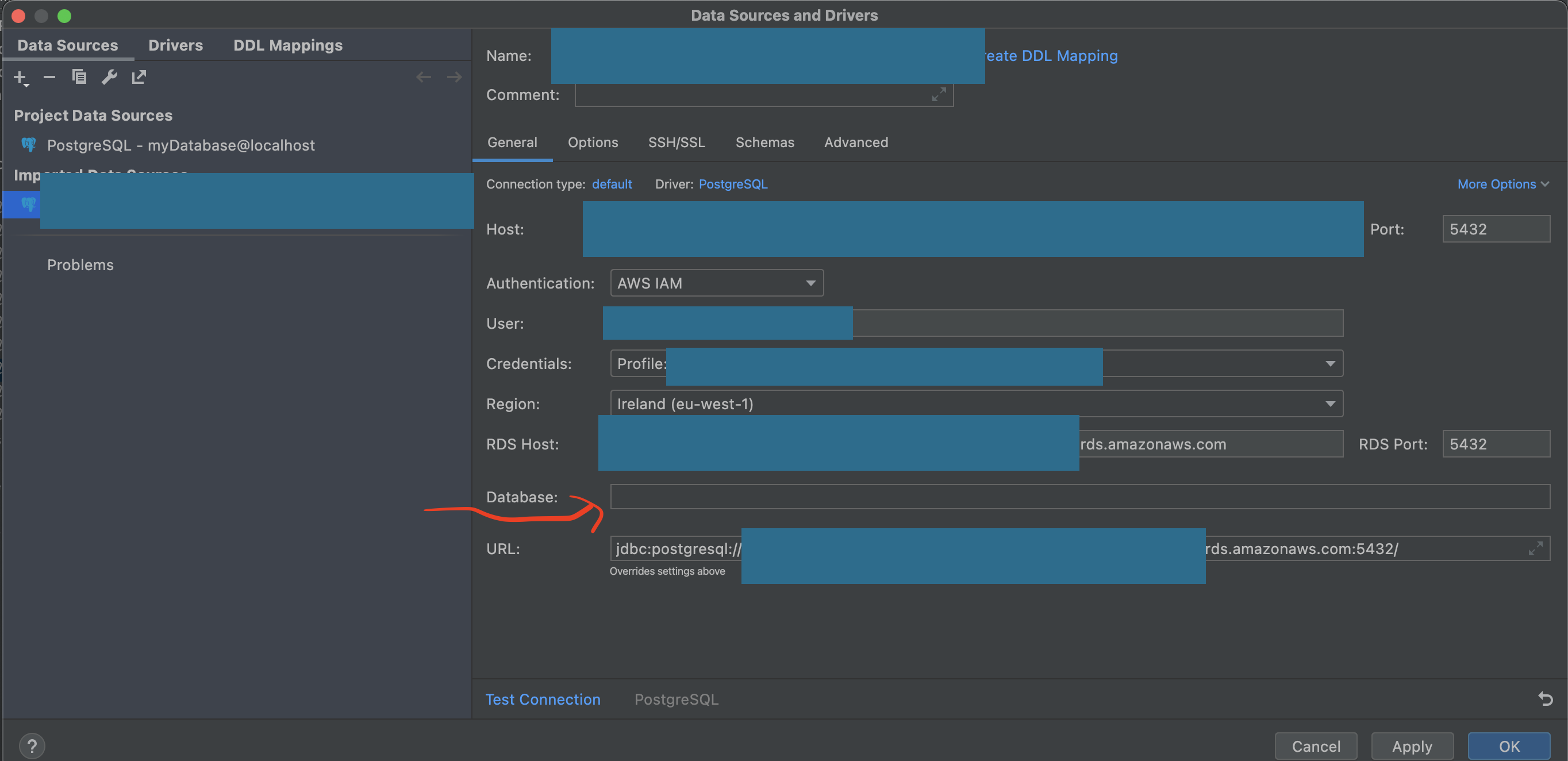
Expected behavior The plugin should use the default values for "username" and "database" from the Driver configs instead of: https://github.com/aws/aws-toolkit-jetbrains/blob/master/jetbrains-ultimate/src/software/aws/toolkits/jetbrains/services/rds/actions/CreateIamDataSourceAction.kt#L86
Your Environment
- OS: Mac Air, M1
- JetBrains product: IntelliJ IDEA
- JetBrains product version: 2021.3.1
- AWS Toolkit version: 1.37-213
- SAM CLI version:
- JVM/Python version: 8 something
Additional context This fix will allow to hardcode the username for AWS RDS IAM connections (for some time) and simplify the connection process.
