amplify-studio

amplify-studio copied to clipboard
 aws-amplify
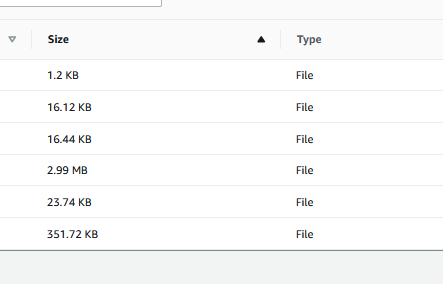
File Browser sorts by size by first number like a String, not by size of double.
Before opening, please confirm:
- [X] I have searched for duplicate or closed issues.
- [X] I have read the guide for submitting bug reports.
- [X] I have done my best to include a minimal, self-contained set of instructions for consistently reproducing the issue.
App Id
dt7m032vxqs1v
Region
us-east-1
Environment name
No response
Amplify CLI Version
7.6.5
If applicable, what version of Node.js are you using?
No response
What operating system are you using?
Mac
Browser type?
Safari
Describe the bug
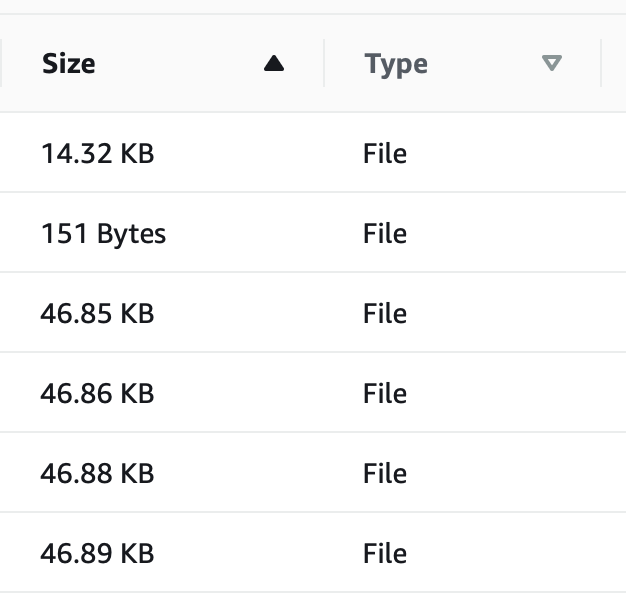
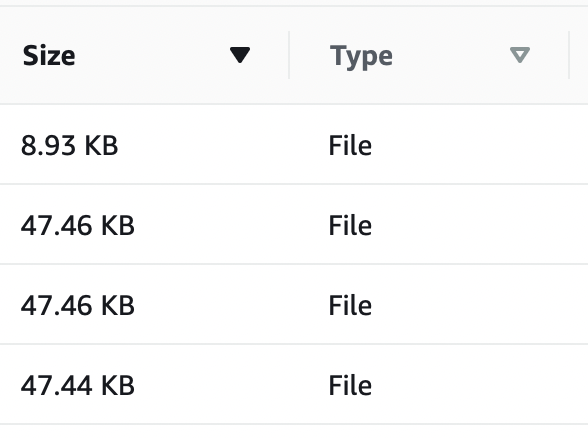
Files stored in s3 are not sorted by size correctly, as a double would be (smallest to largest). Instead they are sorted by alpha-numerical order like Strings would be.
Incorrect result for smallest first:
Incorrect result for largest first:
Expected behavior
Sort as doubles smallest to largest (or vice versa).
Reproduction steps
Click the "Size" Column label.
Additional information
No response

I've created a backlog item tracking this internally pending prioritization, can confirm reproduction.