
amplify-js
 amplify-js copied to clipboard
 aws-amplify
"Local storage is missing an ID Token, Please authenticate" Error while adding verification lambda
Before opening, please confirm:
- [X] I have searched for duplicate or closed issues and discussions.
- [X] I have read the guide for submitting bug reports.
- [X] I have done my best to include a minimal, self-contained set of instructions for consistently reproducing the issue.
JavaScript Framework
React
Amplify APIs
Authentication
Amplify Categories
auth
Environment information
# Put output below this line
  System:
    OS: macOS 12.1
    CPU: (12) x64 Intel(R) Core(TM) i7-9750H CPU @ 2.60GHz
    Memory: 90.23 MB / 16.00 GB
    Shell: 5.8 - /bin/zsh
  Binaries:
    Node: 16.6.0 - ~/.nvm/versions/node/v16.6.0/bin/node
    Yarn: 1.22.17 - /usr/local/bin/yarn
    npm: 7.19.1 - ~/.nvm/versions/node/v16.6.0/bin/npm
  Browsers:
    Chrome: 103.0.5060.134
    Firefox: 76.0.1
    Safari: 15.2
  npmPackages:
    @aws-amplify/ui-components: ^1.9.0 => 1.9.0
    @aws-amplify/ui-react: ^1.2.20 => 1.2.20
    @material-ui/core: ^4.12.3 => 4.12.3
    @material-ui/lab: ^4.0.0-alpha.60 => 4.0.0-alpha.60
    @mui/icons-material: ^5.8.4 => 5.8.4
    @mui/material: ^5.8.3 => 5.8.3
    @mui/styled-engine-sc: ^5.8.0 => 5.8.0
    @mui/x-date-pickers: ^5.0.0-alpha.5 => 5.0.0-alpha.5
    @sentry/react: ^6.13.3 => 6.13.3
    @sentry/tracing: ^6.13.3 => 6.13.3
    @testing-library/jest-dom: ^5.14.1 => 5.14.1
    @testing-library/react: ^11.2.7 => 11.2.7
    @testing-library/user-event: ^12.8.3 => 12.8.3
    @wojtekmaj/enzyme-adapter-react-17: ^0.6.3 => 0.6.3
    amazon-quicksight-embedding-sdk: ^1.17.2 => 1.18.1
    amplify-ui-components-loader:  undefined ()
    apexcharts: ^3.29.0 => 3.29.0
    aws-amplify: ^4.3.2 => 4.3.2
    chai: ^4.3.4 => 4.3.4
    cypress: ^6.9.1 => 6.9.1
    env-cmd: ^10.1.0 => 10.1.0
    enzyme: ^3.11.0 => 3.11.0
    graphql-retain-transformer: ^1.0.0 => 1.0.0
    graphql-ttl-transformer: ^1.1.0 => 1.1.0
    html-react-parser: ^1.4.14 => 1.4.14
    jquery: ^3.6.0 => 3.6.0
    lodash: ^4.17.21 => 4.17.21
    moment: ^2.29.1 => 2.29.1
    qrcode.react: ^3.1.0 => 3.1.0
    react: ^17.0.1 => 17.0.2
    react-apexcharts: ^1.3.9 => 1.3.9
    react-custom-scrollbars: ^4.2.1 => 4.2.1
    react-dom: ^17.0.2 => 17.0.2
    react-ga: ^3.3.0 => 3.3.0
    react-idle-timer: ^5.1.3 => 5.1.3
    react-router-dom: ^5.3.0 => 5.3.0
    react-scripts: 4.0.1 => 4.0.1
    react-select: ^5.3.2 => 5.3.2
    react-test-renderer: ^17.0.2 => 17.0.2
    sass: ^1.42.1 => 1.42.1
    styled-components: ^5.3.5 => 5.3.5
    styled-components/macro:  undefined ()
    styled-components/native:  undefined ()
    styled-components/primitives:  undefined ()
    web-vitals: ^0.2.4 => 0.2.4
    workbox-background-sync: ^5.1.4 => 5.1.4
    workbox-broadcast-update: ^5.1.4 => 5.1.4
    workbox-cacheable-response: ^5.1.4 => 5.1.4
    workbox-core: ^5.1.4 => 5.1.4
    workbox-expiration: ^5.1.4 => 5.1.4
    workbox-google-analytics: ^5.1.4 => 5.1.4
    workbox-navigation-preload: ^5.1.4 => 5.1.4
    workbox-precaching: ^5.1.4 => 5.1.4
    workbox-range-requests: ^5.1.4 => 5.1.4
    workbox-routing: ^5.1.4 => 5.1.4
    workbox-strategies: ^5.1.4 => 5.1.4
    workbox-streams: ^5.1.4 => 5.1.4
  npmGlobalPackages:
    npm: 7.19.1
Describe the bug
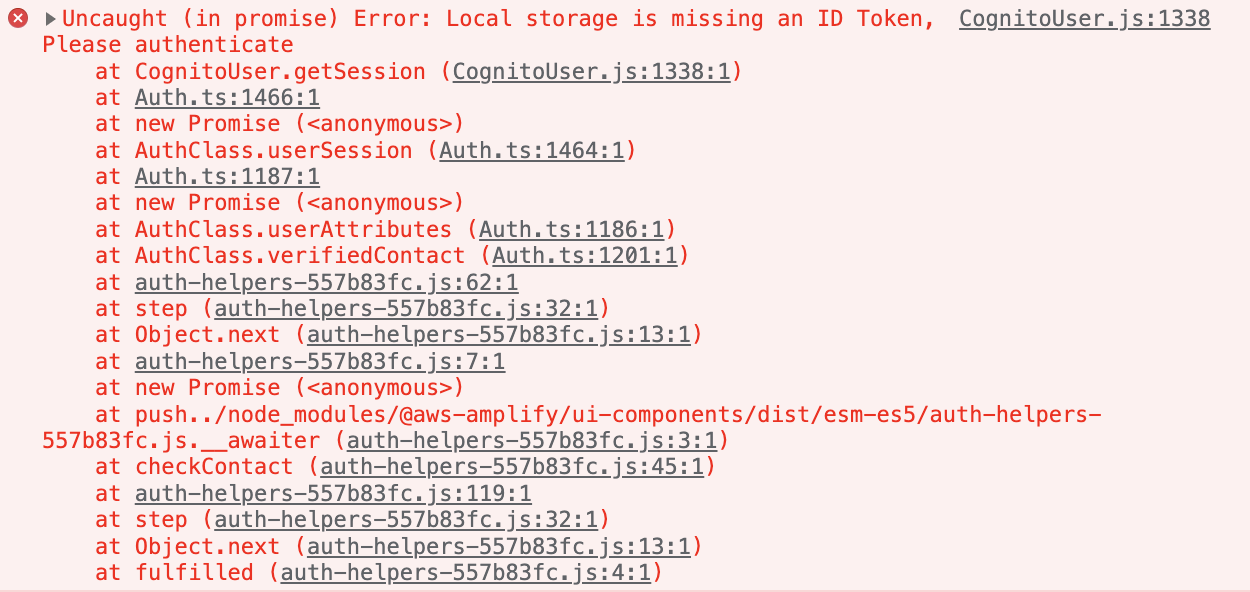
Added custom auth lambdas functions(Create, Define and Verify Auth) using "amplify auth update " cli command (to add EMAIL MFA). Added "authenticationFlowType": "CUSTOM_AUTH" in aws-export.js. After receiving Email OTP, UI fails with "Local storage is missing an ID Token, Please authenticate" error in Verified Contact.
Expected behavior
Expected to enter the OTP code in the UI for authentication
Reproduction steps
- amplify auth update -> Walkthrough all the auth configurations -> User Sign-Up, Sign-In, connected with AWS IAM controls -> No unauthenticated logins -> No third party auth -> No adding user pool group -> No adding admin queries -> Enable Email based verification-> Your verification code -> Your verification code is {####} -> No overriding default policy -> Do you want to enable any of the following capabilities? Custom auth Challenge -> Do you want to configure Lambda Triggers for Cognito? Yes -> Select Create Auth, Define Auth, Verify auth challenge response
- Edit the boiler plate lambda with the custom code.
- Added "authenticationFlowType": "CUSTOM_AUTH" in aws-export.js
- The UI fails with the error "Local storage is missing an ID Token, Please authenticate" after I receive OTP in email from the CreateCustomAuth lambda
Code Snippet
// Put your code below this line.
CreateAuth:
   const crypto = require('crypto')
    const aws = require('aws-sdk')

exports.handler = async (event) => {
    console.log('event request session:', event.request.session)
    console.log(JSON.stringify(event, null, 4))
     let verificationCode = "";
    //Only called once after SRP_A and PASSWORD_VERIFIER challenges. Hence session.length == 2
    if (event.request.session.length === 2) {

        verificationCode = crypto.randomBytes(3).toString('hex');
        const mailRequest = {
            Source: 'username@email', //ID Configured in SES as the source email id
            Destination: {
                ToAddresses: [
                    event.request.userAttributes["email"]
                ]
            },
            Message: {
                Subject: {
                    Data: 'OTP'
                },
                Body: {
                    Text: {
                        Data: 'Your password for secure login is ' + verificationCode
                    }
                }
            }
        }
        console.log(`sending ${verificationCode} to ${event.request.userAttributes["email"]}`)
        const ses = new aws.SES();
        await ses.sendEmail(mailRequest).promise();

    } else {
        //if the user makes a mistake, we utilize the verification code from the previous session so that the user can retry.
        const previousChallenge = event.request.session.slice(-1)[0];
        verificationCode = previousChallenge.challengeMetadata;
    }

    //add to privateChallengeParameters. This will be used by verify auth lambda.
    console.log(verificationCode)
    event.response.privateChallengeParameters = {
        "verificationCode": verificationCode
    };

    //add it to session, so its available during the next invocation.
    event.response.challengeMetadata = verificationCode;
console.log('returning', event.response)
    return event;

};

DefineAuth:
exports.handler = async event => {
  if (event.request.session.length === 1 && event.request.session[0].challengeName === 'SRP_A') {
    event.response.issueTokens = false;
    event.response.failAuthentication = false;
    event.response.challengeName = 'PASSWORD_VERIFIER';
  } else if (
    event.request.session.length === 2 &&
    event.request.session[1].challengeName === 'PASSWORD_VERIFIER' &&
    event.request.session[1].challengeResult === true
  ) {
    event.response.issueTokens = false;
    event.response.failAuthentication = false;
    event.response.challengeName = 'CUSTOM_CHALLENGE';
  } else if (
    event.request.session.length === 3 &&
    event.request.session[2].challengeName === 'CUSTOM_CHALLENGE' &&
    event.request.session[2].challengeResult === true
  ) {
    event.response.issueTokens = true;
    event.response.failAuthentication = false;
  } else {
    event.response.issueTokens = false;
    event.response.failAuthentication = true;
  }

  return event;
};

VerifyAuth:
exports.handler = async event => {
  console.log('event:', event)
  console.log(JSON.stringify(event, null, 4))
  if (event.request.privateChallengeParameters.verificationCode === event.request.challengeAnswer) {
    event.response.answerCorrect = true;
  } else {
    event.response.answerCorrect = false;
  }
console.log('returning', event.response)
  return event;
};
Log output
// Put your logs below this line

[DEBUG] 43:40.128 AuthClass - signIn custom challenge answer required
[DEBUG] 43:40.129 AuthClass - Getting the session from this user:
[DEBUG] 43:40.129 AuthClass - Failed to get the session from user
CognitoUser.js:1338 Uncaught (in promise) Error: Local storage is missing an ID Token, Please authenticate
    at CognitoUser.getSession (CognitoUser.js:1338:1)
    at Auth.ts:1466:1
    at new Promise (<anonymous>)
    at AuthClass.userSession (Auth.ts:1464:1)
    at Auth.ts:1187:1
    at new Promise (<anonymous>)
    at AuthClass.userAttributes (Auth.ts:1186:1)
    at AuthClass.verifiedContact (Auth.ts:1201:1)
    at auth-helpers-557b83fc.js:62:1
    at step (auth-helpers-557b83fc.js:32:1)
    at Object.next (auth-helpers-557b83fc.js:13:1)
    at auth-helpers-557b83fc.js:7:1
    at new Promise (<anonymous>)
    at push../node_modules/@aws-amplify/ui-components/dist/esm-es5/auth-helpers-557b83fc.js.__awaiter (auth-helpers-557b83fc.js:3:1)
    at checkContact (auth-helpers-557b83fc.js:45:1)
    at auth-helpers-557b83fc.js:119:1
    at step (auth-helpers-557b83fc.js:32:1)
    at Object.next (auth-helpers-557b83fc.js:13:1)
    at fulfilled (auth-helpers-557b83fc.js:4:1)
aws-exports.js
/* eslint-disable */ // WARNING: DO NOT EDIT. This file is automatically generated by AWS Amplify. It will be overwritten.
const awsmobile = { "aws_project_region": "us-west-2", "aws_appsync_graphqlEndpoint": "GRAPHQLENDPOINT", "aws_appsync_region": "us-west-2", "aws_appsync_authenticationType": "AMAZON_COGNITO_USER_POOLS", "aws_cognito_identity_pool_id": "poolid", "aws_cognito_region": "us-west-2", "aws_user_pools_id": "userpoolid", "aws_user_pools_web_client_id": "webclientid", "oauth": {}, "aws_cognito_username_attributes": [ "EMAIL" ], "aws_cognito_social_providers": [], "aws_cognito_signup_attributes": [ "EMAIL" ], "aws_cognito_mfa_configuration": "ON", "aws_cognito_mfa_types": [ "SMS" ], "aws_cognito_password_protection_settings": { "passwordPolicyMinLength": 8, "passwordPolicyCharacters": [] }, "aws_cognito_verification_mechanisms": [ "EMAIL" ], "aws_user_files_s3_bucket": "s3bucket", "aws_user_files_s3_bucket_region": "us-west-2", "aws_cognito_login_mechanisms": [ "EMAIL" ], "aws_mandatory_sign_in": "enable", "aws_cloud_logic_custom": [ { "name": "takeactionapi", "endpoint": "url", "region": "us-west-2" } ], "aws_mobile_analytics_app_id": "appid", "aws_mobile_analytics_app_region": "us-west-2", "authenticationFlowType": "CUSTOM_AUTH" };
export default awsmobile;
Manual configuration
No response
Additional configuration
No response
Mobile Device
No response
Mobile Operating System
No response
Mobile Browser
No response
Mobile Browser Version
No response
Additional information and screenshots
No response
