

 aws-amplify
Add 'Enable Logs' option for AppSync API
Is your feature request related to a problem? Please describe.
Would like an option for the CLI to enable logging for the AppSync GraphQL api it generates, i.e. turn this on:
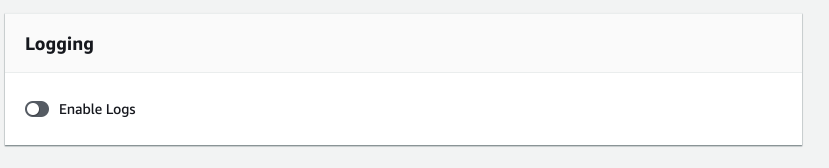
Describe the solution you'd like The CLI to do this and add it to the cloudformation template.
Describe alternatives you've considered I believe I'll have to modify the cloudformation template myself.

Is this something that can be done via a nested stack under the stacks/ dir, or is the only way is to modify cloudformation-template.json under the build/ dir which I assume will be overriden on every gql compile?
For this to happen, LogConfig needs to be set as part of creating the GraphQLApi. See https://docs.aws.amazon.com/AWSCloudFormation/latest/UserGuide/aws-resource-appsync-graphqlapi.html#cfn-appsync-graphqlapi-logconfig.
Agreed. We can add a parameter that users can set after the fact without too much trouble. We should also add this as part of the amplify add api command. @kaustavghosh06

We ran into this as well. Would be nice to have an easy way to switch it on. It looks like we and @hisham keep on running into similar stuff. :)


+1, it's been almost 1 year since this was opened. Logging is important.
Rule aws-amplify/amplify-cli#1 of cloud: if it isn't automated then you're doing it wrong.
I think everyone here can agree with that. ;)
We don't have the luxury of modifying the CloudFormation template since it is re-generated every time there is a API / schema update as part of the transform process and we would lose any modifications made to it to simply enable logging.
This leaves us with the only option of manually enabling Appsync logging, breaking rule aws-amplify/amplify-cli#1 of cloud.
Has anyone found a workaround for this?

Hey guys, we're looking into this and have added this to our backlog.

I'm having this issue as well and I believe there's no workaround. I tried to modify the CloudFormation stack but the LogConfig is a property of AWS::AppSync::GraphQLApi and this resource can't be modified since it's created by Amplify during build phase.

Similarly, created a new issue to enable Tracing if you'd like to +1 too: https://github.com/aws-amplify/amplify-category-api/issues/599



As a workaround, my team implemented an amplify backend post build script. We wrote a node app that checks to see whether or not the log config is enabled, if not, it uses the sdk to update it. The AWS docs, found here, mention an IAM role/policy you need to create to enable logging for appsync. We added that into a custom amplify cloudformation template, and then, in the same node app I mentioned above, because it is a post build step, we can reference that role and apply it appropriately. Hopefully this helps others workaround this issue.


Inspired by @ambriglia's mentioned workaround, I implemented a workaround on our team. Our AppSync api is named ash for reasons I won't go into.
1
Created a new lambda with a dependency on our api. I went through the amplify CLI to create the lambda, allowing it access to other resources, choosing the api category, and the update option for permissions.
This results in a change to backend-config.json where the following is added in with the other lambdas - see below. I manually removed the GraphQLAPIEndpointOutput from the dependsOn list, though you don't have to do so.
  "postbuildTweaks": {
      "build": true,
      "providerPlugin": "awscloudformation",
      "service": "Lambda",
      "dependsOn": [
        {
          "category": "api",
          "resourceName": "ash",
          "attributes": ["GraphQLAPIIdOutput"]
        }
      ]
  }
It also results in this section in the lambda's CloudFormation template, nested inside the path Resources.AmplifyResourcesPolicy.Properties.PolicyDocument.Statement:
{
  "Effect": "Allow",
  "Action": [
    "appsync:Update*"
  ],
  "Resource": [
    {
      "Fn::Join": [
        "",
        [
          "arn:aws:appsync:",
          {
            "Ref": "AWS::Region"
          },
          ":",
          {
            "Ref": "AWS::AccountId"
          },
          ":apis/",
          {
            "Ref": "apiashGraphQLAPIIdOutput"
          },
          "/*"
        ]
      ]
    }
  ]
}
I ended up needing to modify this section - specifically removing the final /* from the resource name, because we are going to be taking an action on the api itself, not a child of it. I also modified the Action section to be more precise and later discovered I wanted to add a get permission. Ended up like this:
{
  "Effect": "Allow",
  "Action": [
    "appsync:GetGraphqlApi",
    "appsync:UpdateGraphqlApi"
  ],
  "Resource": [
    {
      "Fn::Join": [
        "",
        [
          "arn:aws:appsync:",
          {
            "Ref": "AWS::Region"
          },
          ":",
          {
            "Ref": "AWS::AccountId"
          },
          ":apis/",
          {
            "Ref": "apiashGraphQLAPIIdOutput"
          }
        ]
      ]
    }
  ]
}
2
I then added the following new items in the Resources in the cloudformation template, as AppSync logging requires an IAM role. This is mostly following the AWS docs here but with some tweaks to mesh with the rest of the amplify-generated CloudFormation.
"AppSyncLoggingRole": {
  "Type": "AWS::IAM::Role",
  "Properties": {
    "RoleName": {
      "Fn::If": [
        "ShouldNotCreateEnvResources",
        "ashAppSyncLoggingRole",
        {
          "Fn::Join": [
            "",
            [
              "ashAppSyncLoggingRole",
              "-",
              {
                "Ref": "env"
              }
            ]
          ]
        }
      ]
    },
    "AssumeRolePolicyDocument": {
      "Version": "2012-10-17",
      "Statement": [
        {
          "Effect": "Allow",
          "Principal": {
            "Service": [
              "appsync.amazonaws.com"
            ]
          },
          "Action": [
            "sts:AssumeRole"
          ]
        }
      ]
    }
  }
},
"AppSyncLoggingRolePolicy": {
  "Type": "AWS::IAM::Policy",
  "Properties": {
    "PolicyName": "appsync-logging-policy",
    "Roles": [
      {
        "Ref": "AppSyncLoggingRole"
      }
    ],
    "PolicyDocument": {
      "Version": "2012-10-17",
      "Statement": [
        {
          "Effect": "Allow",
          "Action": [
            "logs:CreateLogGroup",
            "logs:CreateLogStream",
            "logs:PutLogEvents"
          ],
          "Resource": "*"
        }
      ]
    }
  },
  "DependsOn": [
    "AppSyncLoggingRole"
  ]
},
3
I then altered the lambda function section in the CF template, adding a new environment variable under Resources.LambdaFunction.Environment.Variables:
"API_ASH_LOGGING_ROLE_ARN": {
  "Fn::GetAtt": [
    "AppSyncLoggingRole",
    "Arn"
  ]
}
As well as putting in a DependsOn under Resources.LambdaFunction:
"DependsOn": [
  "AppSyncLoggingRole"
]
4
I then altered the lambda's execution policy under Resources.lambdaexecutionpolicy - first adding in a similar DependsOn to the above; next, adding another entry into the .Properties.PolicyDocument.Statement subsection. This is necessary to allow the lambda to actually pass around the role that we've just created into the SDK call where we update the AppSync setting (allowing roles to be passed around willy-nilly would be a security risk).
{
  "Effect": "Allow",
  "Action": "iam:PassRole",
  "Resource": [
    {
      "Fn::GetAtt": [
        "AppSyncLoggingRole",
        "Arn"
      ]
    }
  ]
}
Ok, I think that's the last of the CloudFormation manual changes.
5
Next, the body of the lambda itself. I'll just post it here in its entirety. This worked for us, but may not for you; I added a special case for openIdConnectConfig for example, because passing in undefined for that causes the SDK to error out, but you may need to do more or less customization like that.
// index.ts

/* Amplify Params
  API_ASH_GRAPHQLAPIIDOUTPUT
  API_ASH_LOGGING_ROLE_ARN
Amplify Params */

import util from "util";
import { AppSync } from "aws-sdk";

const {
  API_ASH_GRAPHQLAPIIDOUTPUT,
  REGION,
  API_ASH_LOGGING_ROLE_ARN,
} = process.env;

const appsyncClient = new AppSync({ region: REGION });

export async function handler() {
  try {
    const graphqlApi = await appsyncClient
      .getGraphqlApi({
        apiId: API_ASH_GRAPHQLAPIIDOUTPUT,
      })
      .promise();
    const {
      apiId,
      additionalAuthenticationProviders,
      authenticationType,
      name,
      openIDConnectConfig,
      userPoolConfig,
      xrayEnabled,
    } = graphqlApi.graphqlApi;
    const input: AppSync.UpdateGraphqlApiRequest = {
      apiId,
      additionalAuthenticationProviders,
      authenticationType,
      name,
      ...(openIDConnectConfig ? { openIDConnectConfig } : {}),
      userPoolConfig,
      xrayEnabled,
      logConfig: {
        cloudWatchLogsRoleArn: API_ASH_LOGGING_ROLE_ARN,
        fieldLogLevel: "ALL",
        excludeVerboseContent: false,
      },
    };
    console.log("Request params", util.inspect(input, false, null));

    const response = await appsyncClient.updateGraphqlApi(input).promise();
    console.log("Response", util.inspect(response, false, null));
  } catch (error) {
    console.error(util.inspect(error, false, null));
    throw error;
  }
}
6
Finally, the lines added into our post build script:
aws lambda invoke --function-name postbuildTweaks-$AWS_BRANCH postbuildTweaksResults.txt
cat postbuildTweaksResults.txt
if grep -q error postbuildTweaksResults.txt; then
  echo "postbuildTweaks encountered an error."
  exit 1
fi
rm postbuildTweaksResults.txt
I hope this is helpful for anyone else struggling with the same issue. But even more so, I hope it's helpful to the amplify team as you incorporate a setting for turning on logging directly into amplify. 🙂


I accidentally deleted the log group created for my AppSync API via Amplify. Is it possible to undo that or attach a new log group? It doesn't seem possible in the console/UI. After a few attempts, it looks like that feature just causes the page to freeze.

Kindly request that this be implemented, at least for graphql v2 transformer. Not sure why this is labeled only as graphql-transformer-v1. In amplify 8.4.0 and v2 there is still no option to enable appsync logs.

I was not able to find any other way to solve this, so I just used amplify override api.
Turning On
// override.ts
import { AmplifyApiGraphQlResourceStackTemplate } from '@aws-amplify/cli-extensibility-helper'

const CLOUD_WATCH_LOGS_ROLE_ARN: string = '*********************'

export function override(resources: AmplifyApiGraphQlResourceStackTemplate) {
    resources.api.GraphQLAPI.logConfig = {
        cloudWatchLogsRoleArn: CLOUD_WATCH_LOGS_ROLE_ARN,
        excludeVerboseContent: false,
        fieldLogLevel: 'NONE',
    }
}
Make sure that your Amplify api status is Update.
Then
amplify push -y
On AppSync Console, your api's logging setting should be turned on.
Turning Off
I also confirmed that if I comment-out all the code in override.ts and then
amplify push -y
, AppSync Logging would be turned off.
Note
You need to run amplify override api regardless of existence of override.ts if not already run that command.

I could have used appsync-graphqlapi-logs for cloudWatchLogsRoleArn.
resources.api.GraphQLAPI.logConfig = {
  cloudWatchLogsRoleArn: `arn:aws:iam::${AWS_ACCOUNT_ID}:role/service-role/appsync-graphqlapi-logs-${REGION}`,
  excludeVerboseContent: false,
  fieldLogLevel: 'NONE',
}

Thanks for all the inputs on this issue, I worked around the problem in 3 steps given below -
Steps
Step 1: Add a amplify custom resource create appsync IAM role
- Create a custom resource using
amplify add customwith nameappsyncloggingroleand select cdk - Use the following cdk template to create the IAM role
import * as cdk from 'aws-cdk-lib';
import * as AmplifyHelpers from '@aws-amplify/cli-extensibility-helper';
import { AmplifyDependentResourcesAttributes } from '../../types/amplify-dependent-resources-ref';
import { Construct } from 'constructs';
import * as iam from 'aws-cdk-lib/aws-iam';

export class cdkStack extends cdk.Stack {
  constructor(scope: Construct, id: string, props?: cdk.StackProps, amplifyResourceProps?: AmplifyHelpers.AmplifyResourceProps) {
    super(scope, id, props);
    /* Do not remove - Amplify CLI automatically injects the current deployment environment in this input parameter */
    new cdk.CfnParameter(this, 'env', {
      type: 'String',
      description: 'Current Amplify CLI env name',
    });

    // create IAM role for amplify logging
    const appsynclogRole = new iam.CfnRole(this, 'AppSyncCloudWatchLogsRole', {
      roleName: `role-appsynclogging-${cdk.Fn.ref('env')}`,
      assumeRolePolicyDocument: {
        Version: '2012-10-17',
        Statement: [
          {
            Effect: 'Allow',
            Principal: {
              Service: 'appsync.amazonaws.com'
            },
            Action: 'sts:AssumeRole'
          }
        ]
      },
      policies: [
        {
          policyName: 'AppSyncCloudWatchLogsPolicy',
          policyDocument: {
            Version: '2012-10-17',
            Statement: [
              {
                Effect: 'Allow',
                Action: [
                  'logs:CreateLogGroup',
                  'logs:CreateLogStream',
                  'logs:PutLogEvents'
                ],
                Resource: '*'
              }
            ]
          }
        }
      ]
    });

    new cdk.CfnOutput(this, 'AppSyncCloudWatchLogsRoleArn', {
      value: appsynclogRole.attrArn,
      description: 'The arn of the Appsync logging role',
    });

  }
}
Step 2: Enable logging overrides in API
- Override the amplify api using command
amplify override api - Include the following in the override file
import { AmplifyApiGraphQlResourceStackTemplate, AmplifyProjectInfo } from '@aws-amplify/cli-extensibility-helper';

export function override(resources: AmplifyApiGraphQlResourceStackTemplate, amplifyProjectInfo: AmplifyProjectInfo) {

    const appSyncApi = resources.api.GraphQLAPI;

    // Enable logging
    appSyncApi.addPropertyOverride('XrayEnabled', true);

    // Configure logging
    // IAM role for logging is created as a custom amplify stack (see custom/appsynclogginrole) as this is not natively supported

    appSyncApi.addPropertyOverride('LogConfig', {
        CloudWatchLogsRoleArn: { 'Fn::Sub': `arn:aws:iam::\${AWS::AccountId}:role/service-role/role-appsynclogging-${amplifyProjectInfo.envName}` },
        FieldLogLevel: 'ERROR', // You can change this to ALL for more verbose logging
        ExcludeVerboseContent: false
    });

}
Step 3: Add dependency so IAM role is created before the Appsync logging configuration setup
- Navigate to the
amplify/backend/backend-config.json - In the JSON file append the custom appsyncloggingrole dependency under
api/<api-name>/dependsOnarray
    {
      "attributes": [
        "AppSyncCloudWatchLogsRoleArn"
      ],
      "category": "custom",
      "resourceName": "appsyncloggingrole"
    }
Step 4: Deploy and test
- Run
amplify buildto ensure that there are no compilation errors - Run
amplify pushto complete the deployment
Limitations
Creation of IAM role in API override
I tried to create the IAM role directly in the override file for API (resources.api.rootStack) but ran into compilation errors so had to create it separately as a custom resource
Dynamically reference IAM role in API Override I tried to dynamically reference the IAM role arn in the API override file but amplify did not allow adding a new parameter for this value. Thus, I had to resort to a named IAM role and use the same in this override file
