

 awesomeWM
User cannot specify hotkeys_popup label background colors
Output of awesome --version:
awesome (Too long) • Compiled against Lua 5.4.4 (running with 0.9.2) • API level: 4 • D-Bus support: yes • xcb-errors support: yes • execinfo support: yes • xcb-randr version: 1.6 • LGI version: /usr/share/lua/5.4/lgi/version.lua • Transparency enabled: yes • Custom search paths: no
How to reproduce the issue:
- In your
theme.luafile, settheme.hotkeys_label_bgto any valid color value. - Restart awesome
- Open hotkeys_popup
Actual result:
Label Backgrounds are multi-colored. I do not control them.
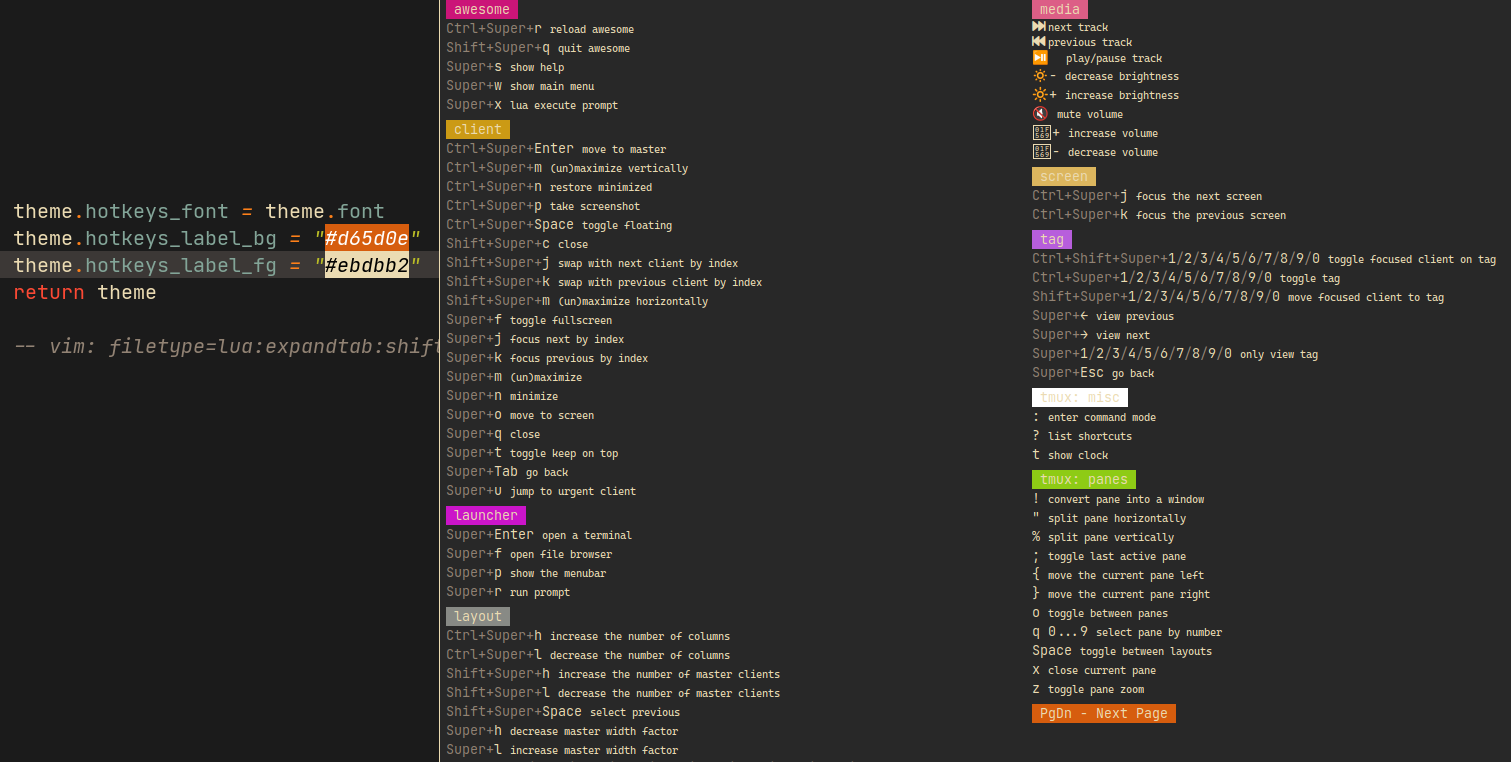
Currently, the only labels that respect the beautiful variable hotkeys_label_bg are the Next Page and Prev Page labels showing you how to cycle between the pages of the hotkeys_popup.
The rest of the labels are automatically set based on beautiful.xresources.get_current_theme() with a fallback of these colors.
local fallback = {
  --black
  color0 = '#000000',
  color8 = '#465457',
  --red
  color1 = '#cb1578',
  color9 = '#dc5e86',
  --green
  color2 = '#8ecb15',
  color10 = '#9edc60',
  --yellow
  color3 = '#cb9a15',
  color11 = '#dcb65e',
  --blue
  color4 = '#6f15cb',
  color12 = '#7e5edc',
  --purple
  color5 = '#cb15c9',
  color13 = '#b75edc',
  --cyan
  color6 = '#15b4cb',
  color14 = '#5edcb4',
  --white
  color7 = '#888a85',
  color15 = '#ffffff',
  --
  background  = '#0e0021',
  foreground  = '#bcbcbc',
}
The label background colors cycle through the 16 xresources colors in a set pattern that the user has no control over.
color1, color3, color5, color7, color9...
So in order to get the labels the color you want, a user would need to either set their xresources colors specifically with hotkeys_popup label backgrounds in mind, or worse, set all the xresources colors to a single color (if you want all labels backgrounds to have the same color)
Expected result:
Label Backgrounds are set using my hotkeys_label_bg
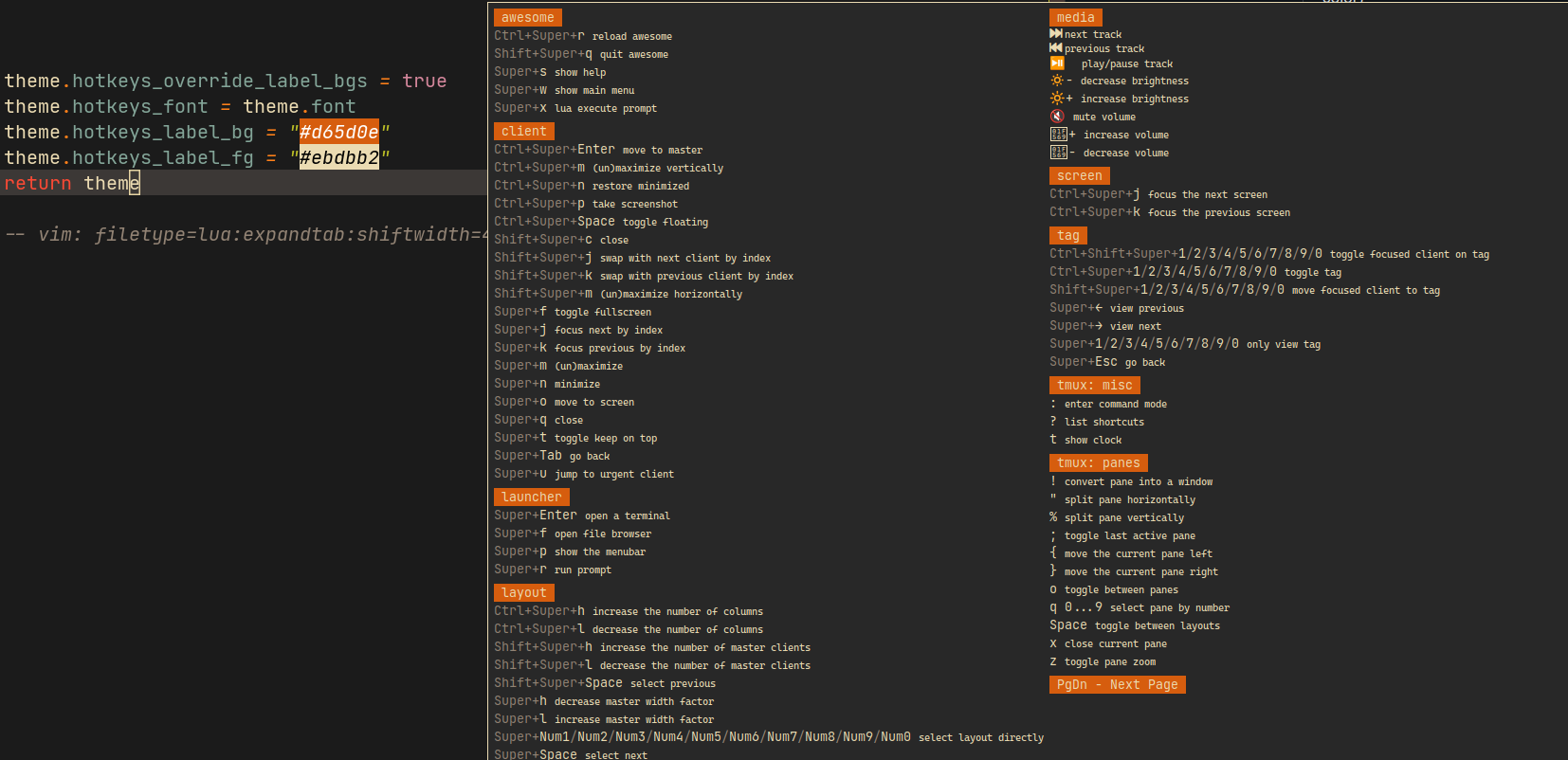
The user should be able to set hotkeys_label_bg and have that color applied to all of the hotkeys_popup label backgrounds.
Maybe the best way to go about this fix would be to add a beautiful property, something like hotkeys_override_label_bgs (I know, rough name). If you set the boolean to true, instead of calling get_next_color to set the color that is applied, we could just apply the hotkeys_label_bg color there.
Maybe there's already a better workaround that I just can't seem to find in the docs.

