

 awesomeWM
AwesomeWM does not recognize virtual monitors added by xrandr 1.5.
Output of awesome --version:
awesome v4.3 (Too long)
 • Compiled against Lua 5.3.5 (running with Lua 5.3)
 • D-Bus support: ✔
 • execinfo support: ✔
 • xcb-randr version: 1.6
 • LGI version: 0.9.2
How to reproduce the issue:
Xrandr 1.5 adds support for virtual monitors, which should be respected by awesomewm (see #823).
However, if I split my screen in two halves using:
xrandr --setmonitor DP2~1 1280/300x1440/168+0+0 DisplayPort-2
xrandr --setmonitor DP2~2 1280/300x1440/168+1280+0 none
and then restart awesomewm (default config, no X restart), only the first (left) monitor/screen is detected. I can however move windows to the 2nd (right) half, yet new windows won't open nor do I get a 2nd wibar etc.
Actual result:
Only one screen is detected and used by awesomewm.
Expected result:
Two screens should be detected and used and get their own wibar/tags.

Maybe I should mention, that xrandr --listactivemonitors correctly lists the two virtual monitors (DP1~1 and DP1~2 in my case).
xrandr --setmonitor DP2~2 1280/300x1440/168+1280+0 none
My xrandr man page of course does not mention these new-ish flags, but... what's the none here?
Random guess would be that AwesomeWM ignores monitors without outputs (don't ask me why it does this, but it was added like this in #823): https://github.com/awesomeWM/awesome/blob/49a3859c8e5fa1679bd5c4e450c34fda2c17d2a5/objects/screen.c#L666-L667
Could you show some of that xrandr output that you say looks fine? Perhaps even run xrandr under xtrace? Hm, no, xtrace also does not support RandR 1.5 :-(
Anyway, I have no clue what half of this means.

Yes, the documentation of xrandr isnt the best here. I'll check what other debug logs I can find tomorrow when I'm back on my machine.
If you do have xtrace output of randr, I can decode that (not quite trivial, but doable).
For example:
$ xtrace xrandr --listmonitors | grep Monitor
No display name to create specified, trying :9
Got connection from unknown(local)
000:<:000d: 12: RANDR-Request(140,42): GetMonitors opcode=0x8c opcode2=0x2a unparsed-data=0x61,0x07,0x00,0x00,0x00,0x00,0x00,0x00;
000:>:000d:88: Reply to GetMonitors: data1=0x01 data2=0x00 unparsed-data=0x65,0x91,0x9e,0x07,0x02,0x00,0x00,0x00,0x02,0x00,0x00,0x00,0x00,0x00,0x00,0x00,0x00,0x00,0x00,0x00,0x00,0x00,0x00,0x00,0x75,0x01,0x00,0x00,0x01,0x01,0x01,0x00,0x00,0x00,0x00,0x00,0x80,0x07,0x38,0x04,0xdd,0x01,0x00,0x00,0x0c,0x01,0x00,0x00,0x42,0x00,0x00,0x00,0x76,0x01,0x00,0x00,0x00,0x01,0x01,0x00,0x80,0x07,0x00,0x00,0x00,0x05,0x00,0x04,0x78,0x01,0x00,0x00,0x2d,0x01,0x00,0x00,0x46,0x00,0x00,0x00;
Monitors: 2
I added this to https://github.com/psychon/x11rb as follows:
diff --git a/tests/parsing_tests.rs b/tests/parsing_tests.rs
index 3515361..bccac87 100644
--- a/tests/parsing_tests.rs
+++ b/tests/parsing_tests.rs
@@ -133,3 +133,21 @@ fn parse_setup() -> Result<(), ParseError> {

     Ok(())
 }
+
+#[test]
+fn foo() -> Result<(), ParseError> {
+    use x11rb::protocol::randr;
+    let data = [
+        // header
+        0x01,
+        0x00,
+        // sequence
+        0x00, 0x0d,
+        // length, did this one by counting commas, got "88", now (88-32)/4 = 14 = 0x0e
+        0x03, 0x00, 0x00, 0x00,
+        // unparsed-data
+        0x65,0x91,0x9e,0x07,0x02,0x00,0x00,0x00,0x02,0x00,0x00,0x00,0x00,0x00,0x00,0x00,0x00,0x00,0x00,0x00,0x00,0x00,0x00,0x00,0x75,0x01,0x00,0x00,0x01,0x01,0x01,0x00,0x00,0x00,0x00,0x00,0x80,0x07,0x38,0x04,0xdd,0x01,0x00,0x00,0x0c,0x01,0x00,0x00,0x42,0x00,0x00,0x00,0x76,0x01,0x00,0x00,0x00,0x01,0x01,0x00,0x80,0x07,0x00,0x00,0x00,0x05,0x00,0x04,0x78,0x01,0x00,0x00,0x2d,0x01,0x00,0x00,0x46,0x00,0x00,0x00
+    ];
+    let reply = randr::GetMonitorsReply::try_parse(&data);
+    panic!("{:?}", reply);
+}
Running cargo test --features randr now says:
thread 'foo' panicked at 'Ok((GetMonitorsReply { sequence: 3328, length: 3, timestamp: 127832421, n_outputs: 2, monitors: [MonitorInfo { name: 373, primary: true, automatic: true, x: 0, y: 0, width: 1920, height: 1080, width_in_millimeters: 477, height_in_millimeters: 268, outputs: [66] }, MonitorInfo { name: 374, primary: false, automatic: true, x: 1920, y: 0, width: 1280, height: 1024, width_in_millimeters: 376, height_in_millimeters: 301, outputs: [70] }] }, [128, 7, 56, 4, 221, 1, 0, 0, 12, 1, 0, 0, 66, 0, 0, 0, 118, 1, 0, 0, 0, 1, 1, 0, 128, 7, 0, 0, 0, 5, 0, 4, 120, 1, 0, 0, 45, 1, 0, 0, 70, 0, 0, 0]))', tests/parsing_tests.rs:152:5
Better than nothing...
Perhaps it is easier if you do some gdb or printf debugging on Awesome's objects/screen.c instead. screen_scan_randr_monitors() would be the relevant function that does "something", where "something" is not what you want".
Sorry.
Hm, yes I think the problem is in screen.c, the code you pointed out above. In theory, the xrandr protocol allows to create a new virtual monitor to be created by:
- either manually specifying a screen size
- or using "auto" for the size and adding one or more outputs of which then the screen size is calculated from. However, if a virtual monitor does not have an output associated with it (none), it should be set to the current primary monitor's output. And if an output is used for a monitor, that output is removed from all other monitors. But maybe this is better explained in the specs (https://cgit.freedesktop.org/xorg/proto/randrproto/tree/randrproto.txt see "RRSetMonitor").
So I think the code you pointed out above is indeed not "correct". Instead of just skipping monitors that do not have an output associated with them, we should use the provided monitor size (I guess that should be encoded in monitor_iter.data).
I will try to get something done in that direction, but sadly I am super bad with C... :roll_eyes:
Follow up: I just did some quick and dirty testing, it works surprisingly well! I get my two screens side by side, just like it should be. So I guess we can just replace the condition. A small thing however and maybe you @psychon, have an idea about it: firefox's menus open on the wrong screen (not so for chorme). Can you image what could go wrong here?
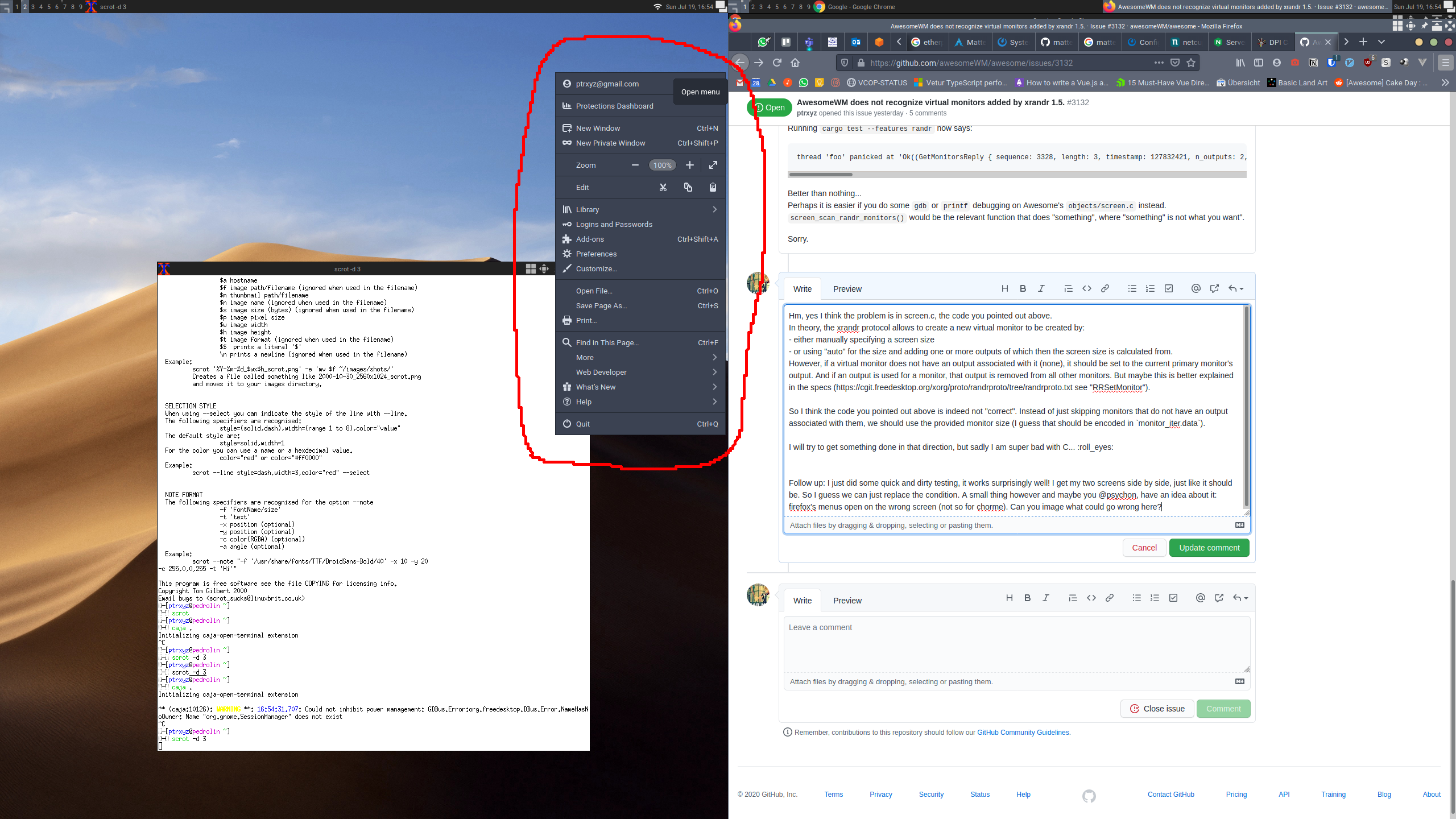
So, just to sum this up for others: I got this working using fakexrandr and patching out the lines in screen.c. Might be a bit messy, but it seems to work. The problem after all boils down to many applications not being ready for xrandr 1.5's virtual monitors causing some hick ups here and there...
Thanks for your help @psychon, keep up the great work on this project. :)
and patching out the lines in screen.c. Might be a bit messy, but it seems to work.
So, does this mean there is still something less to do in AwesomeWM? If so, I would suggest reopening this issue.
Hi, guys, will this be fixed anytime soon? The virtual monitors were working fine in dwm IIRC.

There was a recent xserver commit that removed a restriction when adding an output to a screen.
I'm getting though what is described above; an area I can drag windows over but not move to. Restarting Awesome doesn't help.
I'm not entirely sure because, without thinking too hard, the above talks about the same method to create a virtual output, but AFAIU it wouldn't have been possible until last month(??). I thought about xorg at first, found that, updated to latest tag, then found this issue after it didn't quite work as intended first time.
Would this be a user or an Awesome thing? Thanks for any thoughts or advice!
