

 avoidwork
Starting rozu
I an trying to install Rozu in my environment and was following the 3-step process. However the 3rd step says: 3. Run via node index.js However index.js is in the routes folder. I tried First: node routes/index.js <nothing - just returned>
Second try: cd routes node index.js <nothing - just returned>
What am I missing?

Hi,
There isn't a routes folder. I'm not sure what you're referencing for the steps, but I just double checked the README section and it's fully functional: https://github.com/avoidwork/rozu#how-do-i-run-rozu
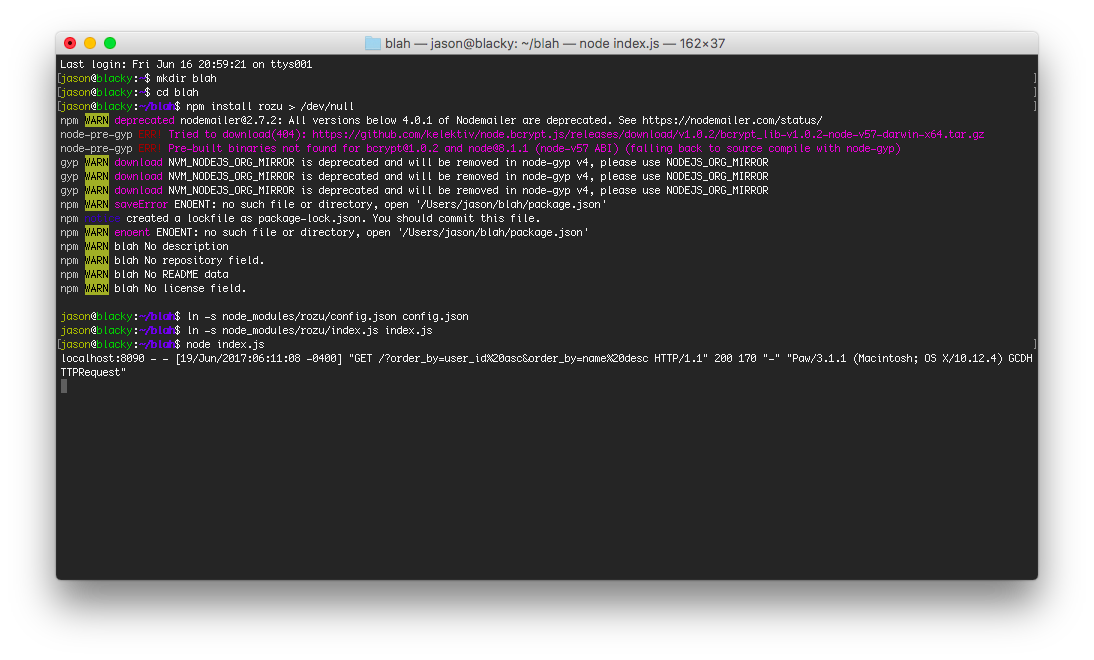
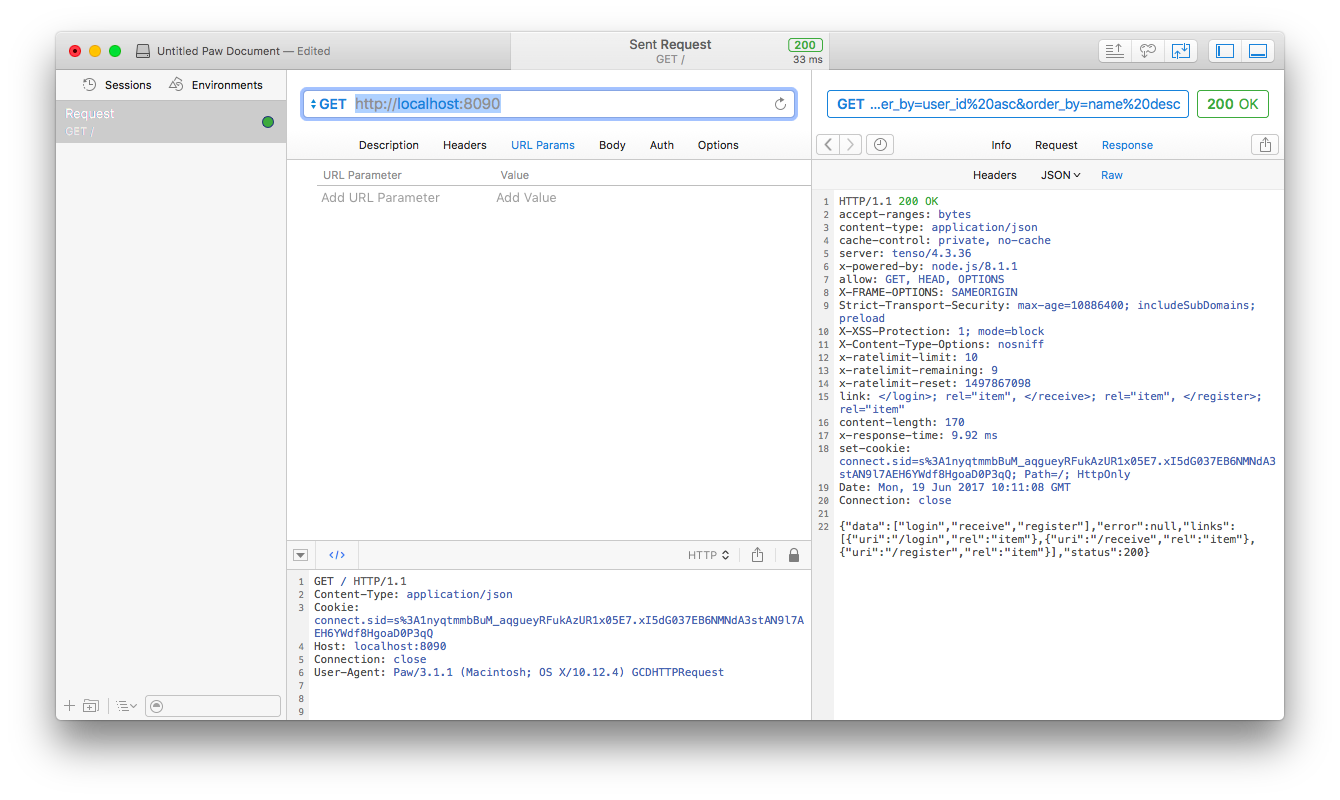
I forgot to clean my paw URL before making the request (to minimize noise), so other than that, it's working fine for me.
What's your env? Why do you have a routes folder?

You could change the log level to debug, currently defaults to info so you'd only see traffic; handled via the "logging" key in the config.json.
Thanks so much for the quick response. The route things was some things I had in the folder from something else so I started over with a clean folder. Now a totally different problem. I still turned on logging for debug but I can't find a log file so I don't think it got far enough to do any logging. Here is what happened:
Greggs-MacBook-Pro-2:WebstormProjects greggwcasey$ mkdir webHookTest2 Greggs-MacBook-Pro-2:WebstormProjects greggwcasey$ cd webHookTest2 Greggs-MacBook-Pro-2:webHookTest2 greggwcasey$ sudo npm install rozu >/dev/null Password: npm WARN deprecated [email protected]: All versions below 4.0.1 of Nodemailer are deprecated. See https://nodemailer.com/status/ node-pre-gyp ERR! Tried to download(404): https://github.com/kelektiv/node.bcrypt.js/releases/download/v1.0.2/bcrypt_lib-v1.0.2-node-v46-darwin-x64.tar.gz node-pre-gyp ERR! Pre-built binaries not found for [email protected] and [email protected] (node-v46 ABI) (falling back to source compile with node-gyp) clang: warning: libstdc++ is deprecated; move to libc++ with a minimum deployment target of OS X 10.9 [-Wdeprecated] npm WARN saveError ENOENT: no such file or directory, open '/Users/greggwcasey/WebstormProjects/webHookTest2/package.json' npm notice created a lockfile as package-lock.json. You should commit this file. npm WARN enoent ENOENT: no such file or directory, open '/Users/greggwcasey/WebstormProjects/webHookTest2/package.json' npm WARN webHookTest2 No description npm WARN webHookTest2 No repository field. npm WARN webHookTest2 No README data npm WARN webHookTest2 No license field.
Greggs-MacBook-Pro-2:webHookTest2 greggwcasey$ ln -s node_modules/rozu/config.json config.json Greggs-MacBook-Pro-2:webHookTest2 greggwcasey$ ln -s node_modules/rozu/index.js index.js Greggs-MacBook-Pro-2:webHookTest2 greggwcasey$ node index.js /Users/greggwcasey/WebstormProjects/webHookTest2/node_modules/tenso/lib/tenso.js:15 constructor (config = {headers: {}}) { ^
SyntaxError: Unexpected token =
at exports.runInThisContext (vm.js:53:16)
at Module._compile (module.js:373:25)
at Object.Module._extensions..js (module.js:416:10)
at Module.load (module.js:343:32)
at Function.Module._load (module.js:300:12)
at Module.require (module.js:353:17)
at require (internal/module.js:12:17)
at Object.
@gwc4github I believe there's 2 different problems happening.
- bcrypt is failing to compile, and that's required for making accounts
- it looks like a default assignment is failing; what version of node are you running?
bcrypt requires the build-essential package for linux, windows it's the npm module (as a global) windows-build-tools. i thought osx worked out of the box, but i've been upgrading the same machine since 10.10 so I forget if you need to install something to compile bcrypt.
current version of rozo requires 6, via the server stack. you might need to roll backward to a version of rozo that works with your version of node (if you can't upgrade).
Thanks again. My node version was v4.4.0 so I upgrade to the latest: v8.1.2 Is the latest ok? I did get a couple of different errors. Also, note that I think that my last run got the same errors you saw in your run. And bcrypt is still failing now. Is that still a problem since it failed in your run? NOTE that bcrypt is in my node_modules folder so it appears to be installed.
Greggs-MacBook-Pro-2:webHookTest2 greggwcasey$ npm install rozu >/dev/null npm WARN deprecated [email protected]: All versions below 4.0.1 of Nodemailer are deprecated. See https://nodemailer.com/status/ node-pre-gyp ERR! Tried to download(404): https://github.com/kelektiv/node.bcrypt.js/releases/download/v1.0.2/bcrypt_lib-v1.0.2-node-v57-darwin-x64.tar.gz node-pre-gyp ERR! Pre-built binaries not found for [email protected] and [email protected] (node-v57 ABI) (falling back to source compile with node-gyp) npm WARN saveError ENOENT: no such file or directory, open '/Users/greggwcasey/WebstormProjects/webHookTest2/package.json' npm notice created a lockfile as package-lock.json. You should commit this file. npm WARN enoent ENOENT: no such file or directory, open '/Users/greggwcasey/WebstormProjects/webHookTest2/package.json' npm WARN webHookTest2 No description npm WARN webHookTest2 No repository field. npm WARN webHookTest2 No README data npm WARN webHookTest2 No license field.
Greggs-MacBook-Pro-2:webHookTest2 greggwcasey$ ln -s node_modules/rozu/config.json config.json Greggs-MacBook-Pro-2:webHookTest2 greggwcasey$ ln -s node_modules/rozu/index.js index.js Greggs-MacBook-Pro-2:webHookTest2 greggwcasey$ node index.js events.js:182 throw er; // Unhandled 'error' event ^
Error: Redis connection to 127.0.0.1:6379 failed - connect ECONNREFUSED 127.0.0.1:6379 at Object.exports._errnoException (util.js:1016:11) at exports._exceptionWithHostPort (util.js:1039:20) at TCPConnectWrap.afterConnect [as oncomplete] (net.js:1138:14)
ah, yeah that's the app starting and failing to connect to a redis server which is expected :)
look at the config file, it has mongo & redis sections, as well as session & what not.
So I need to setup mongo and redis first then restart or reinstall? It looks like it they were installed with rozu. I don't know anything about redis.
oh, gotcha. so this is not a packaged in a way that will pull it in and set it up for you. the readme mentions them, but doesn't go into any detail about installing them.