
react-native-auth0
 react-native-auth0 copied to clipboard
 auth0
auth0
Production Expo app crash at launch - Missing Auth0 domain
Describe the problem
I am using Login with Password Realm Grant way to authenticate users.
Previously I was using 2.13.3 with Expo managed workflow. It works. I just installed the plugin and start to use it and did nothing else.
I upgraded to version 2.14.0, since I see it has Expo config-plugin support, and I am about to build for Android platform.
I remove the old version with "yarn remove react-native-auth0". I install the new version with "npx expo install react-native-auth0'. I run "npx expo rebuild --clean" to switch to bare workflow. It works fine on iOS simulator in dev mode. I then build and submitted to TestFlight. It crashes when I launch the app.
I connected my iPhone to my Mac and launch the Console app to find what happens when I launch the app from iPhone.

I found in the README, for iOS it says:
<key>CFBundleURLTypes</key>
<array>
    <dict>
        <key>CFBundleTypeRole</key>
        <string>None</string>
        <key>CFBundleURLName</key>
        <string>auth0</string>
        <key>CFBundleURLSchemes</key>
        <array>
            <string>$(PRODUCT_BUNDLE_IDENTIFIER)</string>
        </array>
    </dict>
</array>
I checked mine, it look like:
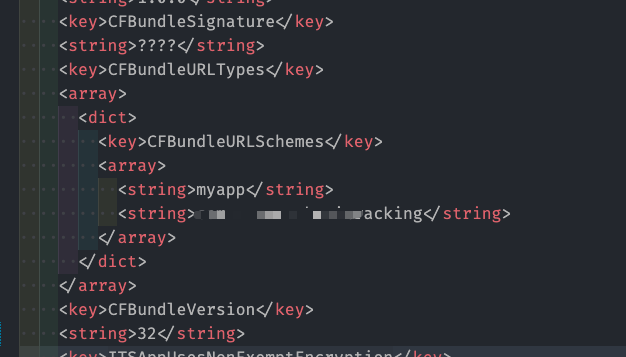
I then change it to:
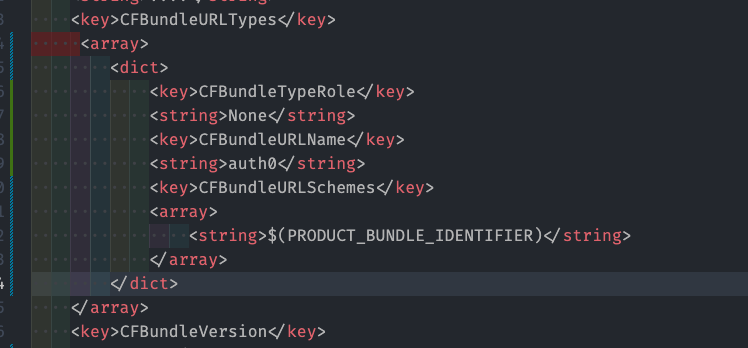
It does not work. The error is the same in Mac Console app.
I change it to:
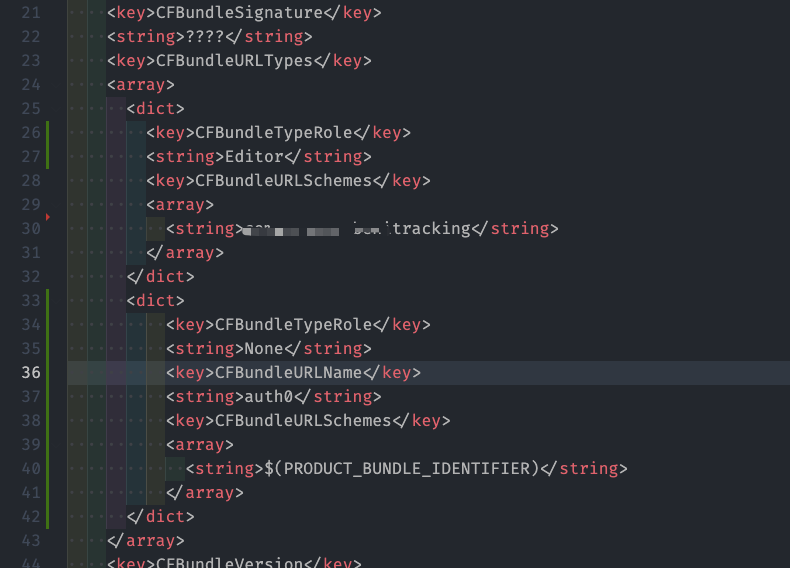
The error continues.

What was the expected behavior?
I wish the app does not crash at launch.
Reproduction
This is how I use the "passwordRealm" to log in.
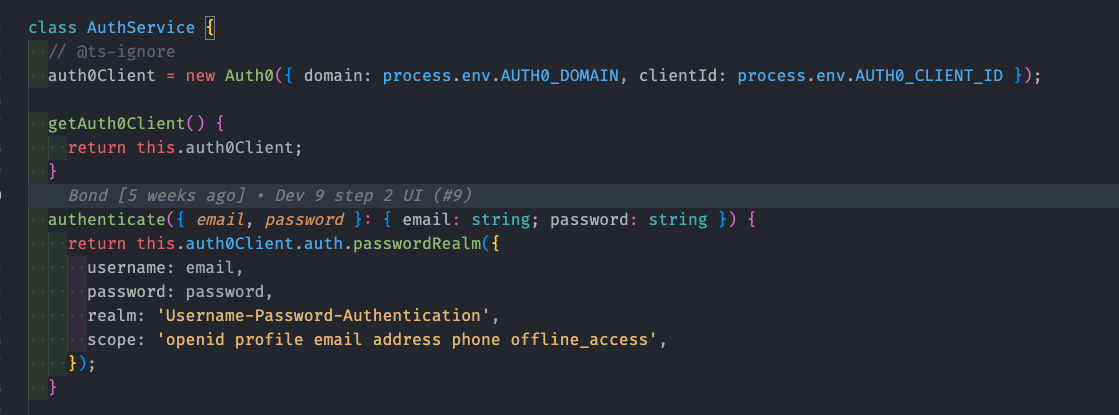
Even if I hardcode the domain and clientId, then error persists.
Environment
- Version of this library used: 2.14.0
- Which framework are you using, if applicable: Expo, SDK 46
- Other modules/plugins/libraries that might be involved:
- Any other relevant information you think would be useful:
Misc:
Since I am using the Password Realm way to authenticate. I am using the Auth0 API to POST user credentials instead of using a WebView to open Auth0 login pages, so actually I do not need the config in iOS or Android native code, right? So I should revert to 2.13.3 version for now and stick to Expo Managed workflow until I build the Android app.

Hi @shrekuu, upgrading the version should not change the behaviour of the SDK as this part of the code has not been affected by the new version.
Especially considering it is working in the Emulator and not in the real device, I am fairly confident it is because of the process.env.AUTH0_DOMAIN not being set. Since this is running in pure JS land, there shouldn't be any issue between an emulator and a real device.
Can you please verify whether the environment variable is set properly and if so, what is the value for it?
PS: Thanks a lot for a detailed error report :) Much appreciated

@poovamraj Sorry no. I can't fix it. I even broke more stuff. We are editing info.plist and build.gradle file with expo config plugin in this version. That part is native. I end up creating a new repo and test react-native-auth0 alone and then move old code into new repo. Then clear old repo and move all new code into old repo then commit.
I think you can close this issue. I have an interesting question: Is modifying the "info.plist" file and "buld.gradle" files necessary? Why keep the config in pure js.
The process.env.ATUH0_DOMAIN is correct, since I also tried putting the domain directly in there.