

 atteneder
Double-sided URP materials have flipped normals on backface.
I have a GLtf that I need to import at runtime (Unity Desktop Application) - the glt is generated on the fly by another application. But when I import, The mesh where material is doubleSided=True looks plain dark, instead to be textured/colored. I expect hat double side attribute would be respected.
To Reproduce
Code used to import the GLTF file:
`var gltfFile = Directories.GltfFileToImport; var settings = new ImportSettings { GenerateMipMaps=true, AnisotropicFilterLevel=3, NodeNameMethod=NameImportMethod.Original };
        // Load the glTF and pass along the settings
        var uri = new System.Uri(gltfFile);
        var success = await gltfImporter.Load(uri, settings);

        if (success)
        {
            var go = new GameObject("glTF");
            await gltfImporter.InstantiateMainSceneAsync(go.transform);
            OnCompleted(go);
        }
        else
        {
            Debug.LogError("Loading glTF failed!");
        }`
I Used the GLTfast version 5.0.0, but with versions pre5.0 like 4.9.4 it also was happening.
Screenshots
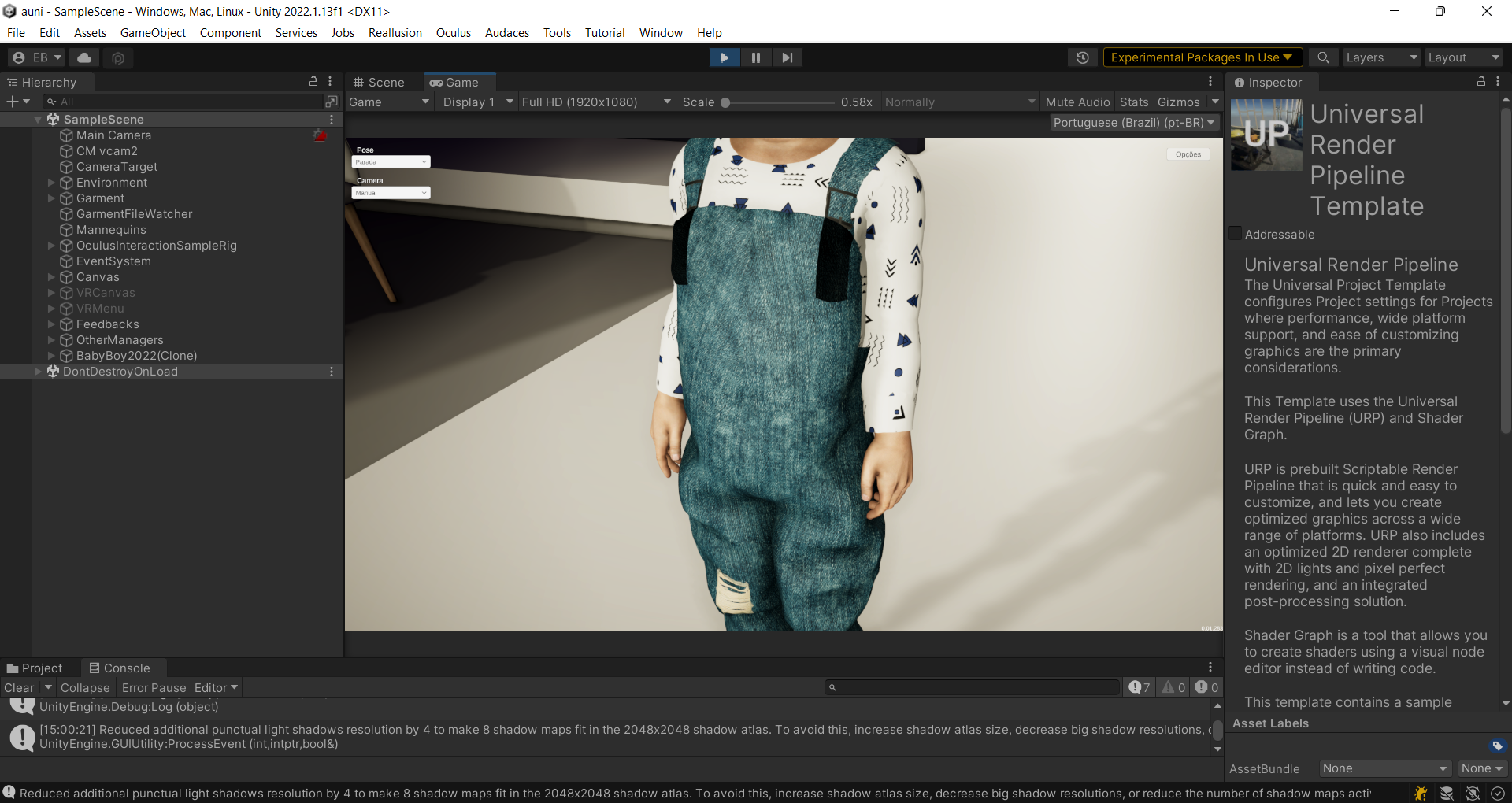
The same cloth with the correct appeareance (as loaded in other GLTF viewers):
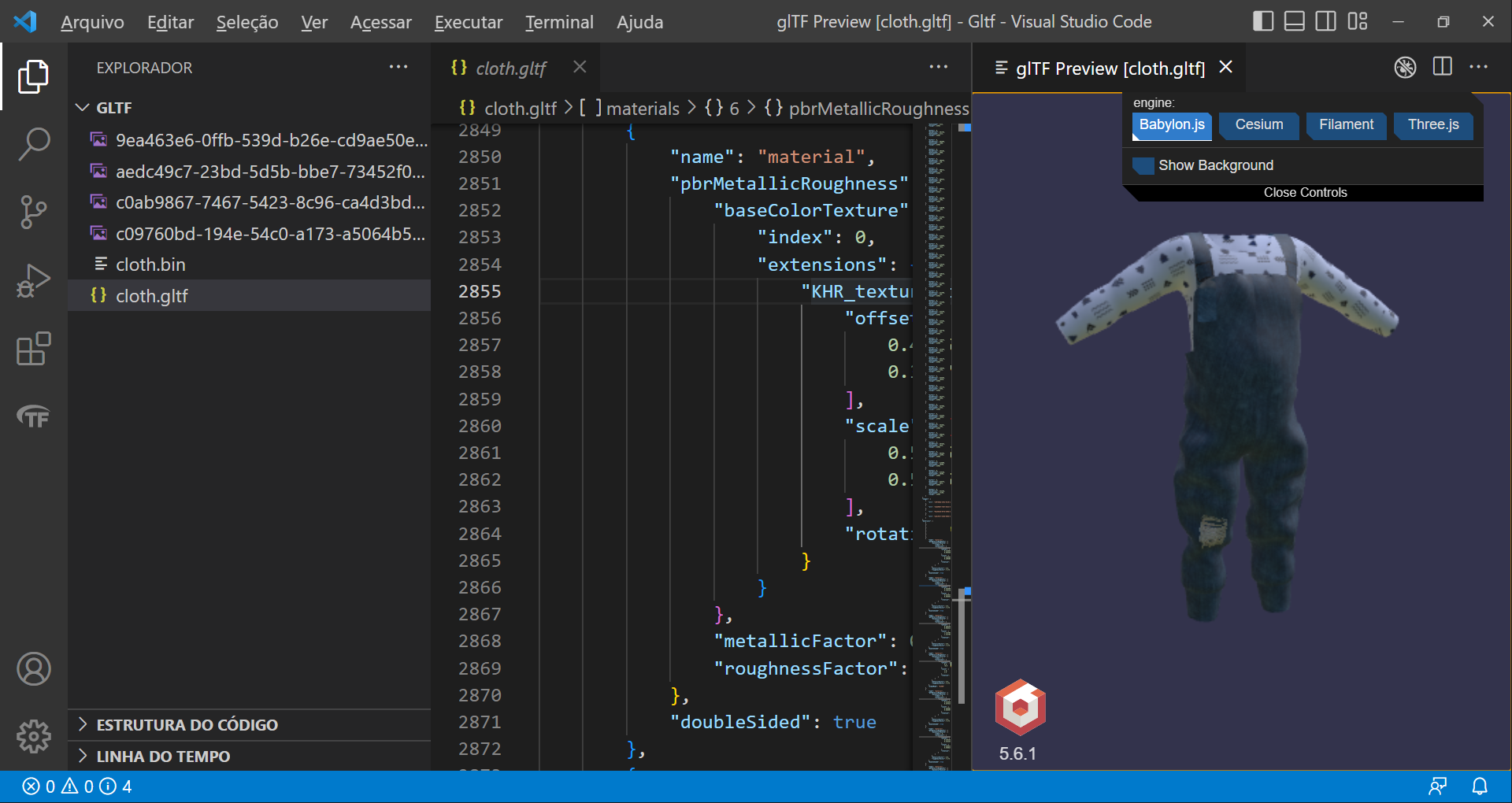
Is there a easy solution for that? If the normals point backward, Is there a flag or something alike to GLTFast correctly light the both sides of the mesh correctly?

Hi and thanks for reporting,
Is there a chance to get a look at the file for local testing? I want to certify what causes the problem first.

Sorry, I erased the link in the post by mistake. The GLB file is here: https://drive.google.com/file/d/1f2TvIqH-R5yGrfmUu_x6Y181jH_rO7Hg/view?usp=share_link
Thanks.
On my side it looks like this:
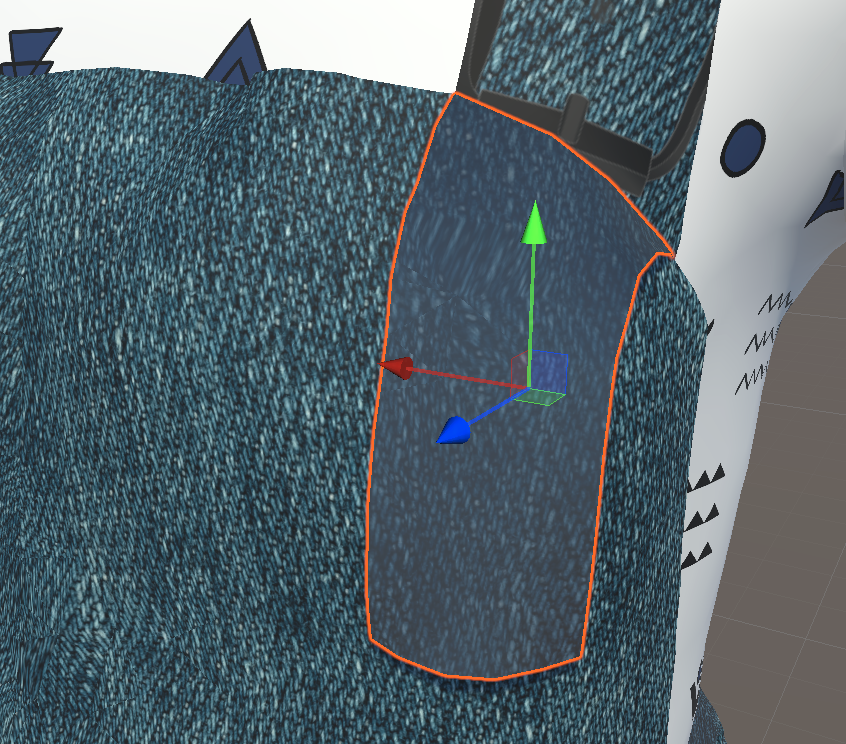
Don't be tricked, just because it's not black doesn't mean it's correct. The color is off.
Turns out the normals are not flipped for the backface pass. While the HDRP Lit node has a built-in feature for that, the URP target has not. Still one could flip the normal (in tangent space) like this:

And then it looks like so:

I'm hesitant to go ahead with this solution this way. It introduces another branch in the fragment shader (for all shader variants) and breaks HDRP doubleSided.
It should be behind a shader keyword, which in turn doubles the shader variant count...difficult trade-off to decide on.
Opinions welcome.
Well, I understand your argument, but In my opinion if the 100% compliance with the standard is the goal, this feature must be implemented for URP. Sure, if the goal is the total standard compliance just with relation to HDRP, it is OK. But in this case, a note in the documentation it would be very welcome. Concerning to flip normals, the standard in section 3.9.5 explicitly says to flip normals when doubleSided material attribute is true: | When this value is true, back-face culling is disabled and double sided lighting is enabled. The back-face MUST have its normals reversed before the lighting equation is evaluated. Unhapilly, for my use case I can't afford to use HDRP. But I will glad fork the library to implement that missing use case. For my case, I had some degree of control on the program that have generated the mesh, and the workaround for me was double the mesh (duplicate the mesh for the whole cloth) in order to back face culling discard the part that doesn't make sense. Now it have worked, but it probably will be changed in the future. A more clever scheme to do that must be devised. Now, I cannot think in a better solution that a shader keyword, but if I think something different I will comment here. Thanks anyway for the effort to analyse the issue.
@edwardbosz I 100% agree, sorry for causing confusion.
I just wanted to give you a heads-up. We need to find the solution that causes the least follow-up problems (like breaking other cases, performance hits, etc.) which requires more investigation. That's all.