

 atom
atom
Cloning a repository from within atom uisng github tab clones only .git folder and nothing else. Also, cannot fetch or pull from within atom.
Prerequisites
- [X] Put an X between the brackets on this line if you have done all of the following:
- Reproduced the problem in Safe Mode: https://flight-manual.atom.io/hacking-atom/sections/debugging/#using-safe-mode
- Followed all applicable steps in the debugging guide: https://flight-manual.atom.io/hacking-atom/sections/debugging/
- Checked the FAQs on the message board for common solutions: https://discuss.atom.io/c/faq
- Checked that your issue isn't already filed: https://github.com/issues?utf8=✓&q=is%3Aissue+user%3Aatom
- Checked that there is not already an Atom package that provides the described functionality: https://atom.io/packages
Description
I am trying to clone a github repository (https://github.com/someDude/someRepo) from within atom using the github tab.
This is what I get:
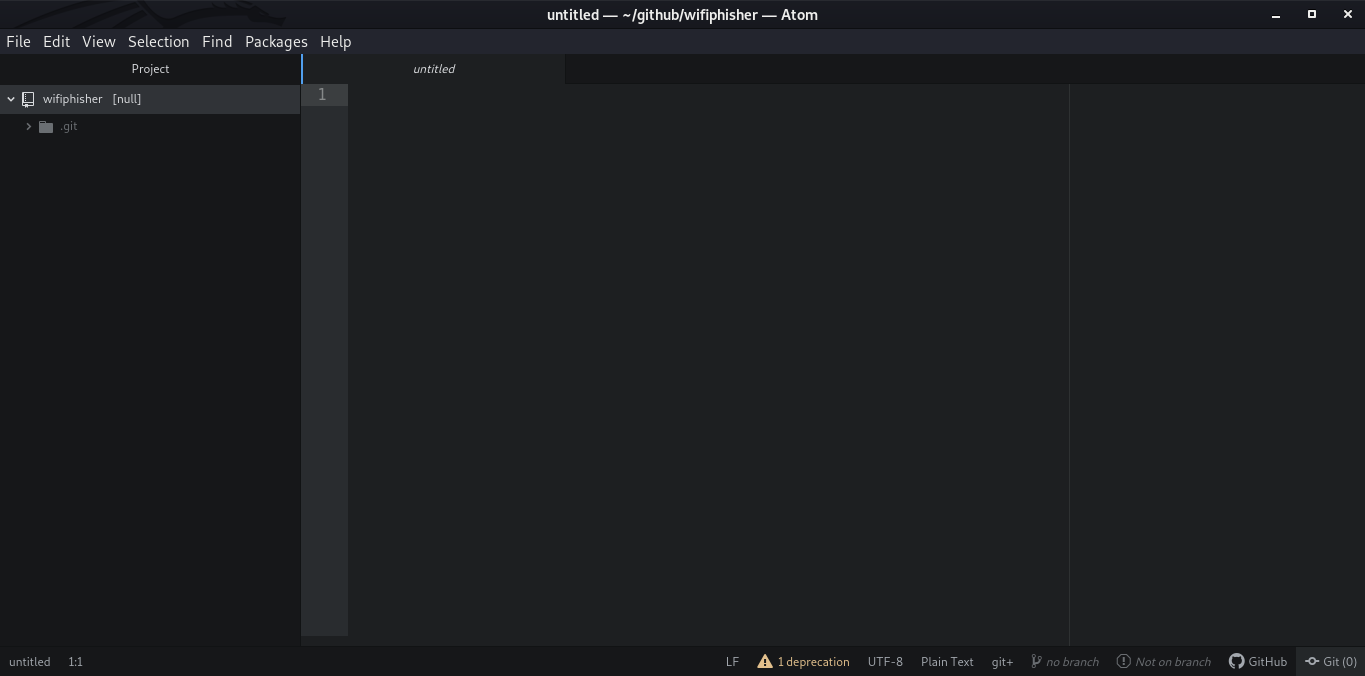
git clone using terminal works like a charm, but atom is giving a hell of a headache.
See that deprecation, :
 Tried the check for updates, nothing there.
Another issue, I think they are kinda related: I git cloned using terminal and then Trying to fetch or pull from within atom:

Confirmed: fetch and pull work fine via terminal. Atom got some problem? But, push works fine both ways.
Steps to Reproduce
##Issue 1
- Open Atom
- Dive to the github tab
- Try to clone a repo
##Issue2
- clone a repo using: git clone https://github.com/someDude/someRepo
- Try to pull or fetch using that nice shiny button on the bottom right of atom.
Expected behavior:
- Clones the entire repository
- Pulls/Fetches correctly
Actual behavior:
- Clones only the .git folder and leaves everything else
- Unable to fetch / pull
Reproduces how often: 100% (Everytime)
Versions
root@someDude:~# atom -v
Atom    : 1.45.0
Electron: 4.2.7
Chrome  : 69.0.3497.128
Node    : 10.11.0
root@someDude:~# apm --version
apm  2.4.3
npm  6.2.0
node 10.2.1 x64
atom 1.45.0
python 2.7.18
git 2.26.2
root@someDude:~# uname -a
Linux someDude 5.5.0-kali1-amd64 #1 SMP Debian 5.5.13-2kali1 (2020-04-03) x86_64 GNU/Linux
root@someDude:~# grep VERSION /etc/os-release
VERSION="2020.2"
VERSION_ID="2020.2"
VERSION_CODENAME="kali-rolling"
For Second issue exclusively, after cloning from terminal:
root@someDude:~/github/someRepo# cat .git/config
[core]
	repositoryformatversion = 0
	filemode = true
	bare = false
	logallrefupdates = true
[submodule]
	active = .
[remote "origin"]
	url = https://github.com/someDude/someRepo
	fetch = +refs/heads/*:refs/remotes/origin/*
[branch "master"]
	remote = origin
	merge = refs/heads/master
Additional Information
I encountered this issue on Kali linux and Parrot OS (plz dont ask why i am using these OSes) No issue encountered while using linux Mint 19.3 Tricia

Same issue. My repository is private--not sure if that makes any difference. I have tried cloning via https and ssh, same problem either way.

Same issue, tested public repositories, ubuntu mate 20.04. Also checkouting pull requests gives same error as fetching. Pushing or even creating of new repositories works ok

Same issue here. I've experienced this for nearly a year now. Whenever I use a new computer (or rebuild an existing one) and install Atom, I go through the same fucking headache that is cloning my private repo to Atom after logging into Atom and Github with the same account.
My workaround is to stuff around with using git commands outside of atom to pull the repo and branches into the Atom file structure correctly. I'm trying to do this now, but will edit this comment with my successful workaround once I figured it out.
Edit: (assuming you've attempted to use git clone in Atom and it has created your folder structure and .git folder).
- Download git.
- Install using default values.
- Open your github project's folder on your PC. (e.g. c:\users\myuser\github\myproject)
- Go up one level (e.g. c:\users\myuser\github)
- Right Click > Open Git bash
- In Git Bash window, type:
git clone *clone URL*(replace clone URL with your repo's URL) - It will create the .git folder, then pop-up the Github login window. Log into Github here.
- After authentication, it will clone into the repo folder.
- cd into the repo folder, then
git branchshould only show your master branch. git branch -ato view all branches in your repo. 11.git checkout *branch name*to check out a specific branch.- Open Atom, and you'll see that branch checked out and displaying the last 5 commits to the branch:
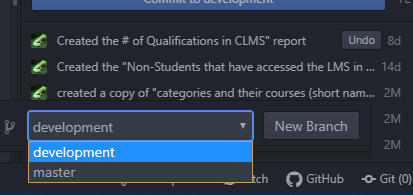 This is where I stop, as I only need access to my
 masteranddevelopmentbranches in this project. If you need to see other branches, I assume you can repeat step 11 to add it to the list of available branches within Atom.
Hopefully, this is fixed in the OOTB version of Atom. I did this just now with a fresh Windows 10 home and Atom installation. No plugins (now I have to remember the ones I like and install them :P )
Best of luck!
Edit: I also had to manually set my username and email address in my C:\users\atomuser.gitconfig file to fix Atom/Git showing this error whenever I attempted to push a commit (as per 932):
*** Please tell me who you are.

Run

  git config --global user.email "[email protected]"
  git config --global user.name "Your Name"

to set your account's default identity.
Omit --global to set the identity only in this repository.

fatal: unable to auto-detect email address (got 'atomuser@WIN-VU79AHTD4PV.(none)')
Note: using git config --global user.name and git config --global user.email didn't resolve this problem.

Same issue, tested public repositories, ubuntu mate 20.04. Also checkouting pull requests gives same error as fetching. Pushing or even creating of new repositories works ok


@xblGrant Its been over a year since i opened this issue and I've switched OS since then. It works fine for me but I'm not sure if the issue itself is resolved
