
autocomplete-plus

autocomplete-plus copied to clipboard
 atom
atom
Layout issue on wide screens in Atom 1.17+
Prerequisites
- [x] Put an X between the brackets on this line if you have done all of the following:
- Reproduced the problem in Safe Mode: http://flight-manual.atom.io/hacking-atom/sections/debugging/#using-safe-mode
- Followed all applicable steps in the debugging guide: http://flight-manual.atom.io/hacking-atom/sections/debugging/
- Checked the FAQs on the message board for common solutions: https://discuss.atom.io/c/faq
- Checked that your issue isn't already filed: https://github.com/issues?utf8=✓&q=is%3Aissue+user%3Aatom
- Checked that there is not already an Atom package that provides the described functionality: https://atom.io/packages
Description
While using Atom on relatively large monitors, the auto-complete popup doesn't line up with the cursor position once the current line length reaches a certain width:
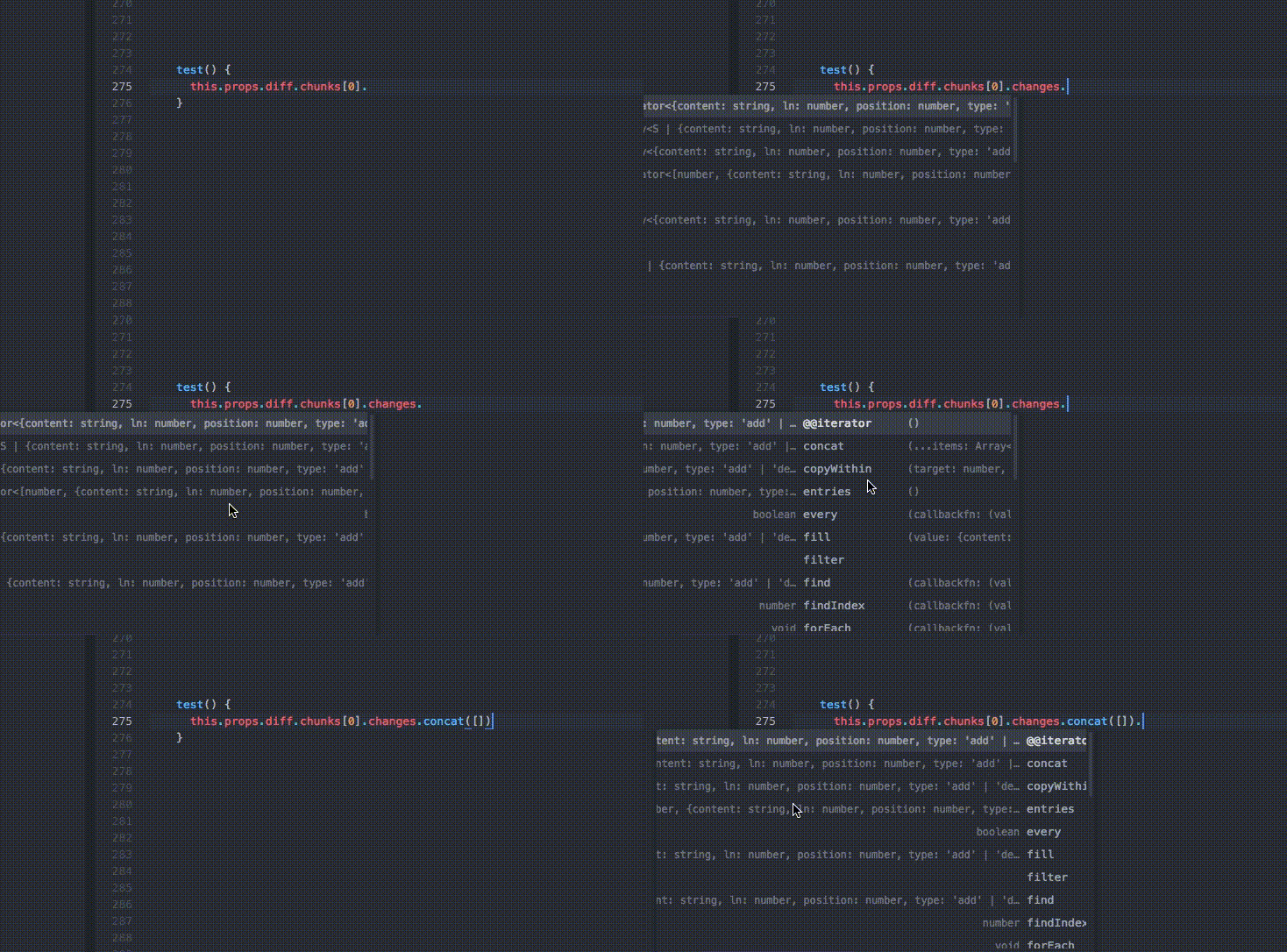
This started happening on Atom 1.17, presumably due to the changes in https://github.com/atom/autocomplete-plus/commit/19f68fe36aebd8cfd8bc1b065baadbd64e7fb694.
A possible workaround I've found is to set autocomplete-suggestion-list .left-label to max-width: 10vw;, rather than the current value 20vw.
Steps to Reproduce
- Open Atom 1.17.2 on large screen, e.g 3440x1440
- Get autocomplete popup to show up.
- When the cursor goes beyond a certain column location, the autocomplete popup becomes mis-aligned.
Reproduces how often: Always
Versions
Atom 1.17+
