

 asyncapi
Pages written in MDX are not rendered on Windows build
Reason/Context:
While getting started, I initially installed the NPM packages on a Windows machine exactly the way everyone is supposed to. But turns out, there are some conflicts with the directory routing when using windows, while it works perfectly on Mac and Linux. There are no relevant errors either in the editor console, or on the browser console. While redirecting to a page written in markdown, this is what the browser looks like:
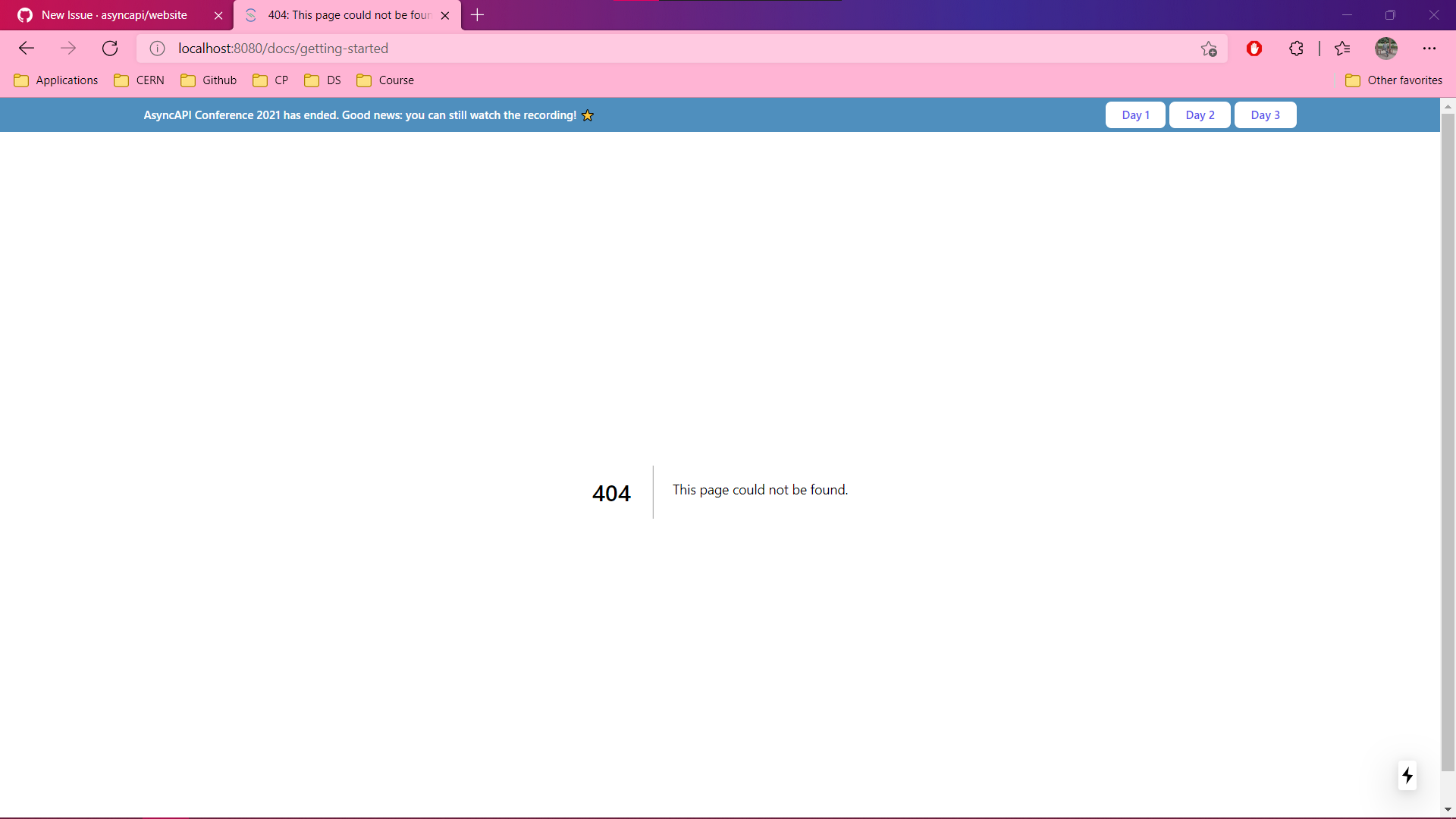
While all other pages written in JS works fine.
How to reproduce: Clone the repo using Git CLI and use VS Code for installation. Browser is Microsoft Edge, [email protected] and [email protected] .
Why: Because 'we definitely do not want to force others to use Mac or Linux' as @derberg said:)

Welcome to AsyncAPI. Thanks a lot for reporting your first issue. Please check out our contributors guide and the instructions about a basic recommended setup useful for opening a pull request.
Keep in mind there are also other channels you can use to interact with AsyncAPI community. For more details check out this issue.
![github-actions[bot] avatar](https://avatars.githubusercontent.com/in/15368?v=4 "Published by a pub.dev verified publisher")
Thanks for reporting it. Would you mind trying some workarounds from this issue https://github.com/vercel/next.js/issues/10061

@derberg @sambhavsaxena As far as I think the problem is not having WSL set up in windows for usingNextjs.
Refer this for more info.
I am also working on this issue, will get back to you once I have the complete solution.

@Samridhi-98, I tried a lot in Windows regarding running this repository well and retrieving data. What I got from it is that, (for example) posts.filter(post,post.slug==='\\blog\\'), this code in Windows doesn't able to catch the blogs from posts.json file. I made some changes in it like replacing \\ with // and it worked in some cases. I would recommend if you see this problem, starting from these Layout files, you may come to a solution early.

@akshatnema As already stated, it's happening due to some differences in the directory naming conventions (and yes they include backslashes in the path), when we compare windows and linux devices. The solution well, is if we somehow change the directory concatenation for node installation, something that @Samridhi-98 referred to above, by setting up a windows subsystem for linux, haven't tried it yet but I think it should work too.
I feel sorry but I can't really help you here, no access to windows, no way to troubleshoot
anyone tried https://github.com/vercel/next.js/issues/10061#issuecomment-935311698 ?
This issue has been automatically marked as stale because it has not had recent activity :sleeping:
It will be closed in 120 days if no further activity occurs. To unstale this issue, add a comment with a detailed explanation.
There can be many reasons why some specific issue has no activity. The most probable cause is lack of time, not lack of interest. AsyncAPI Initiative is a Linux Foundation project not owned by a single for-profit company. It is a community-driven initiative ruled under open governance model.
Let us figure out together how to push this issue forward. Connect with us through one of many communication channels we established here.
Thank you for your patience :heart:
I guess it's still valid, am I right? @sambhavsaxena @akshatnema @Samridhi-98 Could you provide update?

I guess it's still valid, am I right? @sambhavsaxena @akshatnema @Samridhi-98 Could you provide update?
As far as I have researched there is no particular solution of this issue as next.js has no setup for windows. 🙂
@magicmatatjahu @Samridhi-98 As far as I can understand, the problem in not from the NextJS side but instead its due to conflicts from the 'MDXProvider' package that parses the markdown into JavaScript code / JSX. Consider reporting an issue here: MDX-JS.
Should this issue be closed for now, as it is no more relevant to this repository?
@derberg I right now, switched to Windows to install the website repo in the system. But I'm getting the following error logs on doing npm i https://www.writeurl.com/text/yi9dwl2ktt8ldds4rk1t/n5k4l9mrtvzrvifis1rw. Can anyone help me with this?
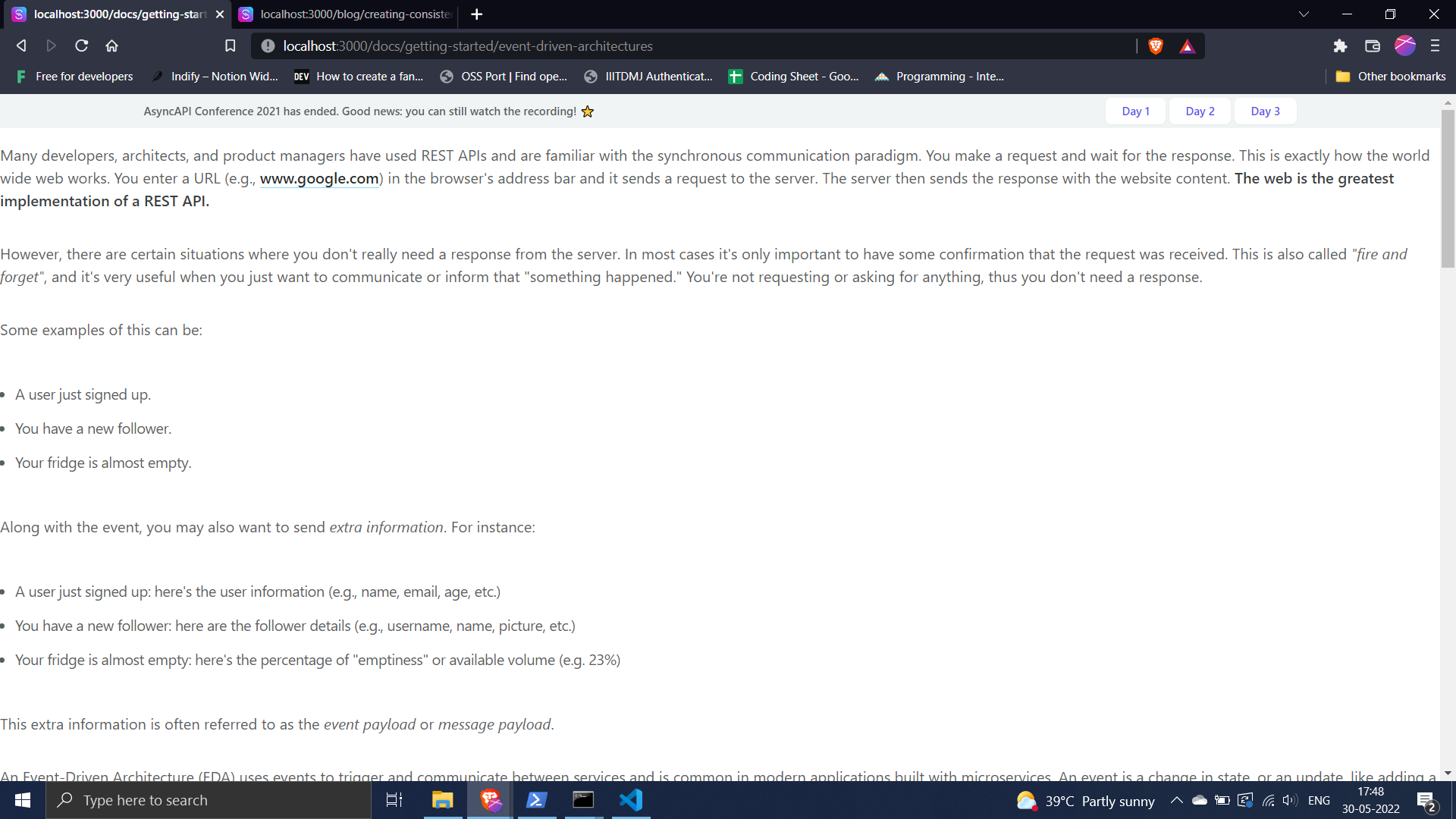
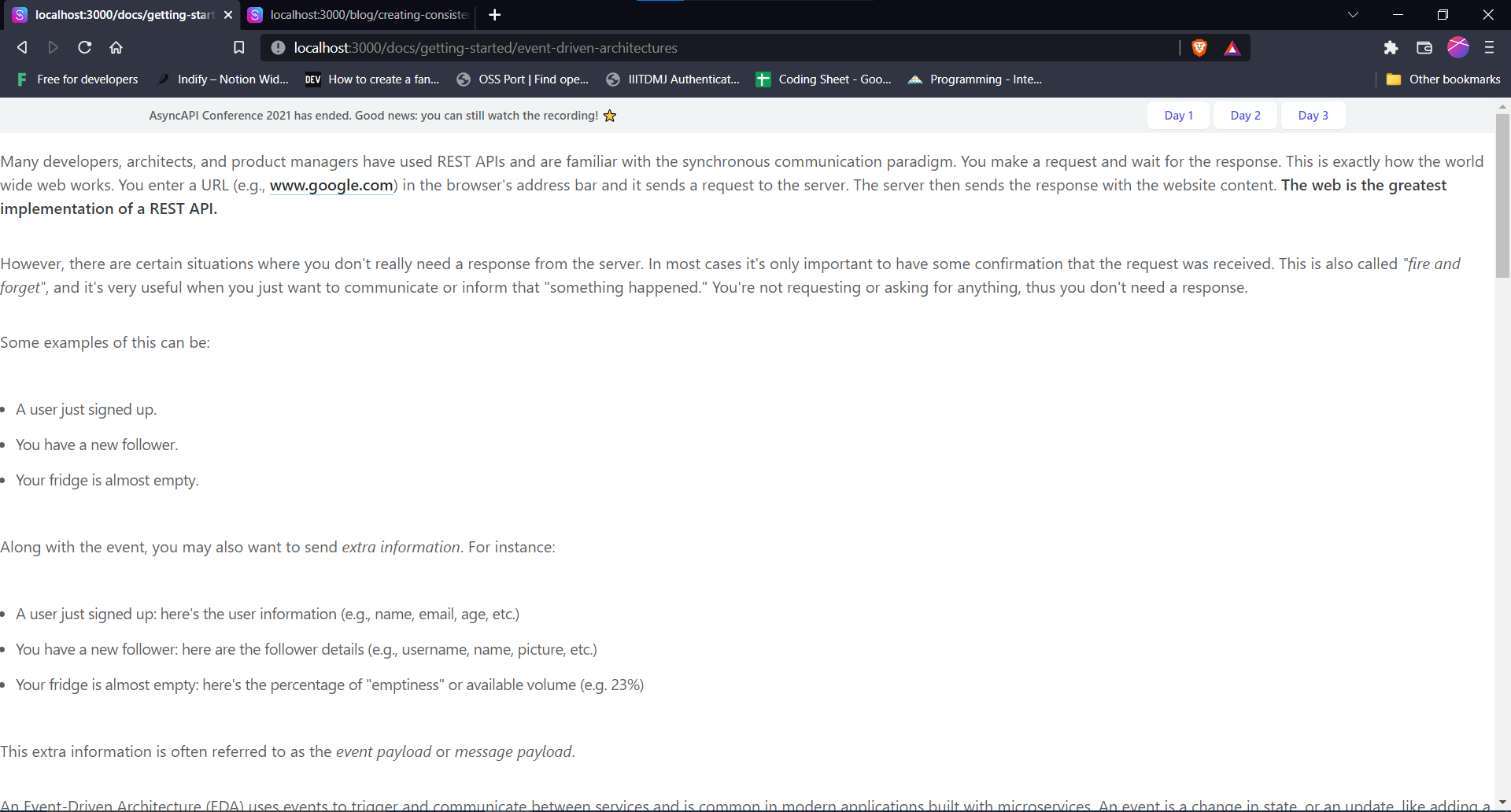
@derberg @magicmatatjahu @Samridhi-98 @sambhavsaxena
For me, in Windows, MDX content is getting rendered but not in the correct way. And I agree that for once, the blogs and docs will not be rendered in the local dev (as mentioned by @sambhavsaxena), but the problem exists with the slug value of the posts. If someone carefully notices that the slug value of each doc and blog in the Windows are different in the posts.json as compared to the slug required in the Layout.js. Hence, none of the content has been rendered in Windows. On changing the slug at Layout.js, I got the above preview and it is still not correct.
I'm not sure whether this issue can be resolved or not but this is a critical one. Note: The errors mentioned in the https://github.com/asyncapi/website/issues/478#issuecomment-1141060572 are also critical as there are overlapping peer dependencies in the repo and also most of the dependencies are deprecated in the latest versions of Node and React.
Moving on to my new discoveries in the world of Windows 😆, I finally found where is the error, but right now it is corrected manually and can't be pushed to the repo as they are foolish changes in the files. I finally got these outputs on my screen.
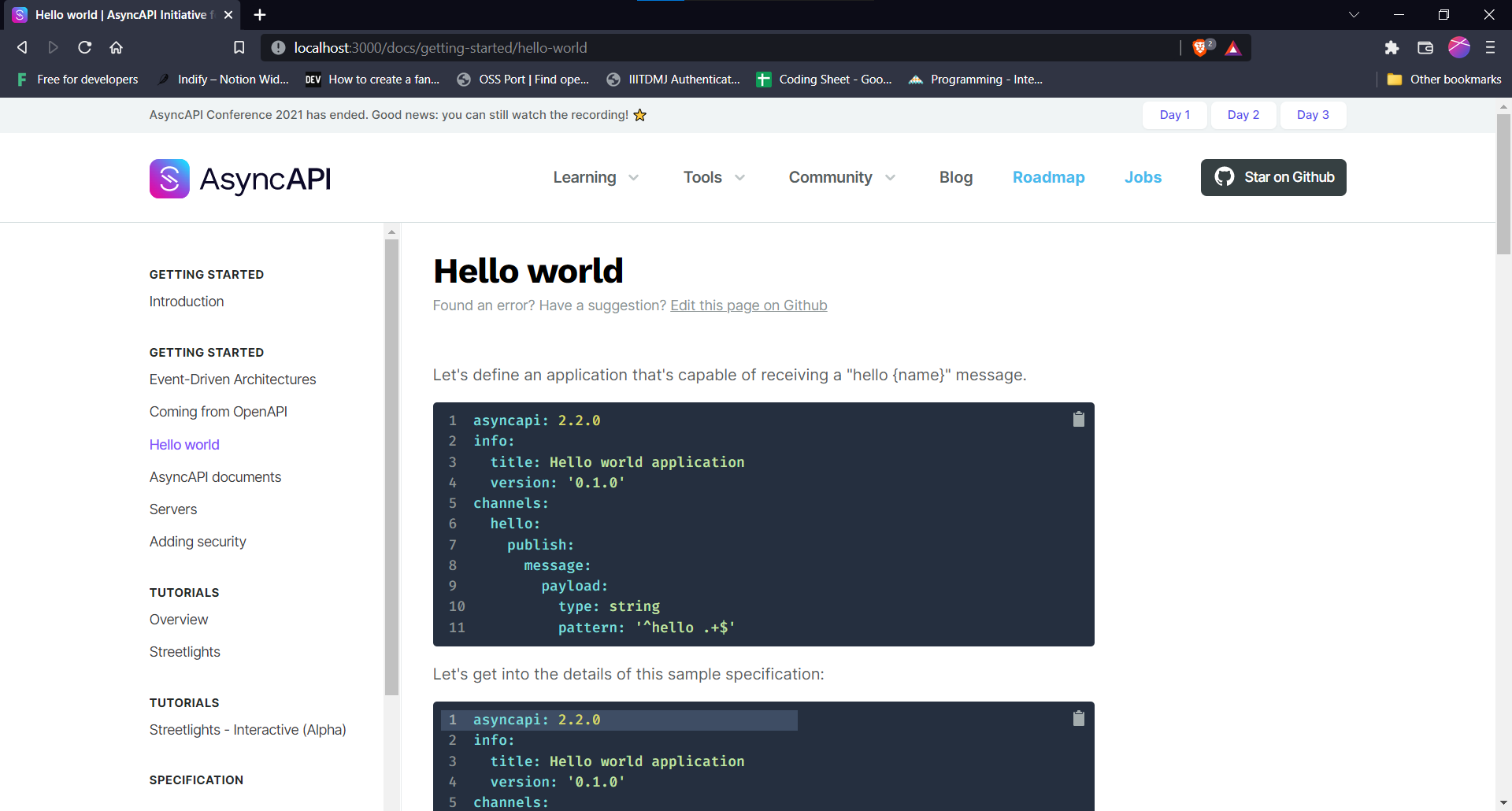
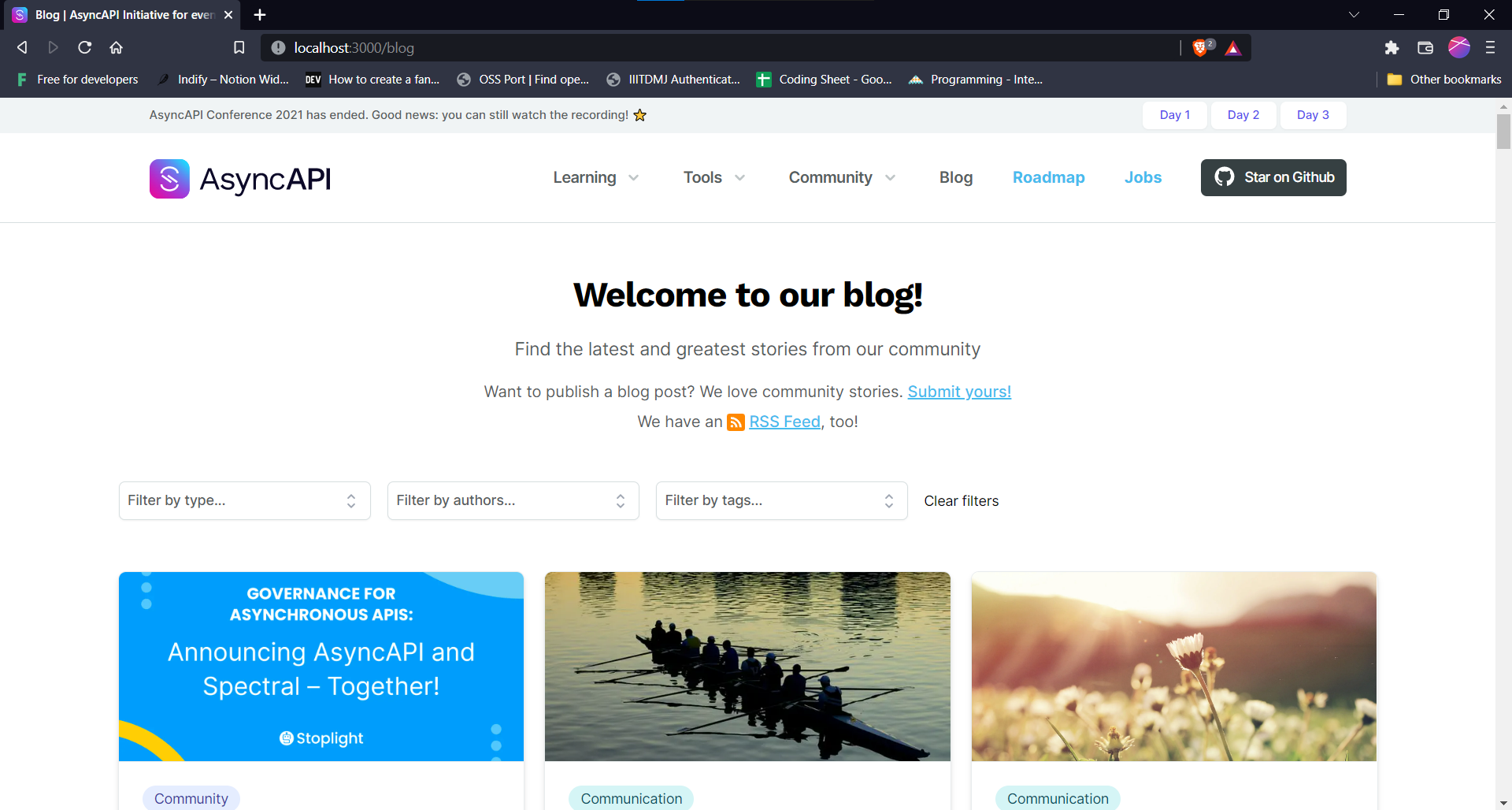
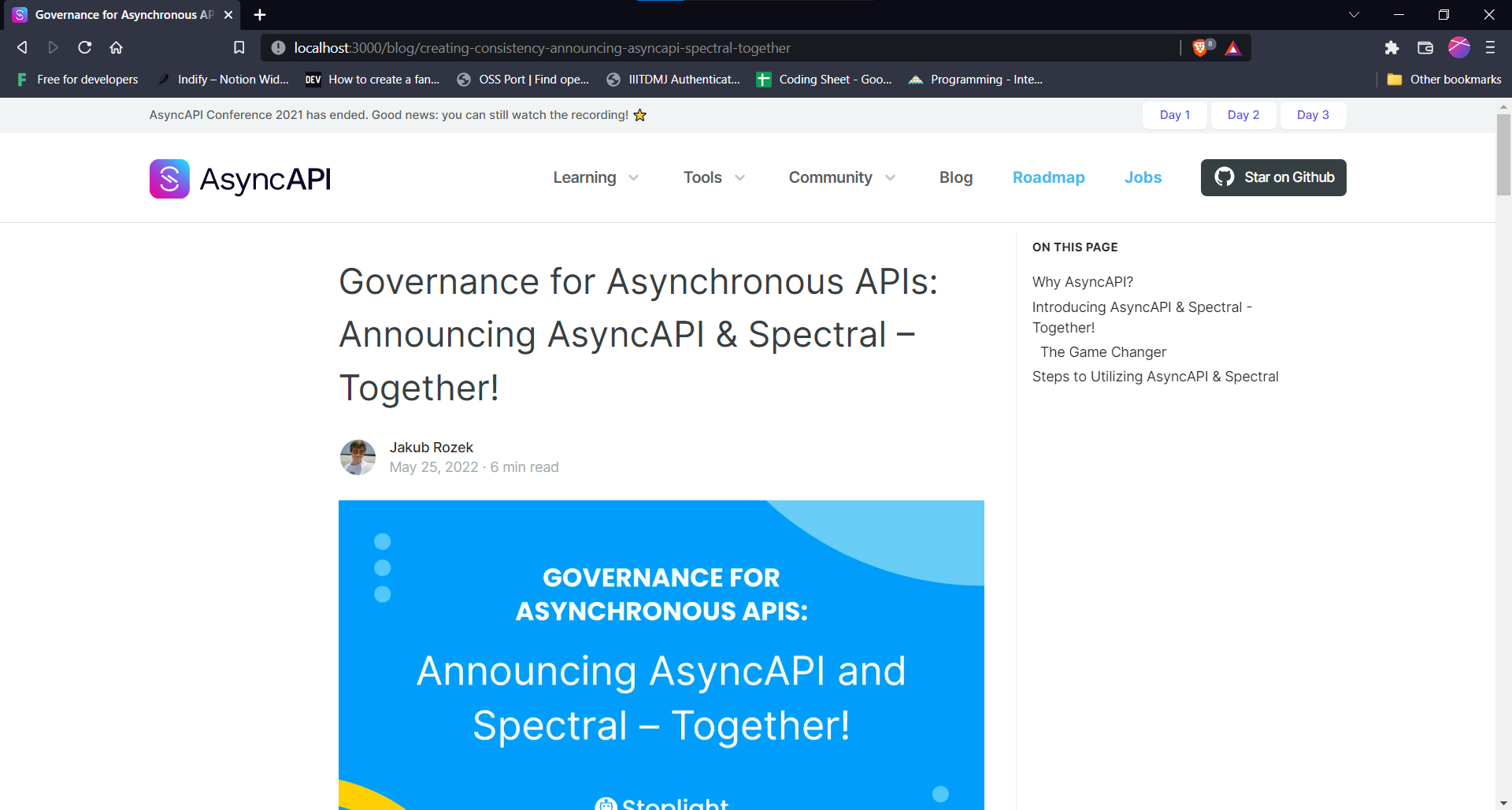
I changed the slug of all the posts in posts.json and it worked well for me. Now, moving on to the issue that it can be solved, the question arises of how to solve it 😄.
maybe the fix should be as dummy as a modification of the script that creates posts.json and discover the operating system. So in case of windows, just build different slug 🤷🏼
in the end posts.json is not committed into the repo, is freshly build on CI, so can be different on local for windows users.
sometimes simple and straight solutions are the best 🤷🏼
in the end posts.json is not committed into the repo, is freshly build on CI, so can be different on local for windows users.
Can't we change something in the build-post-list.js to solve the problem in Windows?. Script is building perfect posts.json in ubuntu but not in Windows or should we write these steps in the README for the Windows user?
@akshatnema Consider visiting this link: https://docs.microsoft.com/en-us/windows/wsl/install-manual#step-4---download-the-linux-kernel-update-package
@akshatnema well this is what I wrote 😄
maybe the fix should be as dummy as a modification of the script that creates posts.json and discover the operating system. So in case of windows, just build different slug 🤷🏼
This issue has been automatically marked as stale because it has not had recent activity :sleeping:
It will be closed in 120 days if no further activity occurs. To unstale this issue, add a comment with a detailed explanation.
There can be many reasons why some specific issue has no activity. The most probable cause is lack of time, not lack of interest. AsyncAPI Initiative is a Linux Foundation project not owned by a single for-profit company. It is a community-driven initiative ruled under open governance model.
Let us figure out together how to push this issue forward. Connect with us through one of many communication channels we established here.
Thank you for your patience :heart:
Removing stale tag from this, since I may work on this in the future. I have some solutions regarding this.