
rules_ts
 rules_ts copied to clipboard
 aspect-build
Debugging with rules_ts
Hi!
After migrating from rules_nodejs to rules_js + rules_ts, I'm having some issues regarding the debug setup in vscode. I followed this page in order to attach a debugger to a Node.js process and I've managed to do it successfully. However, after the rule migration this stopped working and I'm having issues with unbound breakpoints. Are there any extra steps that are needed to make this work with the new set of rules?

Debugging with rules_js + rules_ts should be simpler than with rules_nodejs as you shouldn't need any sourceMapPathOverrides. Since source files are always copied to the output tree, the paths in source maps in rules_js + rules_ts should be correct and point to the source file copies in the output tree.
I added some debugging documentation to rules_js https://github.com/aspect-build/rules_js/blob/c0c9a3b60713c7bcc36fa1cb3f81bf42d0ed5b77/docs/README.md#debugging.
For rules_ts, as long as there as source maps that the debugger can see (either inline or as .map files) then it should show the .ts file in the debugging window:

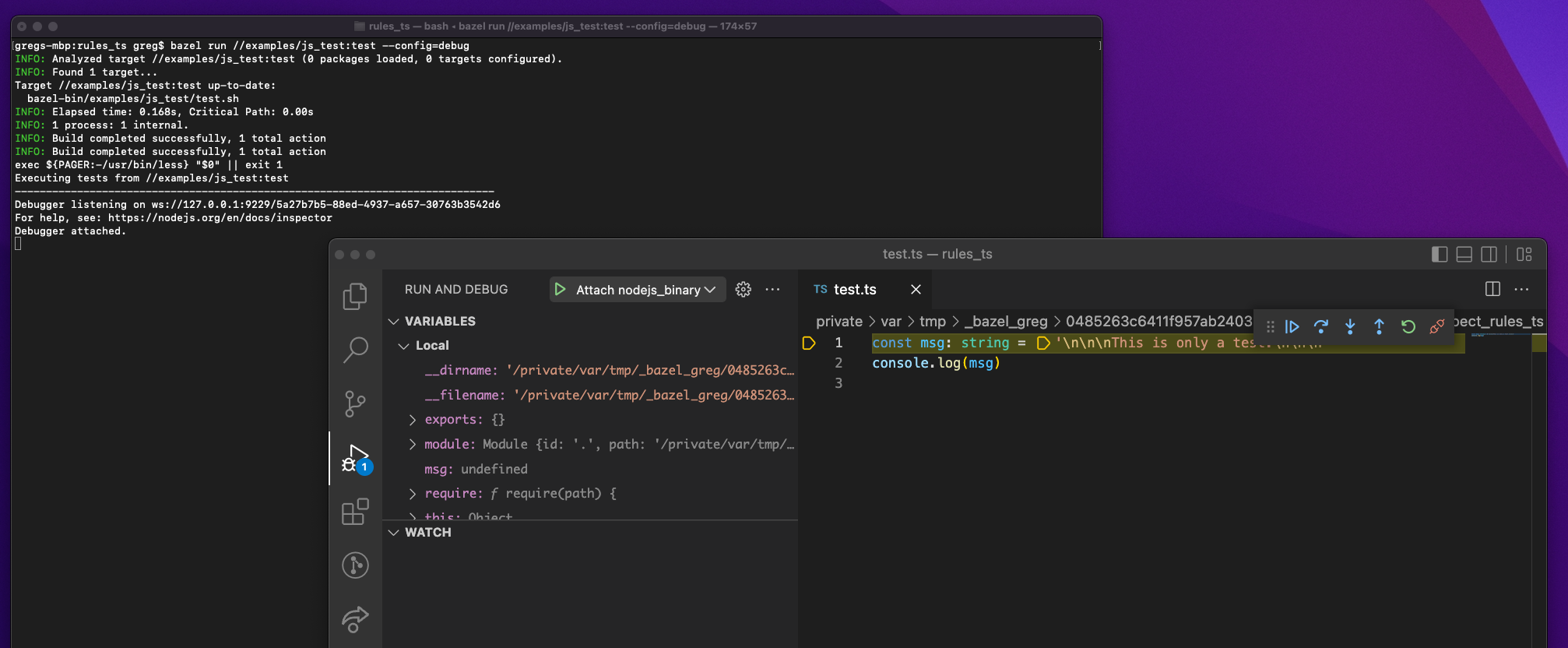

You can try it in this repository on this js_test target: https://github.com/aspect-build/rules_ts/blob/6dce878248a9a91b93d4573db6133927ab15c0f3/examples/js_test/BUILD.bazel#L17
Hi @gregmagolan, thanks for the detailed response. After replicating your steps this seems to work. However, if I put a breakpoint in a different line:
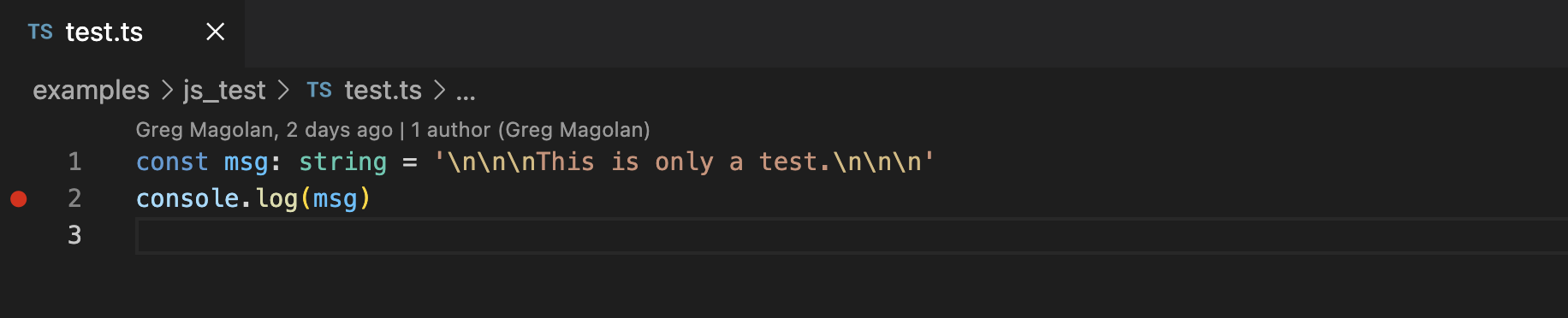
I still have unbound breakpoints:
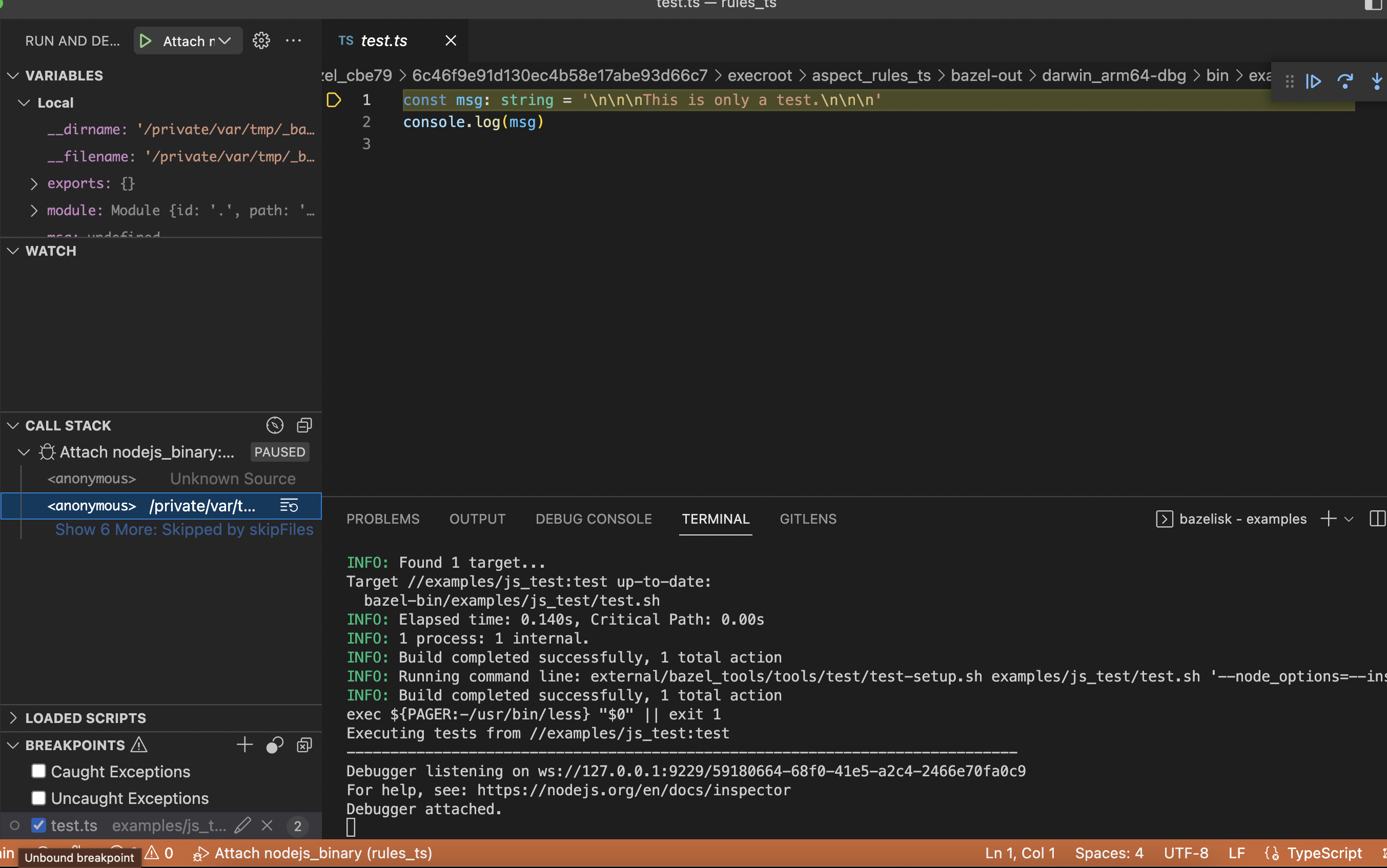
I was expecting that setting breakpoints in the original source file would generate them in the "sandbox" (/private/var/tmp/...) file.
If you're setting your breakpoints in the .ts files in the source tree that won't work since under rules_js everything happens in the output tree. Can you try setting your breakpoints in the .ts files under bazel-bin instead?
Hi @gregmagolan, I've tried to set a breakpoint in the test.ts file under bazel-bin:
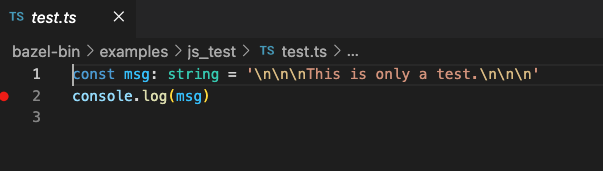
and I still have the same problem, it opens a test.ts file under the /private/var/tmp/... and ignores my breakpoint:
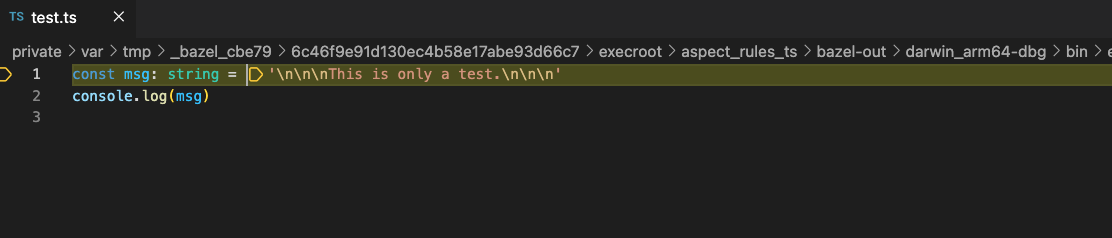
However, if I set a breakpoint in the corresponding test.ts file under the /private/var/tmp/... it seems to work.
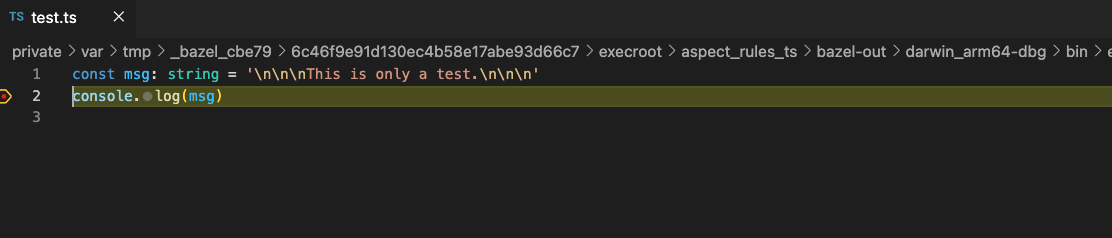
@gregmagolan I guess we need this in TS in order to debug from source tree? https://github.com/microsoft/TypeScript/issues/31873

microsoft/TypeScript#31873
Oh nice. Glanced over that issue and it looks like it may do the trick.
cc @alexeagle
I've managed to debug a ts_project that's run through a js_binary using the following launch config in vscode:
{
  // Use IntelliSense to learn about possible attributes.
  // Hover to view descriptions of existing attributes.
  // For more information, visit: https://go.microsoft.com/fwlink/?linkid=830387
  "version": "0.2.0",
  "configurations": [
    {
      "type": "node",
      "request": "launch",
      "name": "debug",
      "runtimeExecutable": "bazel",
      "runtimeArgs": [
        "run",
        "//:main"
      ],
      "sourceMaps": true,
      "resolveSourceMapLocations": null,
      "sourceMapPathOverrides": {
        "*": "${workspaceFolder}/*"
      }
    }
  ]
}
The key things that made it work were:
resolveSourceMapLocations=null- needed so that vscode searches and finds the source maps. "null" was used because the docs say "May be set to an empty array or null to avoid restriction."
sourceMapPathOverrides- needed so that vscode knows to map the file path from the bazel output tree back into the original workspace source tree.
- the mapped path may need to change depending on your project layout (i.e. if you open vscode in the WORKSPACE or a sub-directory).
I'm building my ts_project like this:
ts_project(
    # ...
    name="src",
    source_map = True,
    # transpiler = partial.make(
    #     swc,
    #     source_maps = "true",
    #     swcrc = ".swcrc",
    # ),
    # ...
)

js_binary(
    name = "main",
    data = [":src"],
    entry_point = "main.js",
)
I had to disable the SWC transpiler because I found it broke the ability to set break points in lots of places such as lines that have await expressions. I think SWC may have an issue with it's source map creation because it worked well with tsc only.

Hi @Place1, why do you need the js_binary? It seems that you're setting your break points in the js files instead of the ts source files. Have your tried your configuration with the example in this repository?
I didn’t think too much. Perhaps I don’t need the js_binary. In any case I was setting breakpoints in my source TS files under my workspace.
Hi @Place1, I've applied your suggestion with an example of this repository and it doesn't seems to work. Have you tried that on this repository?