
fleet
 fleet copied to clipboard
 aschmelyun
Getting "Gateway Timeout"
I keep getting this error randomly but at the moment it's quite persistent. Fleet is running without errors. I'm only running one Sail app, without errors. Everything has been done according to the readme and there are no other errors anywhere. I've tried restarting everything but that didn't help. Obviously removing fleet entirely makes my app work.

Hey @jezzdk,
Can confirm, I've been seeing this intermittently with some projects too. Problem is I can't nail it down because sometimes refreshing the browser works, sometimes restarting Sail works, with zero changes to the config. I'll do some more digging into it when I can!

I confirm I have this error on big projects. Smaller projects don't show this error for me. Can it be when there is a lot of requests at the same time, for instance, when the project has many dynamic modules to load on Vite/Vue/JS?
UPDATE: This error also occurs when I have big picture files (> 1Mb) loading.


Been waiting for a fix for this issue; it is annoying that we have to restart the fleet every time this happens.

I'm sensing that Traefik needs more configuration. I read somewhere that it gets confused around the Docker networks it's attached to, but I'm not sure what that means.
I'm sensing that Traefik needs more configuration. I read somewhere that it gets confused around the Docker networks it's attached to, but I'm not sure what that means.
did you figure out an solution?

I'm sensing that Traefik needs more configuration. I read somewhere that it gets confused around the Docker networks it's attached to, but I'm not sure what that means.
did you figure out an solution?
No I've stopped using Fleet.
I'm sensing that Traefik needs more configuration. I read somewhere that it gets confused around the Docker networks it's attached to, but I'm not sure what that means.
Did you figure out a solution?
No I've stopped using Fleet.
I fixed it here, but I am using a traefik image, but I've done can be used in the fleet.
I removed the sail network from the docker-compose.yml files and I added those labels in the PHP docker-compose.yml file section:
        labels:
            - traefik.http.routers.your-service-localhost.rule=Host(`your-service.localhost`)
            - traefik.http.services.your-service-localhost.loadbalancer.server.port=80
            - traefik.http.middlewares.limit.buffering.maxRequestBodyBytes=20000000000
            - traefik.http.middlewares.limit.buffering.memRequestBodyBytes=20000000000
            - traefik.http.middlewares.limit.buffering.maxResponseBodyBytes=2000000000
            - traefik.http.middlewares.limit.buffering.memResponseBodyBytes=2000000000
            - traefik.http.middlewares.your-service-localhost-ratelimit.ratelimit.average=100
            - traefik.entryPoints.name.transport.lifeCycle.graceTimeOut=0
The catch is it's the graceTimeOut, by default the timer it's the 30s, but I set it up to 0 on the first load (or others with no cached times) take sometimes more than 30s to load in localhost.
The memXXXXByts it's the buffer for files, now I can upload/ download/ send post with more than 2MB in size.
I hope that helps you.

Hello,
adding the following line to the labels section has solved the issue for me.
- traefik.docker.network=fleet

Hello,
adding the following line to the labels section has solved the issue for me.
- traefik.docker.network=fleet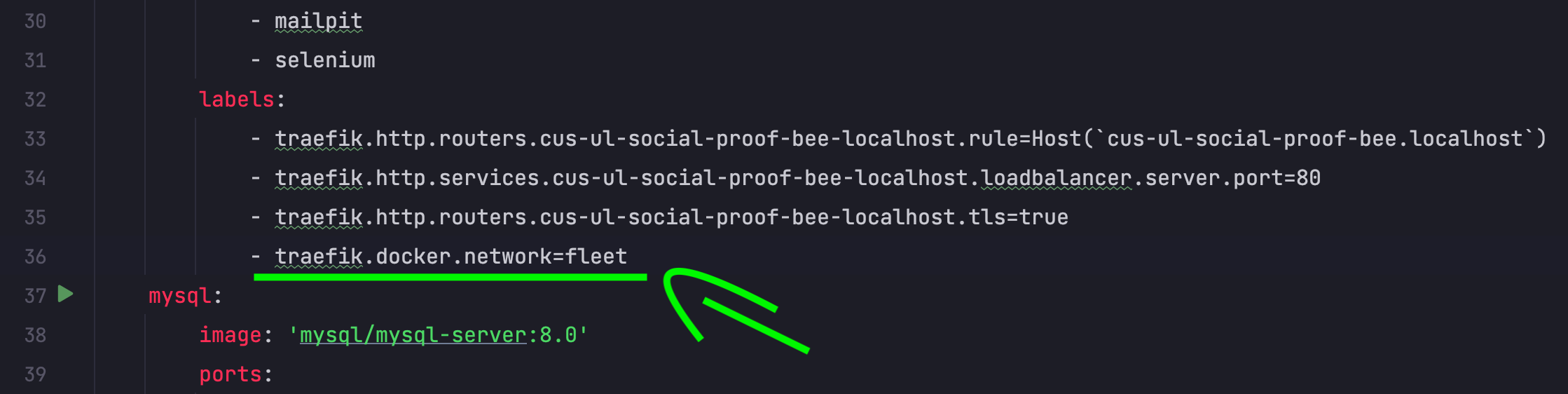
I think that actually did the trick. It would be good to have that added to the code.