
armortools

armortools copied to clipboard
 armory3d
Picker node + fill layer not updated
ArmorPaint version: ArmorPaint.org - v0.9 (2022-03-01) - a044960 Windows - Direct3D11
Issue description:
Steps to reproduce:
-
Build a material like this one
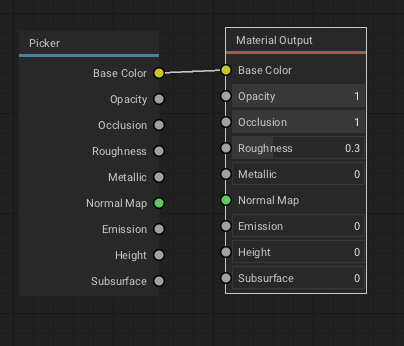
-
Paint a few colorful lines using a different material
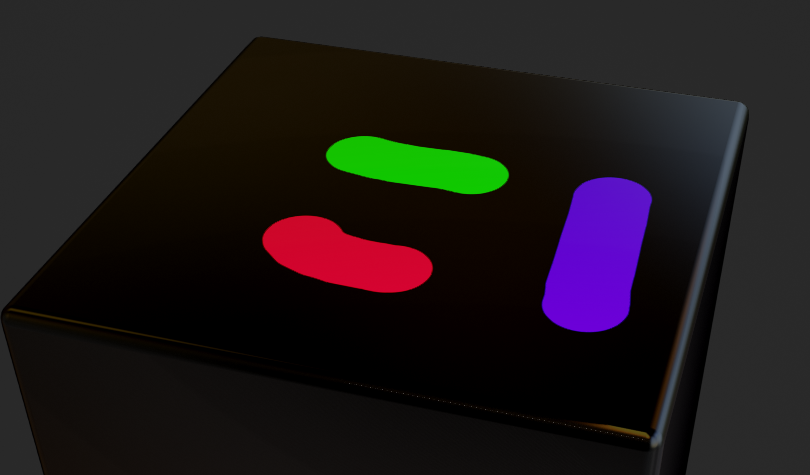
-
Now we use the picker in different settings
First Setting
- Open the material that contains the picker node.
- Pick a color using the picker
- Use the brush tool to paint a bit. The paint stroke is as expected (has the picked color)
Second setting
- Close the material that contains the picker node.
- Pick a color using the picker
- Use the brush to paint and realize it is not the currently picked one but the one that was picked before closing the node editor in setting 1.
Third setting
- Create a fill layer using the material containg the picker node.
- Open or close the node editor, it does not matter.
- Pick a color using the color picker. (you have to select the first layer to be useful of course)
- The fill layer does not change.
Obviously it is a shader compile issue. The material is not automatically recompiled if the picker is changed. To recompile the user has to change any node in the node editor in order to force a recompile. For the same reason the material icon is not updated.
Now there are two ways to solve it (imho)
- Update the materials that contain picker nodes every time the picker is used. Similar to the proposal in #1220.
- Change the picker node in the way that it shows the values it carries and gets an update button to take the currently selected values.
I think both ways are reasonable depending on the use case the node should have.
