

 argenos
Incorrect output of "Date Added"
With the latest update, the outputs of "Date Added" are incorrect that:
- "2020-01-23" becomes "2020-00-23"
- "2020-02-01" becomes "2020-01-01"

Are these the dates of the Zotero item or the ones from the markdown files?


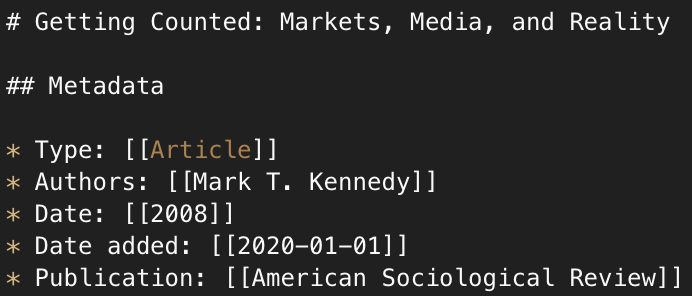
That's strange... I'm not really modifying the dates of the item or the PDF attachments. The only date which could have been affected is the Modified date of the markdown files to reflect the last time they were exported.
Does this happen immediately after export?
I had a check and report the same question:


It happens right after my first export.

It might have something to do with the locale. Could you try with these? You'll have to change the extension from .zip to .xpi.
- This one changes the format used in
Modified datemdnotes-0.0.7-fx.zip - This one removes the
Modified dateupdate alltogether: mdnotes-0.0.7-fx-2.zip
Hi, argenos. Thanks for your work. I try the first mdnotes-0.0.7-fx.zipand it turns out that the problem in Date added filed persists.
I'm having a hard time reproducing this. Just to make sure ... After installing the new version you need to try it with a new item, it won't fix the date of the previous item. I would suggest adding a dummy item and manually creating a note, and then exporting. Did you also try the 2nd file?
@argenos
I tried both files with two different dummy items. The issue seems to be unresolved.
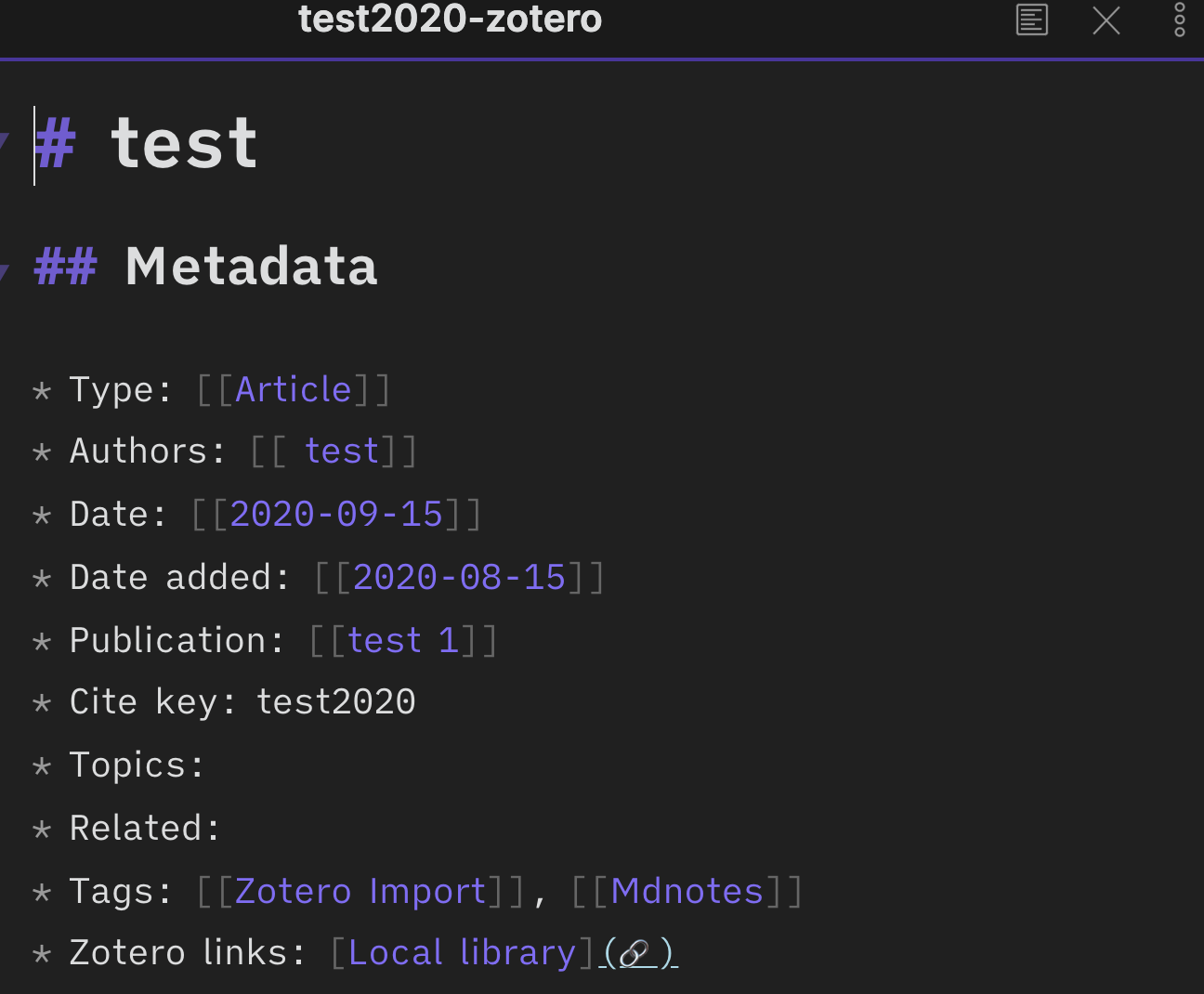
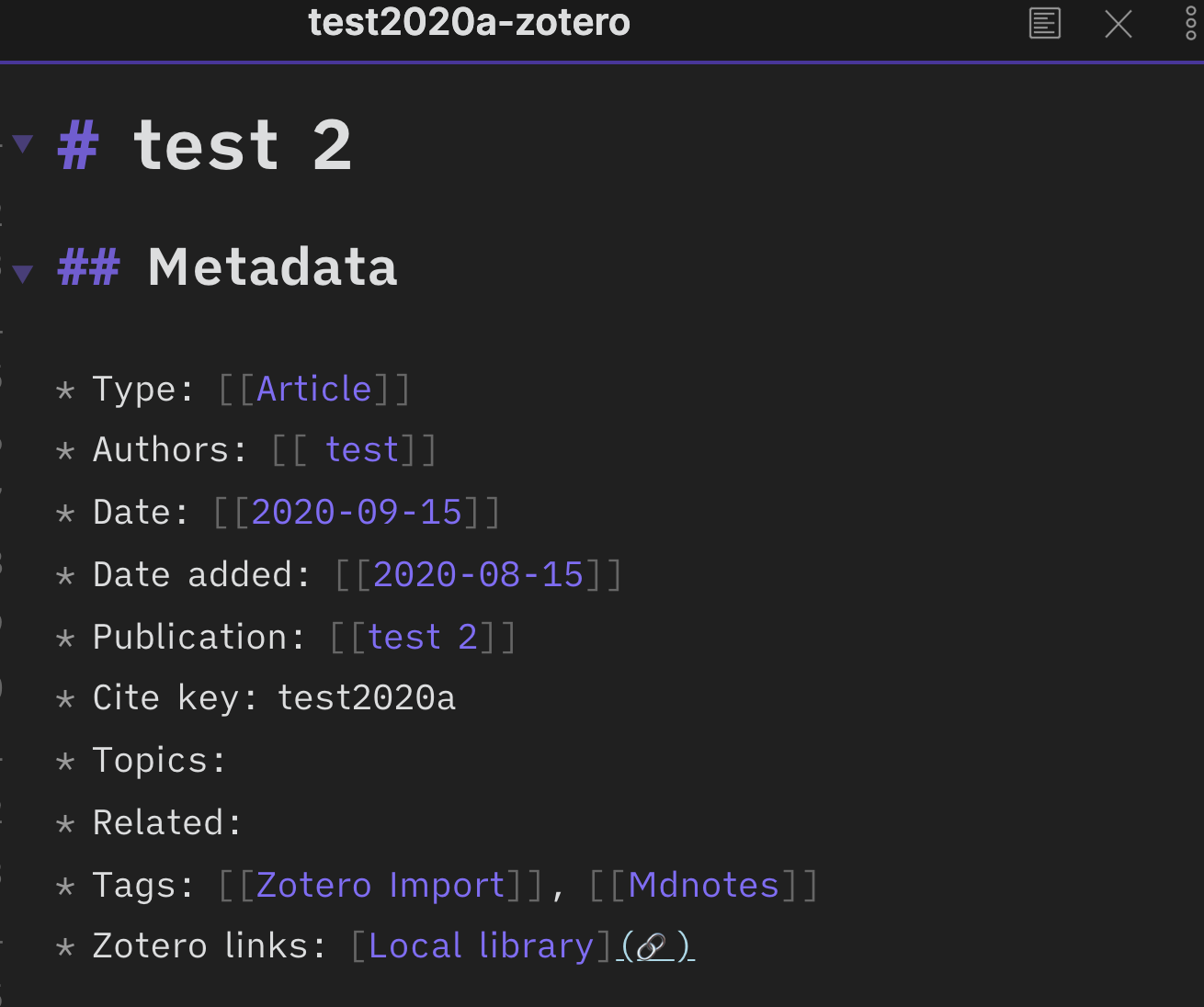

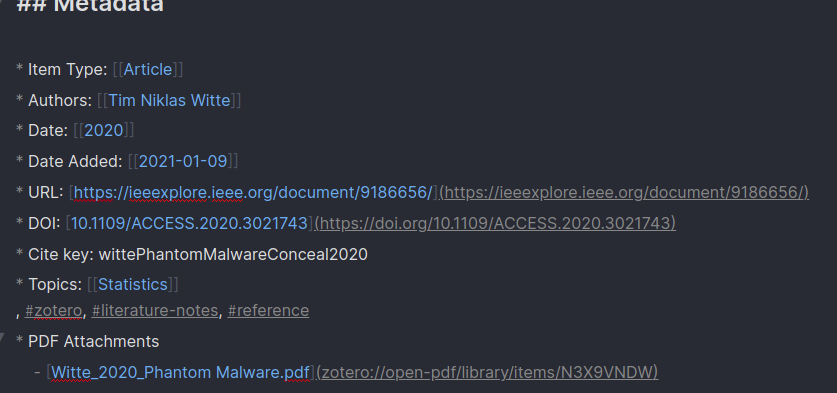
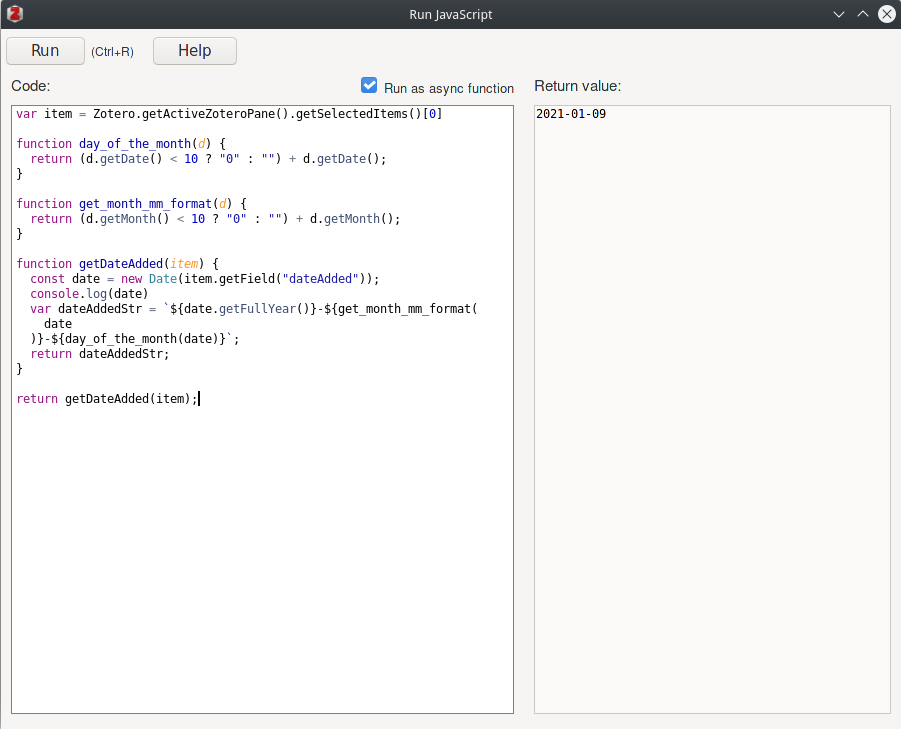
So I found the issue it a months starts from 0
Date.prototype.getMonth() Returns the month (0–11) in the specified date according to local time.