
appsmith
 appsmith copied to clipboard
 appsmithorg
[Feature] In-app embed settings
Design: https://app.zeplin.io/project/6310825e7f4577131f79df64?seid=6364d838107c1413ea207110
Original issue: https://github.com/appsmithorg/appsmith/issues/1979

- [x] Make it easy for developers to find a way to embed - Enable an embedding modal/popup which will allow users to access the embedding code block. This will be available in edit mode.
- [x] Allow the user to generate the embed snippet within the modal - Making the header visible/invisible, setting the dimensions. Codeblock will include this setting.
- [x] Update UI for invite view to move copy url section below.
- [x] Sidebar UI updates for the same
- [ ] ~App viewer UI changes~ We won't be showing the embed settings in view mode.
- [x] Backend api
The embedding enabled/disabled state is accessible only to admin users.
Design review for the DP: @akash-codemonk @kocharrahul7 @ginilpg
- [x] Padding between tabs and body content should be 24px
- [x] Line spacing to be increased in the code snippet
- [x] Height of the input boxes should be 28px
- [x] Tooltip underline color in the app settings should be changed
- [x] Preview embedded app to be added ( We can take a decision later, but lets implement the design )

@RoopKrrish9696 Note that for non-admin we won't have top section so the snippet height will be bigger.
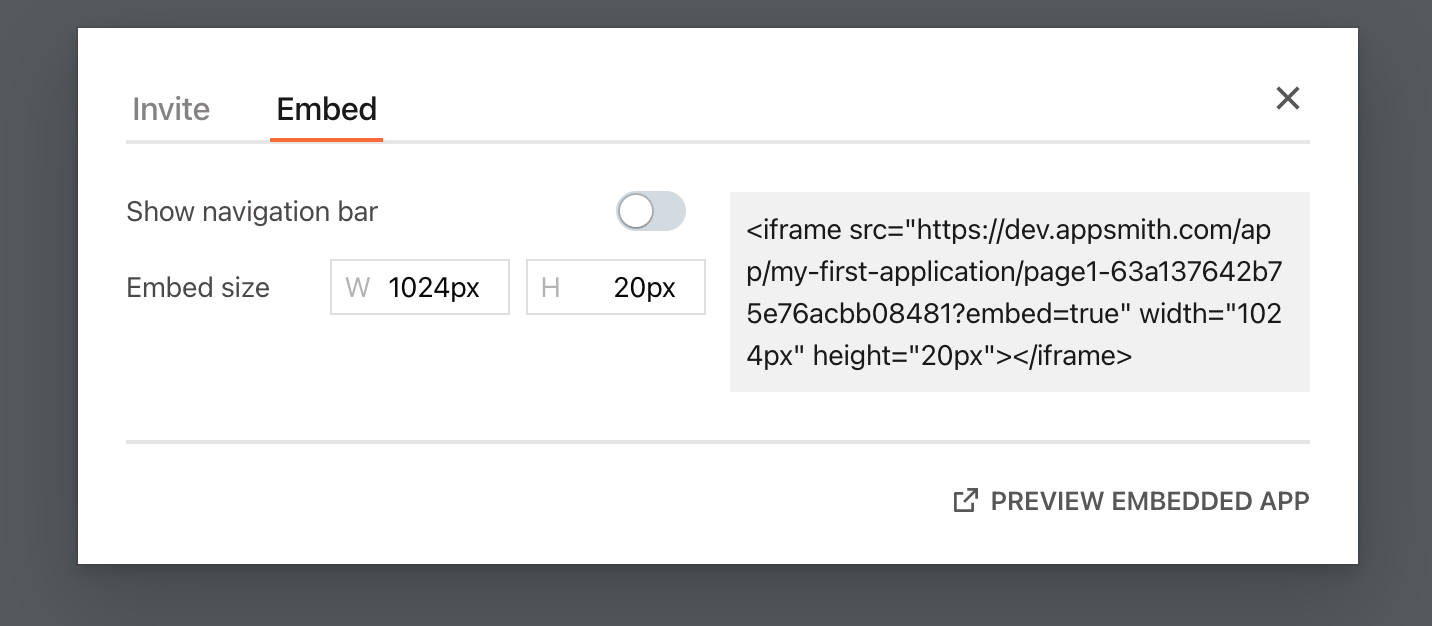

@akash-codemonk these issues are for Admin users
- [x] Embed size is getting saved without any values, is this expected? Please refer to the attached video:- https://jiju8jbmwa.vmaker.com/record/rN1VUHWO08nbWLpk
- [x] Link copied to clipboard message is missing [as mentioned in the design doc] instead the text changes to COPIED APPLICATION URL when the user clicks on the "COPY APPLICATION URL" from the invite tab at the bottom. Please refer to the attached video:- https://www.loom.com/share/851685ee48ba4cce89e3b0436afb9a20
- [x] When the user copy the link of the application the text COPY APPLICATION URL should be in bold with the text message Link copied to clipboard as mentioned in the design doc. Please refer to the attached video & SS:- https://jiju8jbmwa.vmaker.com/record/UFkzZfU6aENOBZ5f and Screenshot:-
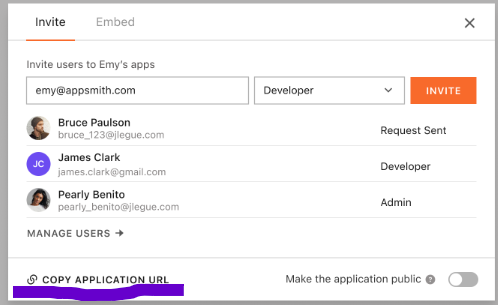
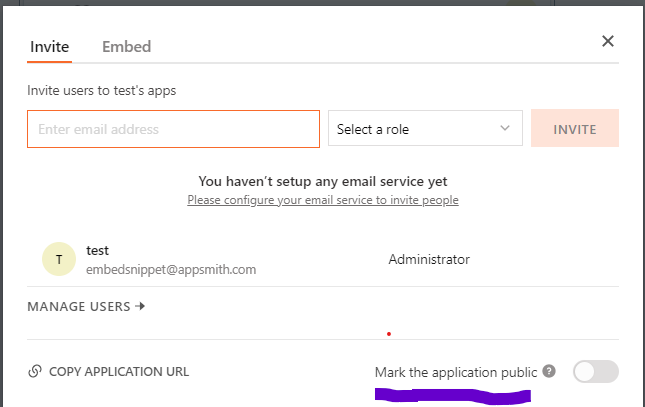
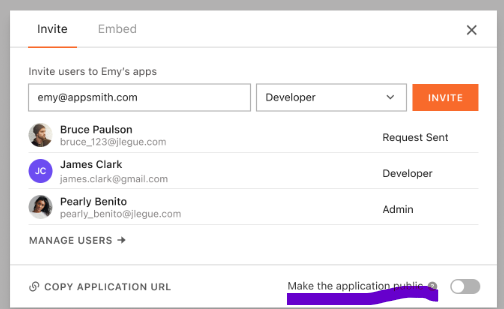
- [x] On the Invite tab at the bottom it is mentioned Mark the application public instead of Make the application public as mentioned in the design doc. Please refer to the attached SS:-
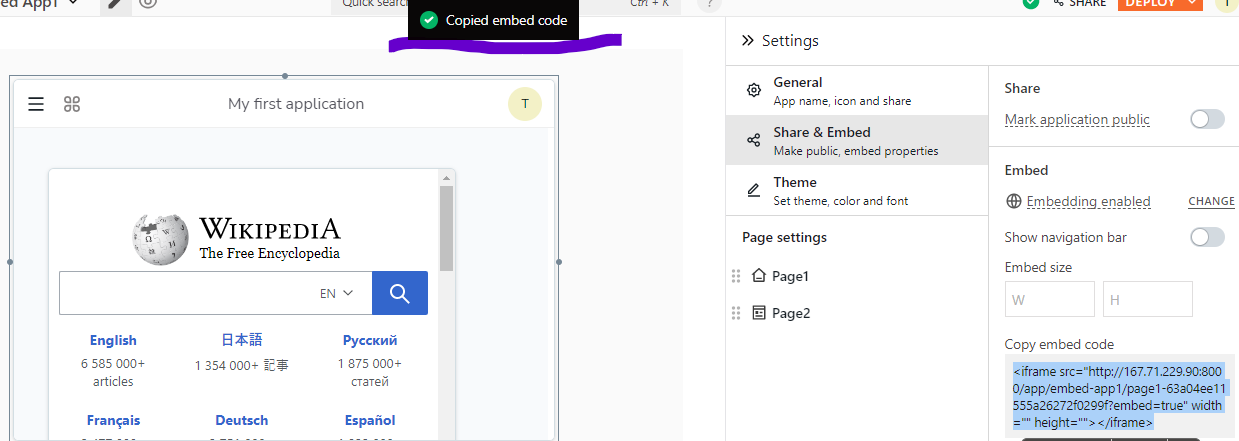
- [x] When the user copies the embed code in the app it shows Copied embed code instead of Embed code copied to clipboard as mentioned in the design doc. Please refer the attached SS:-
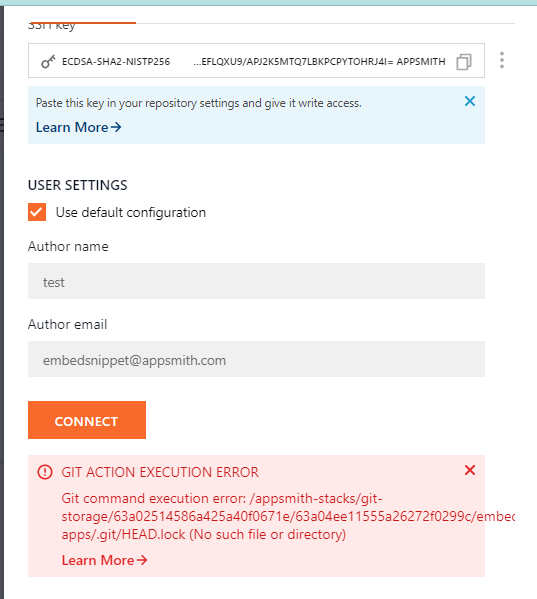
- [x] Git connection is failing for admin users but it is working fine for the cloud DP. Please refer to the attached SS:-

- [ ] Embed size is getting saved without any values, is this expected? Please refer to the attached video:- https://jiju8jbmwa.vmaker.com/record/rN1VUHWO08nbWLpk
If it is invalid we won't save. Have fixed some styling and added blank value validation.
- [ ] Link copied to clipboard message is missing [as mentioned in the design doc] instead the text changes to COPIED APPLICATION URL when the user clicks on the "COPY APPLICATION URL" from the invite tab at the bottom. Please refer to the attached video:- https://www.loom.com/share/851685ee48ba4cce89e3b0436afb9a20
We don't show toast since the modal is on view mode as well. Instead we update the text.
- [ ] When the user copy the link of the application the text COPY APPLICATION URL should be in bold with the text message Link copied to clipboard as mentioned in the design doc. Please refer to the attached video & SS:- https://jiju8jbmwa.vmaker.com/record/UFkzZfU6aENOBZ5f and Screenshot:-
Color wasn't correct. Have updated it.
- [ ] On the Invite tab at the bottom it is mentioned Mark the application public instead of Make the application public as mentioned in the design doc. Please refer to the attached SS:-
Updated text
- [ ] Git connection is failing for admin users but it is working fine for the cloud DP. Please refer to the attached SS:-
This must be a config issue while creating a local build. Not sure what to update. Please test git on the cloud dp.
Will update the dp soon.
@akash-codemonk these issues for Non- Admin users (cloud DP)
- [x] values of the embed size and show navbar are not getting saved and it shows some default values when the field is kept empty is this expected? Please refer to the attached video:- https://jiju8jbmwa.vmaker.com/record/HmJ3I7cww7aUNuqE
- [x] Getting Resource not found error when clicked on PREVIEW EMBEDDED APP in the embed tab. Please refer to the attached video:- https://www.loom.com/share/f22e7dc3e5bd4a199abef10368433ef6
- [x] when Share & Embed tab is accessed from the APP SETTINGS then there is inconsistency in the text below share & embed tab it's written Make public and inside the tab it shows Mark application public. Please refer to the attached SS:-
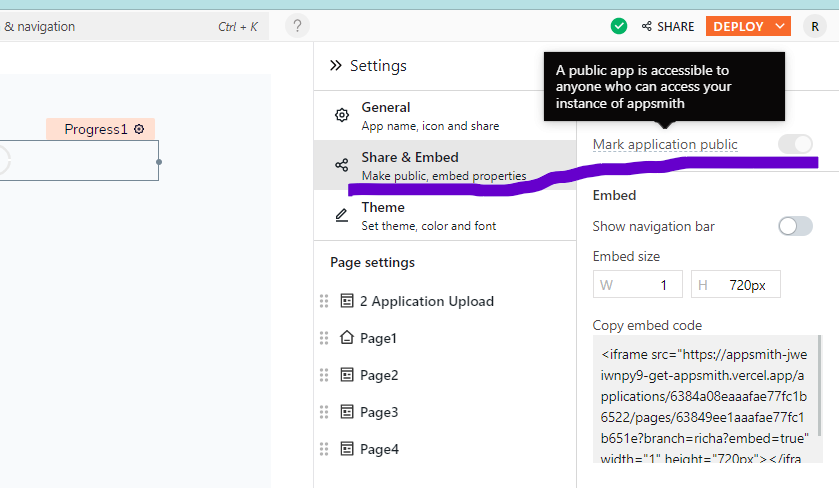
- [x] When cursor is placed on Mark application public then tooltip message and tooltip is not aligned properly like the question mark icon should be displayed how we are handling for the APP SETTINGS tooltip. Please refer to the attached video:- https://jiju8jbmwa.vmaker.com/record/cimWzZPqyj4WVkVO
- [x] When new workspace is created and clicked on the share button then on the Share tab Make the application public toggle is not visible only infinite loading spinner is seen. Please refer to the attached video:- https://jiju8jbmwa.vmaker.com/record/1RPz3pk4xuFrX3lW
- [x] Once the user disables the Make the application public toggle then the user fails to enable it back again. Happens for all the applications even for the newly created ones. Note for the 1st when it's disabled Resource not found error is displayed on the canvas. Please refer the attached video:- https://jiju8jbmwa.vmaker.com/record/0apUXZqrJrKspTeN
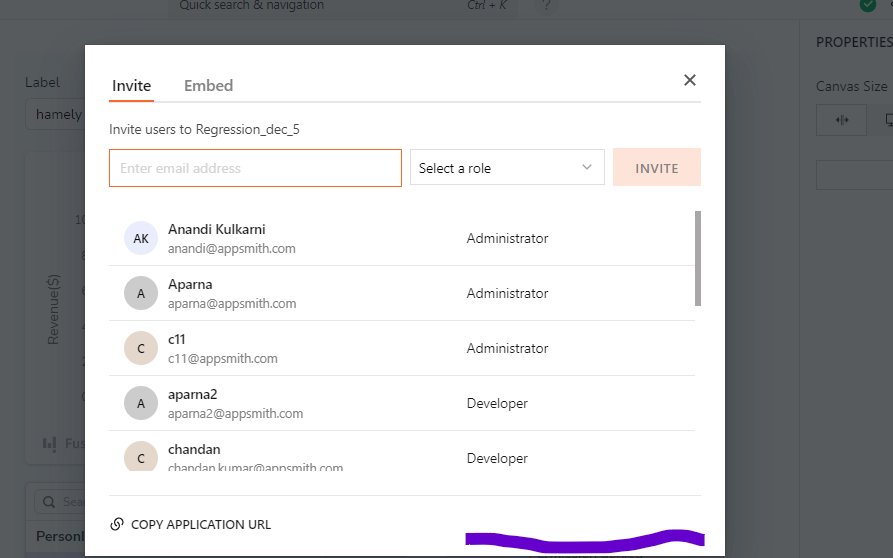
- [x] For old applications Make application public toggle is not at all visible on the invite tab. Please refer to the attached SS:-
@akash-codemonk these issues for Non- Admin users (cloud DP)
- [x] values of the embed size and show navbar are not getting saved and it shows some default values when the field is kept empty is this expected? Please refer to the attached video:- https://jiju8jbmwa.vmaker.com/record/HmJ3I7cww7aUNuqE
Invalid values are not saved. It saves the last valid value.
- [x] Getting Resource not found error when clicked on PREVIEW EMBEDDED APP in the embed tab. Please refer to the attached video:- https://www.loom.com/share/f22e7dc3e5bd4a199abef10368433ef6
Have fixed this the url was incorrect.
- [x] when Share & Embed tab is accessed from the APP SETTINGS then there is inconsistency in the text below share & embed tab it's written Make public and inside the tab it shows Mark application public. Please refer to the attached SS:-
Have made it Make everywhere.
- [x] When cursor is placed on Mark application public then tooltip message and tooltip is not aligned properly like the question mark icon should be displayed how we are handling for the APP SETTINGS tooltip. Please refer to the attached video:- https://jiju8jbmwa.vmaker.com/record/cimWzZPqyj4WVkVO
Fixed center aligned it
- [x] When new workspace is created and clicked on the share button then on the Share tab Make the application public toggle is not visible only infinite loading spinner is seen. Please refer to the attached video:- https://jiju8jbmwa.vmaker.com/record/1RPz3pk4xuFrX3lW
As discussed it was some temp issue.
- [x] Once the user disables the Make the application public toggle then the user fails to enable it back again. Happens for all the applications even for the newly created ones. Note for the 1st when it's disabled Resource not found error is displayed on the canvas. Please refer the attached video:- https://jiju8jbmwa.vmaker.com/record/0apUXZqrJrKspTeN
Hiding this section if the user does not have permission.
- [x] For old applications Make application public toggle is not at all visible on the invite tab. Please refer to the attached SS:-
As discussed the user here did not have permission so it was not visible.
DP is updated