natrium_wallet_flutter
 natrium_wallet_flutter copied to clipboard
 appditto
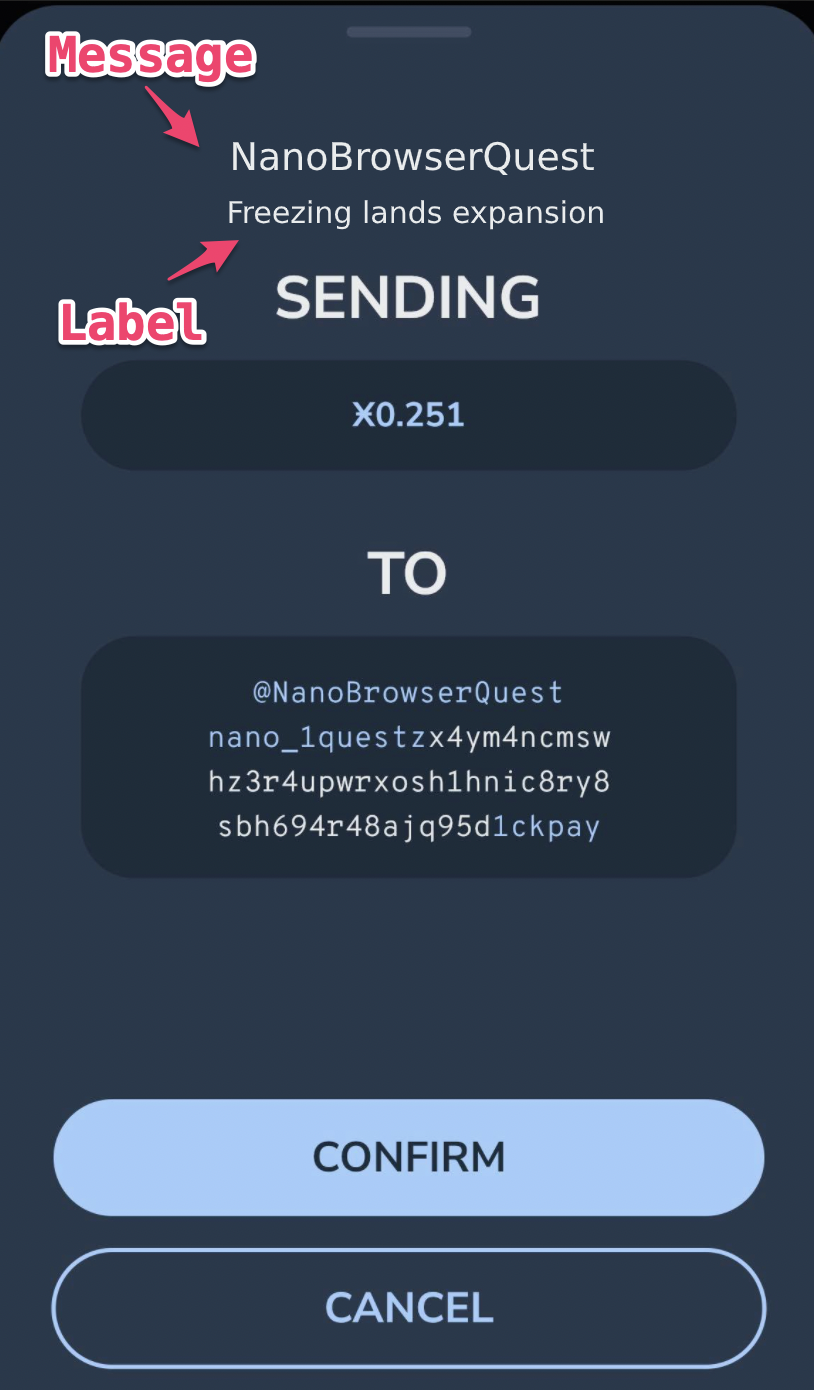
Handle message and label fields from URI/QR Code standard
https://docs.nano.org/integration-guides/the-basics/#uri-and-qr-code-standards
Would be nice to see the label + message underneath the address on the transactions view.
Would make it easy to identify what the transaction was for at a glance

I'm convinced this is needed to make Nano perfect for transactions to companies. Without a label the receiver (business to business) will not be able to identify your payment.

I'm curious how this data would be used and stored. IIRC there is no way to store additional data on-chain. I could see the label and message presented when you are scanning a QR code with information about what the payment is for. Is this issue proposing that the information also be stored (locally) for the sent transactions? If so, I would think it would be a poor experience if that information would go away if you clear data/reinstall/logout etc.

Example of usage: If merchants added the appropriate fields when displaying their QR code Natrium could display "McDonalds: Order-145-13" etc. which is much more readable than a Nano address. We are probably a long way off yet, but if a user has many transactions it would be handy to quickly identify a transaction without having to search for the amount and match addresses. (I'm thinking of the refund case, you shouldn't even need a receipt)
Storage: You're right there is no way to store data on chain, it would have to be treated like regular data, if Natrium isn't willing to support transaction meta-data due to poor user-experience (local storage only) or costs/dev work (remote/centralized storage) that's fair enough!
A real world example is your typical banking app 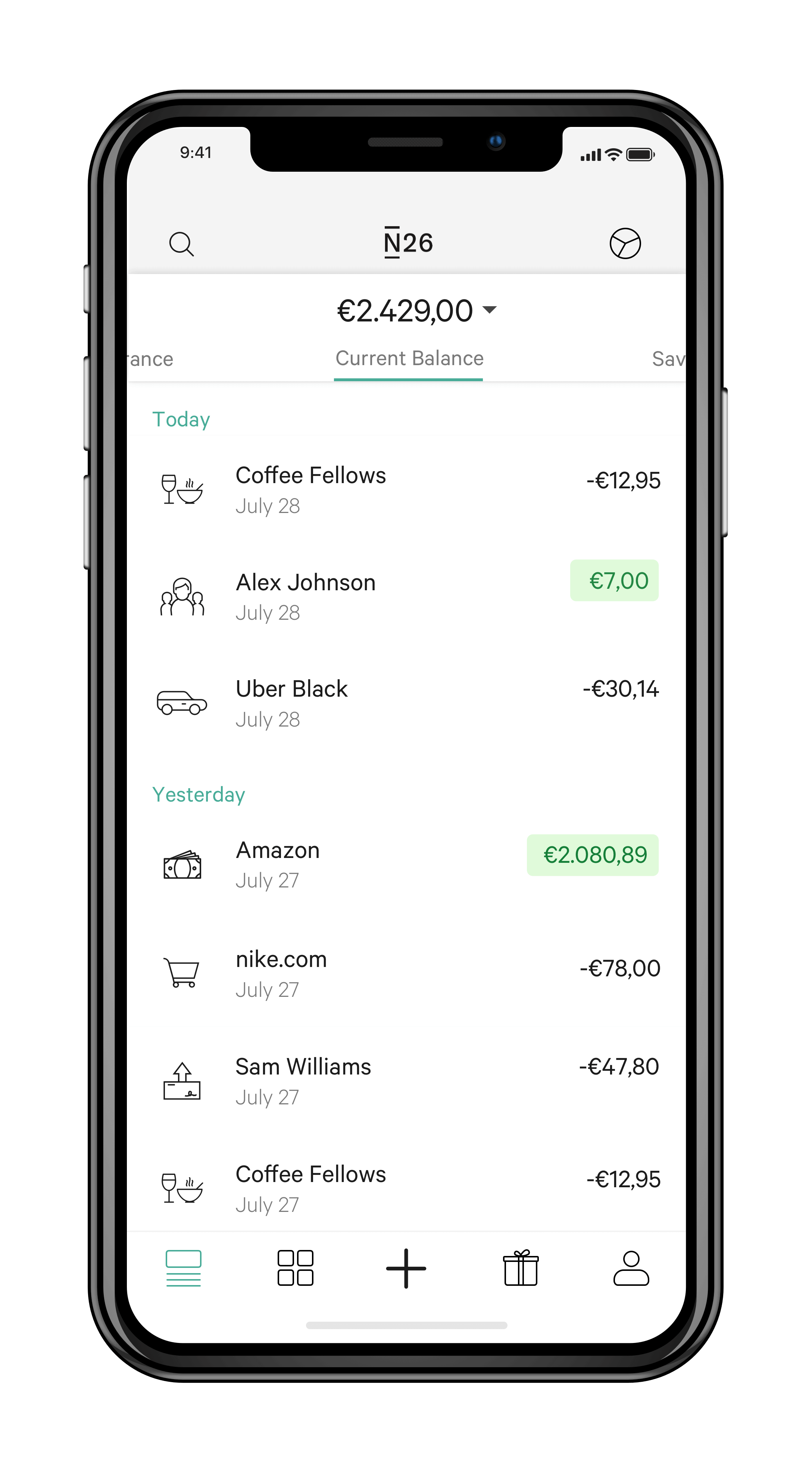
Maybe storing this information locally is enough. In the future an option to backup/restore or share the info could be added

Would indeed help identifying the purchased product on Natrium. A vendor could use the Message field to identify their store and the label field to identify the product / receipt ID being purchased. It could also be below the TO section