appbaseio
Set MultiList defaultQuery based on Select Option
Affected Projects React / ReactNative
Is your feature request related to a problem? Please describe. I am trying to build a Reactivesearch based Searchwebsite with a MultiList Selection. The terms within that MultiList selection should come from a significant terms aggregation ( https://www.elastic.co/guide/en/elasticsearch/reference/current/search-aggregations-bucket-significantterms-aggregation.html)
The only way i could think of after carefully going through your docs (I am new to react so sorry for not knowing basics) was to use a defaultQuery for the MultiList component. So currently my MultiList looks like this:
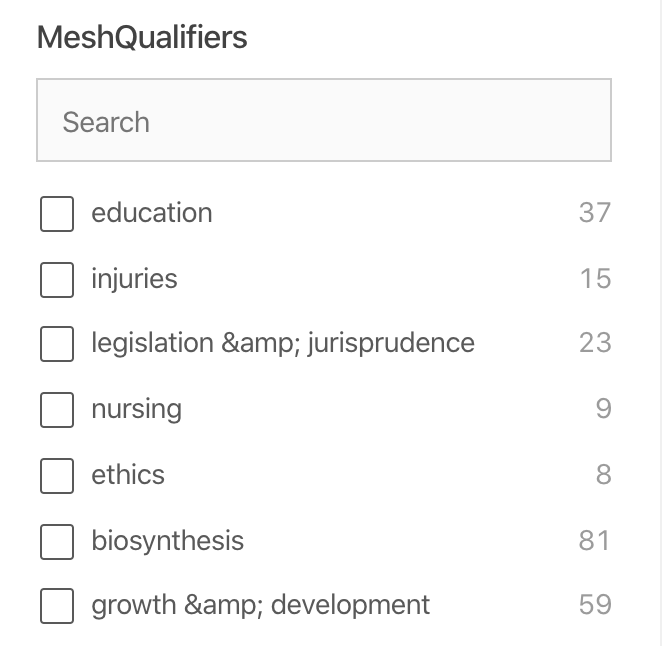
<MultiList
	componentId="MeshQualifiers"
	dataField="meshqual"
	queryFormat="and"
	size={10}
	style={{ marginBottom: 20 }}
	URLParams={true}
	title="MeshQualifiers"
	defaultQuery={generateDefaultQuery("gnd","meshqualifiers.keyword")}
	onValueChange={ function (value) { console.log("current value: ", value) }}
	react={{
		and: [
             'search',
             'PTC-Chemicals',
  	  		'MeshQualifiers',
                  ]
     	}}
/>
The corresponding Javascript function to generate the defaultQuery looks like this:
function generateDefaultQuery(typ,feld) {
if (typ==="percentage") { var aggs=() => ( { aggs: { "meshqual": { significant_terms: { field: feld, percentage: {}, size: 10 }},},} ); }
else if (typ==="gnd") { var aggs=() => ( { aggs: { "meshqual": { significant_terms: { field: feld, gnd: {}, size: 10 }},},} ); }
console.log(aggs);
console.log(typ);
return aggs
}
The thing is, Elasticsearch offers a variety of siginificant_terms aggregation methods (https://www.elastic.co/guide/en/elasticsearch/reference/current/search-aggregations-bucket-significantterms-aggregation.html#_parameters) e.g. JLH, Chi square or GND. What i would like to have is a dropdown menu where the user can select the preferred method and based on that selection the query of the MultiList component needs to be updated immediately. I tried it with simple Select elements but i do not know how to pass those to MultiList and to make MultiList immediately pick them up to render the new terms based on the selected method (e.g. GND)?
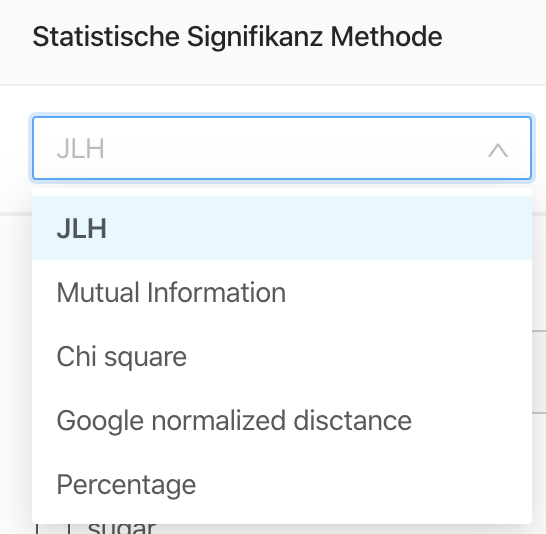
<Select defaultValue="JLH" style={{ width: 250 }}>
   <Option value="JLH">JLH</Option>
   <Option value="MI">Mutual Information</Option>
   <Option value="CS">Chi square</Option>
   <Option value="GND">Google normalized disctance</Option>
   <Option value="PER">Percentage</Option>
</Select>
Any help is highly appreciated
Describe the solution you'd like Maybe it would be a great feature of MultiList in the future if the props would provide something like to choose from:
QueryType: terms or significant_terms
Significant_term_type: [ „JLH“, „Mutual Information“, „GND“,“Chi square“, „percentage“]
Describe alternatives you've considered Look above, i tried it with a Select Element but i am new to react and do not exactly now how to pass the selection to MultiList.
Additional context DropDown Menu to select the significant terms Type (JLH, GND, etc.)
MultiList displaying the significant_terms based on the selected method from Dropdown: