
apollo-client-devtools
 apollo-client-devtools copied to clipboard
 apollographql
Weird layout issues when the explorer loads
Intended outcome: Load apollo dev tools successfully
Actual outcome: It loaded, but it's not very usable because the explorer loads under the panels
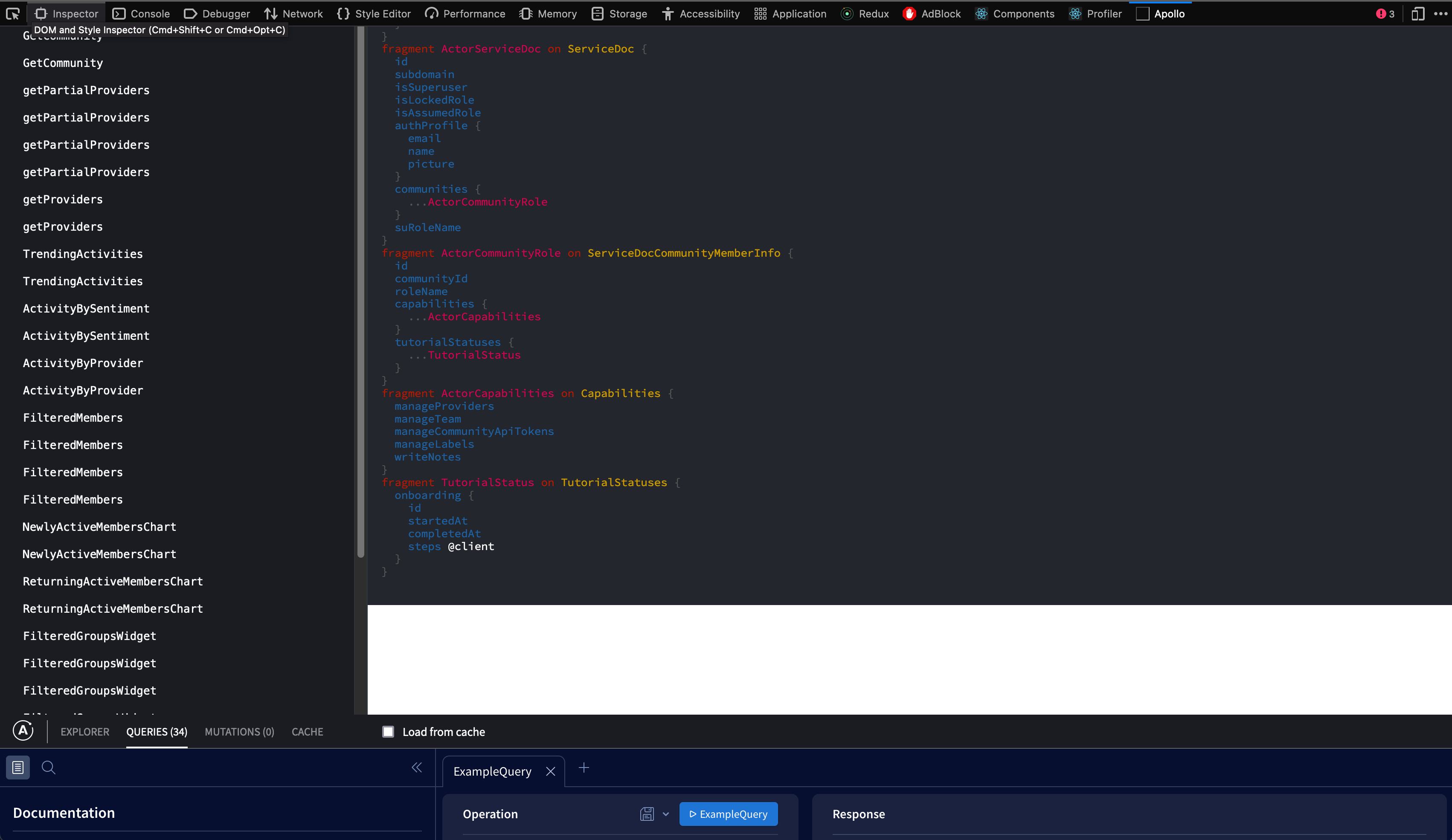
How to reproduce the issue: Simply load the extension
Desktop (please complete the following information):
- OS: MacOS
- Browser firefox
- Browser version 99.0.1
- Extension version 4.0.0

Ah, when you click on "Explorer", the layout fixes itself.
Since this is a pretty simple workaround, we can close this, but it's still worth fixing imo. I'll let admins decide.
I'm seeing this on Firefox as well, and couldn't figure out how to resolve it. It seems only switching to the "Explorer" tab solves it. I had tried switching to the other tabs, refreshing, and restarting my browser before searching and finding this thread.
The extension is basically broken unless you happen to know to or try to switch to the explore tab.

I'm experiencing same issue. @heyitsaamir suggestion worked. I agree it's worth to fix, little bit annoying.

