
apollo-client-devtools
 apollo-client-devtools copied to clipboard
 apollographql
Queries get stuck after page refresh
Hey there,
I'm finding that once a refresh occurs in my app all of the previously made queries get "stuck" in the apollo devtools queries tab. When they get stuck there no other queries get added and nothing changes as I navigate around.
Here is a gif of this occurring from scratch. I'm on the latest version of apollo 2.
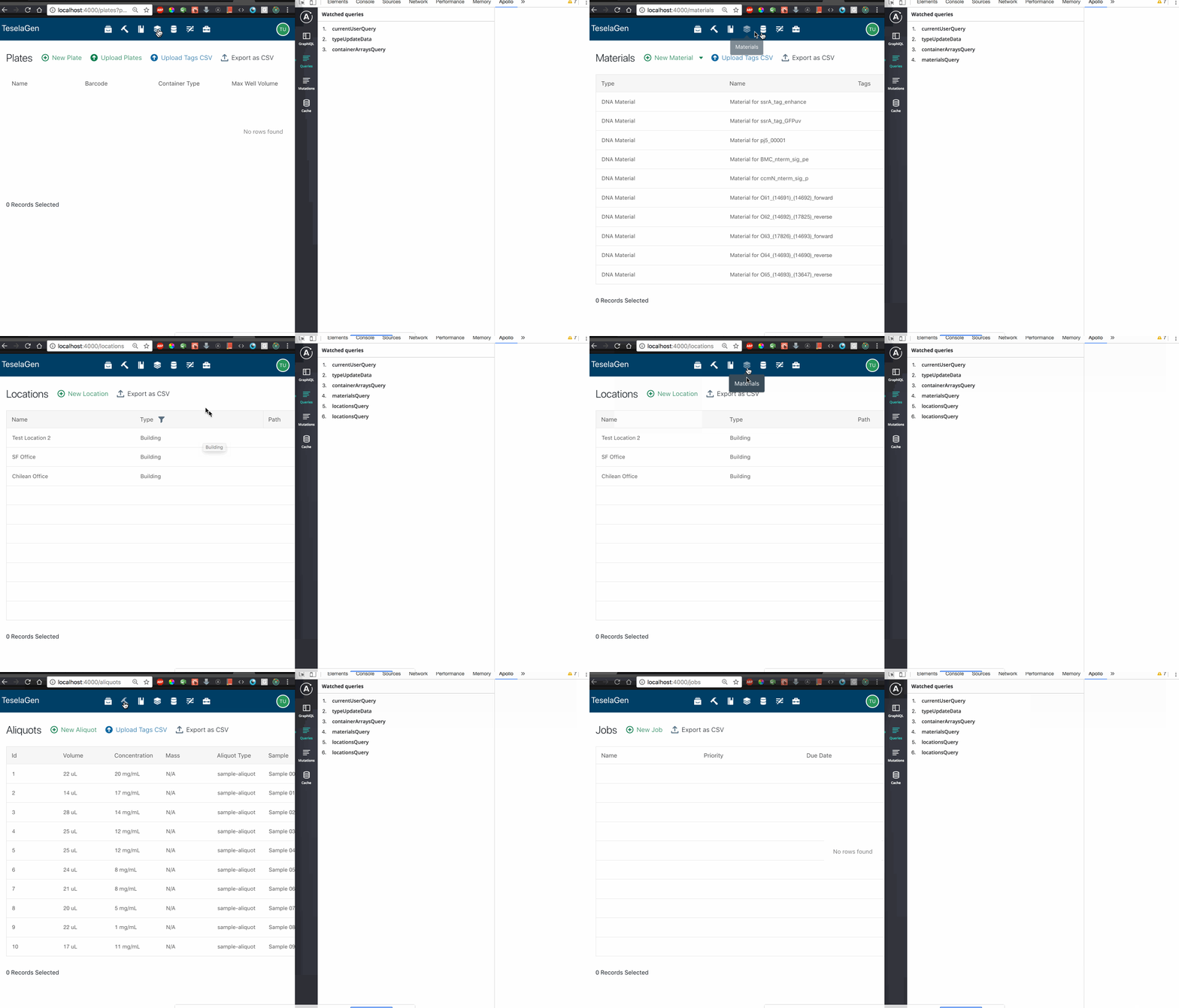
As you can see in the gif, on the initial load, everything seems to be working fine, but after refreshing no other queries get added. I can confirm that this occurs for all my colleagues as well.
I think this is very serious because it makes the devtools unusable after the initial page load.


Happens to me when refreshing the page, and when manually modifying the URL. After I manually change the URL, I have to close the Apollo dev tools and open it back up again.

I find my whole cache says with a page reload - I need to close dev tools and re-open it to see the correct data

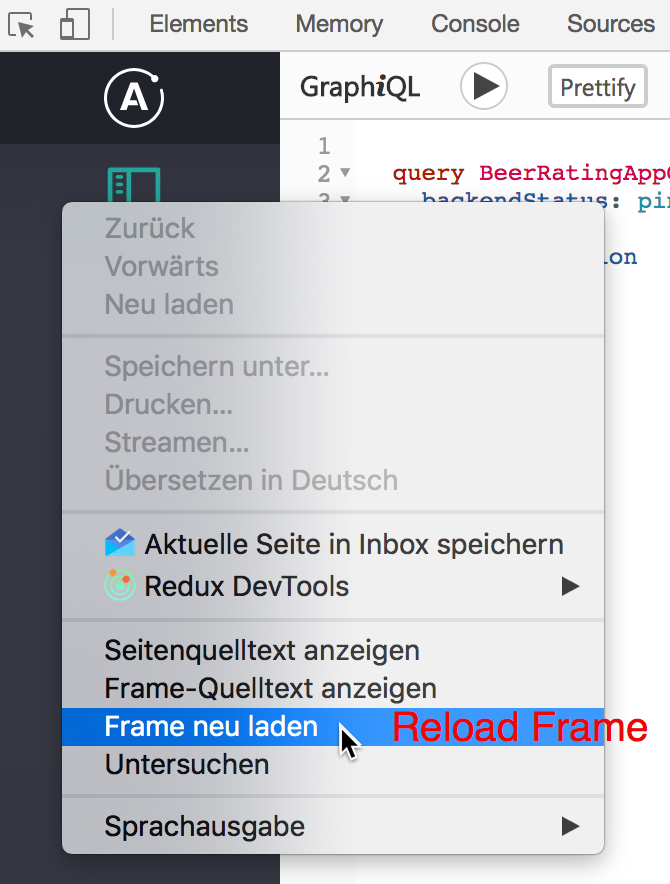
using the "reload" frame option made my life a whole lot easier for now

As mentioned in #111 the problem also occures if you execute a query in the GraphiQL tab after a page reload.
The workaround from @wesbos works in that case by choosing "Reload Frame" in the Documentation Explorer column from GraphiQL or in the navigation tab at the left:

Is this going to be fixed at some point? The workaround works but it adds a lot of extra clicks/overhead when debugging

Agree with other commenters, this doesn't seem to be getting enough attention given how fundamental this functionality is. The devtools are unusable unless you reload the frame every time. During development where refreshing the page happens every few seconds, this is extremely painful.



Thank you everyone for your report and for your patience. I'm going to be looking into this very soon.


Out of interest, does anyone have a workaround that works in Firefox? (the devtools context menu in Firefox does not have the "refresh" option).
Edit: Going into devtool's Settings and un/checking the "Apollo Client Developer Tools" option under the "Developer Tools installed by add-ons" section achieves the same thing.

Any updates on this issue? This is a pretty big (bad) issue from a developer experience standpoint.

Walked away from Apollo and dev-tools. Project seems abandoned. Was never ready for prime time.
I'm sorry to respond with bad news and after such a long delay @elioschmutz , @theadactyl , @meebix , and @ccpony ; we haven't had the available resources to come back and make this change. We use this tool internally so we feel the same pain as you. I'm hoping that we'll have the resources to come up with a solution in the next few months; we're always trying to do better and are always happy to hear feedback, even if it's critical feedback.
We're always looking for help with our open source libraries! Either with a PR or even an idea/recommendation on how to resolve the issue would be super helpful to me!
This is still an issue for me, I have to reload the entire dev tools to see any updates to the cache. Any work around?
having to use console.table(__APOLLO_CLIENT__.cache.data.data) to see if the cache has changed
This is also still an issue for me [email protected], @hwillson can you re-open?
@wesbos tip is the only way to view cache in a stable and predictable way. Based on other tickets it seems to be some interaction with NextJs and Apollo

4 years later this is still an issue I tried using different browsers I'm using React and Apollo no NextJS

Hey all apologies on this issue! Seems this may still be a thing so I'm going to reopen this.
We've done a lot of work on the message passing recently to try and get some of the big stuff out of the way, but seems we still have some work to do to handle some cases that are still happening. Thanks!

Hey all 👋
We've done a lot of work recently to make the communication between the browser tab and the extension more reliable. https://github.com/apollographql/apollo-client-devtools/pull/1378 was released with 4.13.1 which should fix the intermittent issue where data would not show up in the devtools on page reload.
As such, I'm going to go ahead and close this issue. If you are still seeing the issue while using 4.13.1 or later, please let me know and I'd be happy to reopen this issue. Thanks!
Do you have any feedback for the maintainers? Please tell us by taking a one-minute survey. Your responses will help us understand Apollo Client usage and allow us to serve you better.
![github-actions[bot] avatar](https://avatars.githubusercontent.com/in/15368?v=4 "Published by a pub.dev verified publisher")