

 apioo
apioo
Question: Help debugging "Unknown credentials" when trying to log in backend app (/apps/fusio)
Hello,
I'm using the Administrator user created during installation. When trying to login in the backend app, I'm getting the following error:{ error: "invalid_client" error_description: "Unknown credentials"}
I already enabled mod_rewrite (sudo a2enmod rewrite) and restarted apache service. I also changed /etc/apache2/apache2.conf like this:
<Directory /var/www/>
        Options Indexes FollowSymLinks
        AllowOverride All
        Require all granted
</Directory>
My /etc/apache2/sites-enabled/000-default.conf config looks like this:
<VirtualHost *:80>
        DocumentRoot /var/www/fusio/public
        Alias /apps /var/www/fusio/apps

        ErrorLog ${APACHE_LOG_DIR}/error.log
        CustomLog ${APACHE_LOG_DIR}/access.log combined
</VirtualHost>
Trying to debug, I modified index.php to echo $_SERVER["HTTP_AUTHORIZATION"], and confirmed that it is not empty. However in the fusio_log table headers column, I don't see a value for the Authorization header:
Authorization:
Host: 45.123.123.123
Connection: keep-alive
Upgrade-Insecure-Requests: 1
...
At this point, I don't know how to keep debugging. Please advice.
Thanks in advance!

Hi, ok, you could try to add the following rewrite rule directly at your vhost config:
RewriteEngine On
RewriteCond %{HTTP:Authorization} ^(.*)
RewriteRule .* - [e=HTTP_AUTHORIZATION:%1]
This rule is responsible to pass the Authorization header to PHP.

I am using the docker version and am hitting the same problem; very frustrated. I can login to all the other apps e.g. developer with the credentials and it is working. Just not the fusio app. :-(
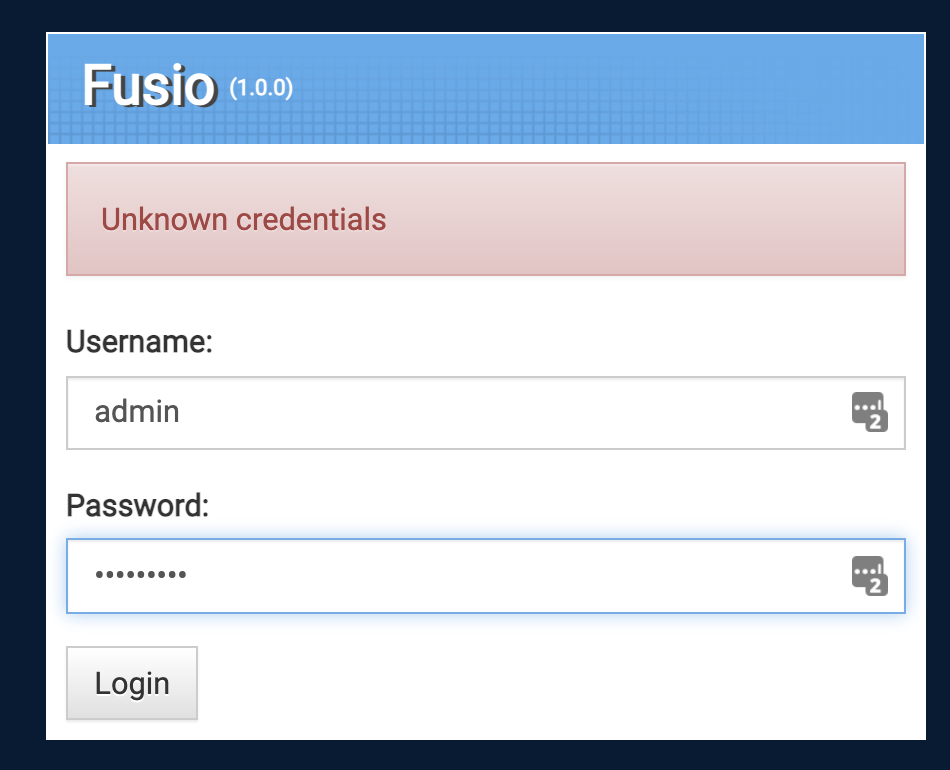

same here... I installed fusio just on my Webserver in a subfolder. In the database there are two users: Administrator and admin (that's the one I created). But I can't log in either...

Ok, this is probably a problem because we have just released version 2.0 of Fusio and with this the backend app has changed. The problem is that on installation we install automatically the latest version of the backend app, but this version does not work with the old 1.x API. I think we should add some logic to our marketplace that such errors dont occur if we make a major release. I will create a separate issue for this but feel free to test version 2.0. You could manually download version 0.8 of the backend app at https://github.com/apioo/fusio-apps-backend but the 1.0 version works only with Fusio 2.0.
Great! Must have been just a few minutes I missed the new 2.0 release :) Unfortunatel I can't get it work. Somehow there seems to be an issue with env variables. I tried the install script but when it has been finished, it shows on top:#
Installation successful!

API-Url
https\://$\{FUSIO_HOST\}
Apps-Url
https\://$\{FUSIO_HOST\}/apps
and when I go to the app at https://fusio/apps/fusio/#!/login it shows the login form, but when I try to log in, it tries to post the credentials to ${fusio_host}/authorization/token
the .env file seems to be correct:
# Fusio
FUSIO_PROJECT_KEY="9dd8f4ad1de88127d09de8b17629a7c0"
FUSIO_HOST="fusio"
FUSIO_URL="https\://$\{FUSIO_HOST\}"
FUSIO_APPS_URL="${FUSIO_URL}/apps"
FUSIO_ENV="prod" # dev or prod
FUSIO_DB_NAME="fusio"
FUSIO_DB_USER="root"
...
any idea what I'm doing wrong?
Remove the backslashes and it should work. Also, FUSIO_HOST should be your IP or host name.
Yes, this is an issue regarding the installer which adjusts the .env file in a wrong way s. https://github.com/apioo/fusio/issues/365 Please check also the current https://github.com/apioo/fusio/blob/master/public/install.php whether this fixes the problem, we will then create a new patch release for this fix.
Ok, this is probably a problem because we have just released version 2.0 of Fusio and with this the backend app has changed. The problem is that on installation we install automatically the latest version of the backend app, but this version does not work with the old 1.x API. I think we should add some logic to our marketplace that such errors dont occur if we make a major release. I will create a separate issue for this but feel free to test version 2.0. You could manually download version 0.8 of the backend app at https://github.com/apioo/fusio-apps-backend but the 1.0 version works only with Fusio 2.0.
Hi. I am also using docker version (fusio/fusio:v1.9.4) and I can't login to backend app any more. Can it be solved without going to 2.0? I have fusio running in production so wouldn't like to mess with it.
regards, dejan

Ok, this is probably a problem because we have just released version 2.0 of Fusio and with this the backend app has changed. The problem is that on installation we install automatically the latest version of the backend app, but this version does not work with the old 1.x API. I think we should add some logic to our marketplace that such errors dont occur if we make a major release. I will create a separate issue for this but feel free to test version 2.0. You could manually download version 0.8 of the backend app at https://github.com/apioo/fusio-apps-backend but the 1.0 version works only with Fusio 2.0.
Hi. I am also using docker version (fusio/fusio:v1.9.4) and I can't login to backend app any more. Can it be solved without going to 2.0? I have fusio running in production so wouldn't like to mess with it.
regards, dejan
ok it works when I replace (ssh into container) fusio app with 0.8.0 version downloaded from zip file. I also had to edit/copy index.html. I hope there can be a better way of doing this :-)
yes, so this is currently a problem, that the Fusio marketplace does not consider the current version of Fusio s. https://github.com/apioo/fusio/issues/364 So we need to define in every app which version it requires and then we only update an app if it is compatible to the used Fusio version. This would have prevented those problems that 1.x Fusio users get apps which are for Fusio 2.x. So for the next 3.x release we will surely have this feature ;)
Ok. So one question - if I want to use fusio/fusio:1.9.4 image (currently in production), do I have to modify its dockerfile and, after install of 1.0.0, manually download/extract 0.8.0 zip file and modify index.html? Is there maybe a way to choose which version to install from marketplace or something like this? Thx very muchRegards, dejanPoslano s pametnog telefona Samsung Galaxy. -------- Izvorna poruka --------Šalje: Christoph Kappestein [email protected] Datum: 12.02.2021. 19:31 (GMT+01:00) To: apioo/fusio [email protected] Cc: dgambin [email protected], Comment [email protected] Naslov: Re: [apioo/fusio] Question: Help debugging "Unknown credentials" when trying to log in backend app (/apps/fusio) (#363) yes, so this is currently a problem, that the Fusio marketplace does not consider the current version of Fusio s. #364 So we need to define in every app which version it requires and then we only update an app if it is compatible to the used Fusio version. This would have prevented those problems that 1.x Fusio users get apps which are for Fusio 2.x. So for the next 3.x release we will surely have this feature ;)
—You are receiving this because you commented.Reply to this email directly, view it on GitHub, or unsubscribe. [ { "@context": "http://schema.org", "@type": "EmailMessage", "potentialAction": { "@type": "ViewAction", "target": "https://github.com/apioo/fusio/issues/363#issuecomment-778366725", "url": "https://github.com/apioo/fusio/issues/363#issuecomment-778366725", "name": "View Issue" }, "description": "View this Issue on GitHub", "publisher": { "@type": "Organization", "name": "GitHub", "url": "https://github.com" } } ]
yes this would be a valid workaround. There is currently no way to manually select a specific version since you always get the latest version. But we want to create a new feature so that apps indicate which major version they require s. https://github.com/apioo/fusio/issues/364
Currently setting up production environment for deployment of our fusio API which we have been developing with v1 in our dev environment. Not planning to upgrade to v2 just yet, at least not until some migration docs are available.
Also noticed that the fusio backend app authentication would not work (same error as above).
I downloaded the 0.8v of the fusio backend app but it also would not work. I receive the following error:
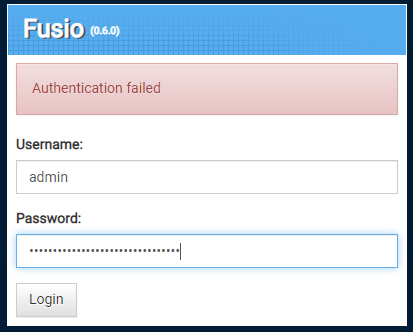
However, after replacing the index.html file in apps/fusio with the index.html file from the newer version, it allows me to login. (as mentioned by @dgambin)
Also, curious to know why it shows v0.6 in the login screen when I downloaded and installed v0.8.
The fix for this should be a priority as any new users to fusio that use composer to install, will run into the same problem after installing the fusio backend app, since creating the project with composer is installing fusio v1.
