
platform

platform copied to clipboard
 apinf
apinf
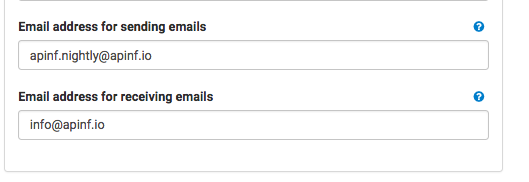
Info icons in Sending Email Address and Receiving Email address under Mail settings in Setting page doesn work.
Steps to Reproduce
- go to page: https://nghtly.apinf.io
- Login to platform as APInf
- Go to Settings page and enable Mail settings
- Click or hover on the ? buttons for Sending and Receiving mail fields.
Outcome:
On hover or clicking, no info tooltip appear
Expected Behavior:
On hover or clicking, tooltip should appear explaining the purpose of the field and how it can be set.
Environment:
iOs, Chrome browser (latest), https://nightly.apinf.io
