

 apexcharts
Unable to use heatmap with nuxt3
I followed the directions in another post to import vue3-apexcharts into nuxt3 as a plugin because it does not appear to SSR.
I was able to get vue3-apexcharts into nuxt3 and display a bar graph. However when i try to switch it out with a heatmap graph I get the following error
[Vue warn]: Failed to resolve component: apexchart
If this is a native custom element, make sure to exclude it from component resolution via compilerOptions.isCustomElement.
Here's my html
      <client-only>
        <apexchart width="500" type="bar" :options="chartOptions2" :series="series2" ></apexchart>
        <apexchart width="500" type="heatmap" :options="chartOptions" :series="series" ></apexchart>
      </client-only>
Here's my
function generateData(count, yrange) {
  var i = 0;
  var series = [];
  while (i < count) {
    var x = (i + 1).toString();
    var y = Math.floor(Math.random() * (yrange.max - yrange.min + 1)) + yrange.min;
    series.push({
      x: x,
      y: y
    });
    i++;
  }
  console.log(series)
  return series;
}

// Heatmap Data
const series = computed([{
  name: 'Jan',
  data: generateData(20, {
    min: -30,
    max: 55
  })
},
{
  name: 'Feb',
  data: generateData(20, {
    min: -30,
    max: 55
  })
},
{
  name: 'Mar',
  data: generateData(20, {
    min: -30,
    max: 55
  })
},
{
  name: 'Apr',
  data: generateData(20, {
    min: -30,
    max: 55
  })
},
{
  name: 'May',
  data: generateData(20, {
    min: -30,
    max: 55
  })
},
{
  name: 'Jun',
  data: generateData(20, {
    min: -30,
    max: 55
  })
},
{
  name: 'Jul',
  data: generateData(20, {
    min: -30,
    max: 55
  })
},
{
  name: 'Aug',
  data: generateData(20, {
    min: -30,
    max: 55
  })
},
{
  name: 'Sep',
  data: generateData(20, {
    min: -30,
    max: 55
  })
}
])

// Heatmap Options
const chartOptions = computed({
  chart: {
    height: 350,
    type: 'heatmap',
  },
  plotOptions: {
    heatmap: {
      shadeIntensity: 0.5,
      radius: 0,
      useFillColorAsStroke: true,
      colorScale: {
        ranges: [{
          from: -30,
          to: 5,
          name: 'low',
          color: '#00A100'
        },
        {
          from: 6,
          to: 20,
          name: 'medium',
          color: '#128FD9'
        },
        {
          from: 21,
          to: 45,
          name: 'high',
          color: '#FFB200'
        },
        {
          from: 46,
          to: 55,
          name: 'extreme',
          color: '#FF0000'
        }
        ]
      }
    }
  },
  dataLabels: {
    enabled: false
  },
  stroke: {
    width: 1
  },
  title: {
    text: 'HeatMap Chart with Color Range'
  }
})

// Bar Chart
const chartOptions2 = {
  chart: {
    id: "vuechart-example",
  },
  xaxis: {
    categories: [1991, 1992, 1993, 1994, 1995, 1996, 1997, 1998],
  },
};
const series2 = [
  {
    name: "series-1",
    data: [30, 40, 35, 50, 49, 60, 70, 91],
  },
];
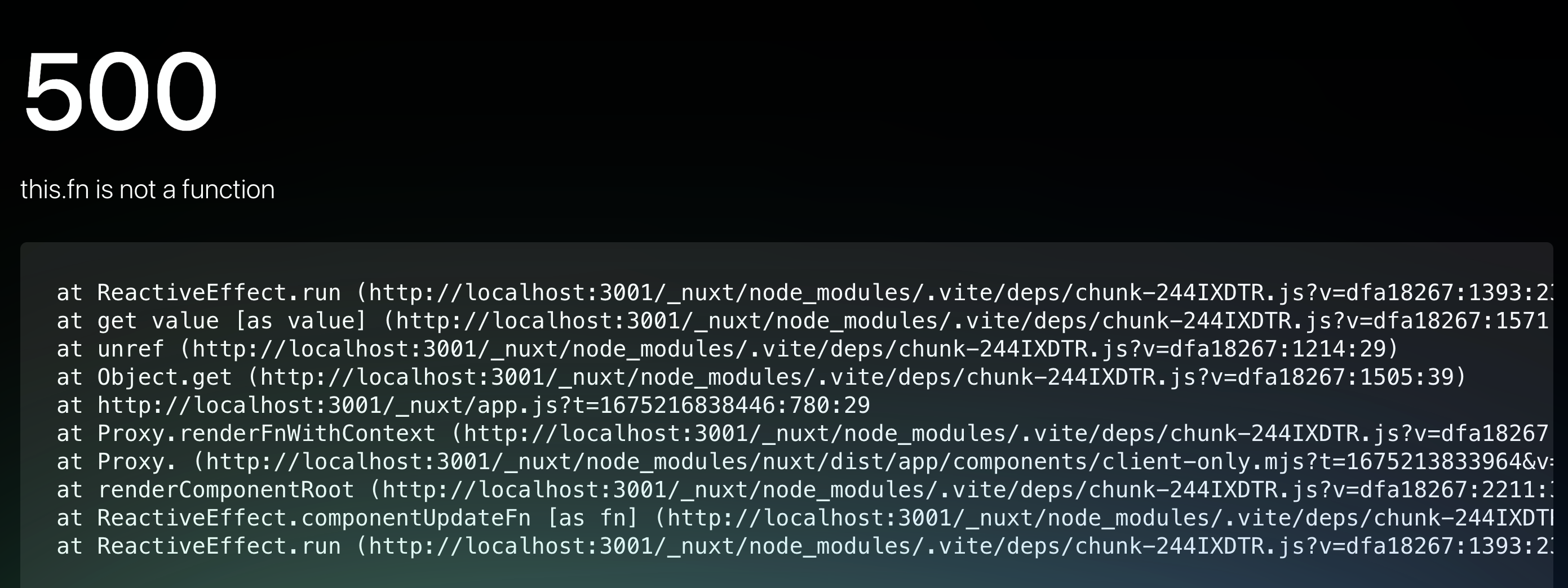
and here's the error visable in the GUI

Here is my ~/plugins/apexcharts.client.js
import VueApexCharts from "vue3-apexcharts";

export default defineNuxtPlugin((nuxtApp) => {
    nuxtApp.vueApp.use(VueApexCharts);
  });
Resolved... The issue was the generateData function was not available during hydration of on the client side. moving to computed with get/set and moved the generateData function inside of the cons series = computed( get())
This issue has been automatically marked as stale because it has not had recent activity. It will be closed if no further activity occurs. Thank you for your contributions.
![github-actions[bot] avatar](https://avatars.githubusercontent.com/in/15368?v=4 "Published by a pub.dev verified publisher")