

 aperezdc
“Sorry, your browser is not able to run Riot.”
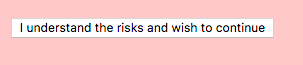
On my (up to date) desktop, I get this screen:

Clicking the button does nothing. Right clicking and selecting refresh does nothing either.
My laptop on the other hand doesn’t exhibit the same issue. Both are running Fedora 25 and Revolt from flatpak.

This message has to be displayed by Riot itself, because we don't have any code in Revolt for such thing. Could it be that in your desktop you have a different URL configured in the Revolt settings (hence the difference)? I'll take a look and see whether this message has been added recently to Riot. At any rate, there may be something we can do to bypass it.

Could it be that in your desktop you have a different URL configured in the Revolt settings
Nop, both have https://riot.im/app
The message comes from src/components/structures/CompatibilityPage.js, I'm taking a look at which are the conditions that trigger it — let's see what I can find :wink:
Recently src/vector/index.js:104 the check for browser features was changed to:
var validBrowser = checkBrowserFeatures([
    "displaytable", "flexbox", "es5object", "es5function", "localstorage",
    "objectfit", "indexeddb", "webworkers",
]);
The last change was in https://github.com/vector-im/riot-web/commit/8e2e6cee35845f256cfe2f9981a1efa7978d2f0a which adds checks for IndexedDB and WebWorkers. These are supported in the version of WebKitGTK+ that I am using here (WebKitGTK+ 2.16.3, Arch Linux package, not using Flatpak). The Flatpak'd version also works for me, using the following version of the GNOME runtime:
% flatpak info org.gnome.Platform//3.24
Ref: runtime/org.gnome.Platform/x86_64/3.24
ID: org.gnome.Platform
Arch: x86_64
Branch: 3.24
Origin: gnome
Commit: 7e0cc2f15bbce94b7123aaa05591c58a69f24294f9544b300588164f80fc22de
...
@afranke: It would be interesting to know which version of the Flatpak GNOME runtime you are using. Also, could you try running flatpak update and see whether that fixes your issue?
$ flatpak info org.gnome.Platform//3.24
runtime/org.gnome.Platform/x86_64/3.24 gnome 7e0cc2f15bbce94b7123aaa05591c58a69f24294f9544b300588164f80fc22de 722,7 MB
flatpak update tells me there’s no update for anything.
@afranke: Wow, this has me a bit puzzled. Could you check whether there's any errors in the console? To check this, enable the “Developer Tools” option in the Revolt preferences, then you can use “Inspect Element” from the context menu to check whether there's something in the console that could be related. Thanks in advance!
[Error] Browser missing feature: 'localstorage'
	error
	(anonymous function) (bundle.js:81:17737)
	r (bundle.js:1:1233)
	(anonymous function) (bundle.js:1:4971)
	(anonymous function) (bundle.js:1:5515)
	t (bundle.js:1:112)
	(anonymous function) (bundle.js:1:779)
	Global Code (bundle.js:1:783)
[Log] Initialised rageshake: See https://bugs.chromium.org/p/chromium/issues/detail?id=583193 to fix line numbers on Chrome. (bundle.js, line 81)
[Log] Vector starting at https://riot.im/app/ (bundle.js, line 81)
[Error] Browser is missing required features.
	error
	(anonymous function) (bundle.js:81:17737)
	(anonymous function) (bundle.js:1:3940)
	r (bundle.js:89:9819)
	(anonymous function) (bundle.js:89:10936)
	r (bundle.js:39:1358)
	(anonymous function) (bundle.js:39:1461)
	a (bundle.js:97:8937)
	(anonymous function) (bundle.js:97:9059)
	u (bundle.js:97:2723)
Tried debugging a bit further with @sandhose and we found out that window.Modernizr.localStorage returns false. While debugging and setting breakpoints, it got unbroken but we didn’t find out why Modernizr had issues before. That means it is now “fixed” and I cannot reproduce the issue anymore. ☹
In the meantime I rebooted and launched Revolt again, we’re back to previous broken state.
@afranke Thanks a lot for investigating what is going on in here. I haven't been able of reproducing this myself, so all help is super welcome.
The missing localStorage bit is certainly odd, Revolt does nothing to disable it, and according to the documentation it is be enabled by default — I even double checked the WebKitGTK+ code indeed that's the case.
Yeah, my guess is that Modernizr is interpreting something wrong on this machine.
Recently we solved an issue in WebKitGTK+ which showed up when using Modernizr but ultimately it was some CSS styling used for the WebKit media controls — clearly not this case with the localStorage, but it's an example that it might end up something in WebKitGTK+.
This still happens to me with Chrome after I refresh / clear cache.
There is a fake button that makes it seem like I'd be able to force continue, but it's not connected to anything.

A workaround is to use debug mode to remove a key from localStorage, but I switched from Revolt to Fractal and I don’t remember the name of the key.