

 apasccon
Results showing up under other controls
I have a TableView with multiple rows and when I have your control in one of the rows and the suggestions come up it displays under the other rows thus making it not viewable. Do you have any suggestions to fix this. I have tried to bring the subview to the front but that does not work and I also tried setting the zPosition of the control higher than others and it still seems to not work.


@apasccon im having a similar issue with my searchtextfield results not showing up. Using PureLayout to position the view. Could that be an issue?
The text input field shows fine.

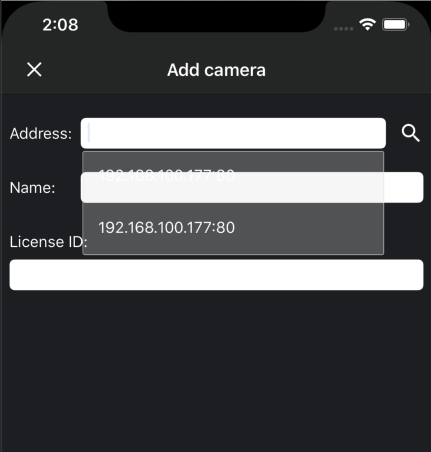

@fukemy this is so long ago I cant actually remember what exactly I did but you can see that I am still using it in the source code here: https://github.com/mattvb91/Subterminal-iOS/search?q=%22SearchTextField%22&unscoped_q=%22SearchTextField%22
Hopefully that helps, Unfortunately I havent touched the code in quite a long time so I cant help much.