

 apache
Newly registered users aren't required to have a password - which only works sometimes
This Bug Report affects these Traffic Control components:
- Traffic Ops
- Traffic Portal
Current behavior:
When a new user is registered, Traffic Portal doesn't indicate that the password for that user must be set - which is actually true because Traffic Ops doesn't require it either. So, the form can be submitted without setting a password, and that makes the token get dropped from the database, leaving the user with no way to authenticate, and since users can't be deleted and their emails must be unique, that's not fixable without either direct database manipulation to be able to resend registration or some other user setting that user's password (as admins are allowed to do). Also their cookie is immediately invalid so that the very next request 401's and there's no way to obtain a new cookie.
Expected behavior:
"Local" users must have either a token or a password, because they need to be able to log in. The problem is that OAuth and LDAP users can't have a local password. Or, rather, LDAP users can't and OAuth users need not. Solving this problem will therefore necessitate finding a different way to tell how a user is supposed to authenticate which will involve database and API changes, and putting a way to select how the user will authenticate in the user registration form.
Steps to reproduce:
- Register a user
- go to the link in the email
- set the full name as indicated by the form as being required, then submit the form.
- If you just wait like a minute a "newcount" logs request will be made that will cause a "user not found" error to be returned from the API and you'll be dropped back on the login page with no way to log in since you don't have a password.

Not directly related, but it would also be nice if there was a way to "resend registration email" e.g. for users whose spam filters dropped a registration email before they could see it.
Not directly related, but it would also be nice if there was a way to "resend registration email" e.g. for users whose spam filters dropped a registration email before they could see it.
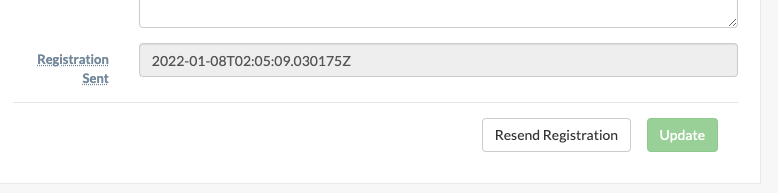
@rimashah25 implemented that:
https://tp.domain.tld/#!/users/999

@ocket8888 - this is a bit of a tricky one. when should password be required because
- if you are authenticating via ldap, local password is ignored therefore is not needed and probably should not even be requested at all
- if you are not authenticating via ldap, local password is needed and should be required :)
i don't know the right answer tbh because i don't believe there's any indicator on a user to tell you which approach is being used.
i don't know the right answer tbh because i don't believe there's any indicator on a user to tell you which approach is being used.
Right, as I said:
"Local" users must have either a token or a password, because they need to be able to log in. The problem is that OAuth and LDAP users can't have a local password. Or, rather, LDAP users can't and OAuth users need not. Solving this problem will therefore necessitate finding a different way to tell how a user is supposed to authenticate which will involve database and API changes, and putting a way to select how the user will authenticate in the user registration form.
@ocket8888 - like you said, 3 ways to authenticate (ldap, oauth, local) has made this a bit of a mess (each having different requirements). in desperate need of a refactor imo.
doesn't the user object have a field called newUser (boolean) or something? this seems as simple as adding ng-required="{user.newUser}" to the password field on the user form of TP, no? unless i'm misunderstanding the issue.
That would break registration for LDAP users, who must not have passwords
That would break registration for LDAP users, who must not have passwords
no, they can have local passwords...they are just ignored in favor of ldap (if the username is found in ldap) :) imo, when you create a new user either at:
- tp.domain.tld/#!/users/new or
- tp.domain.tld/#!/users/register which sends an email that sends them to tp.domain.tld/#!/user both places (tp.domain.tld/#!/users/new AND tp.domain.tld/#!/user) should require a password
I believe that's backwards. TO only checks LDAP if local authentication fails.
Even if that weren't the case, it would be strange to enter a password for a site and not be able to use it. Instead you use your LDAP password. But storing users LDAP passwords would also be frowned upon by security gurus, since there's no good reason to do that.
it would be strange to enter a password for a site and not be able to use it
it is strange but it has no clue if you are using ldap to authenticate or not so i guess password needs to always be required...even though if using ldap, it will ignore it
well, actually, if you enter the local password to be the same as your LDAP password, it'll log you in locally without checking LDAP, and the user would be none the wiser.