

 apache
Copying filter value with ending space
How to reproduce the bug
- Open any dashboard with filter
- Copy filter value from word/notepad wth ending space
- Paste the value in the filter and apply the filter
- The filter will not work
Expected results
Filter should show not allow to use the value that is not in the list of its predefined values.
Actual results
The filter doesn't work
Screenshots
Copy-paste filter value without the space:
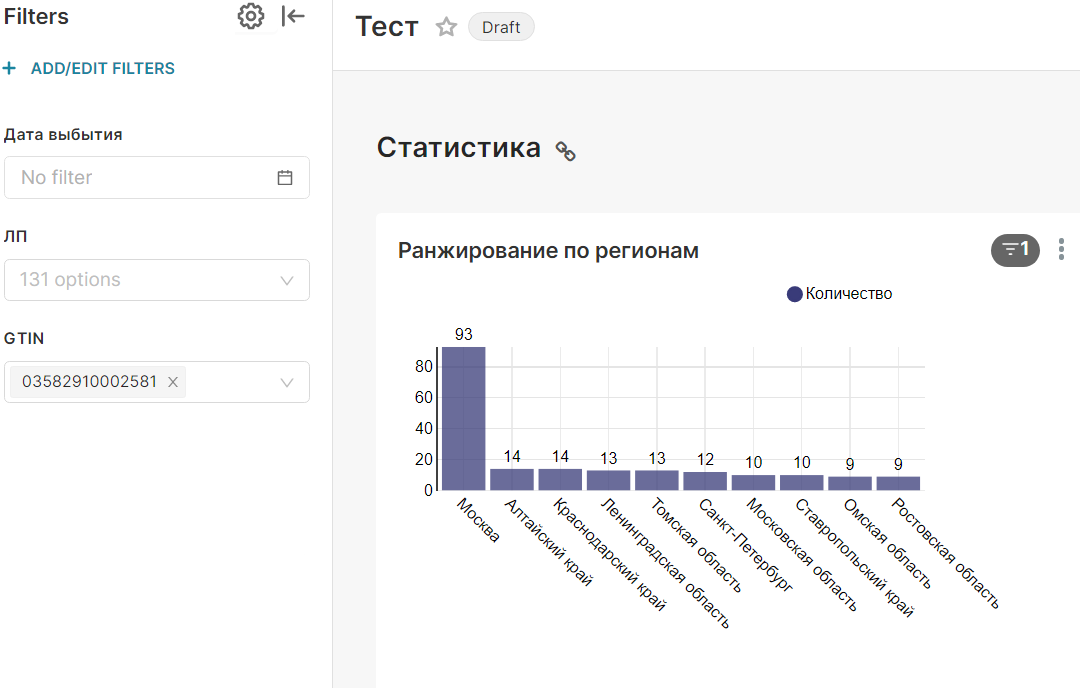
Copy-paste filter value with the space:

Environment
(please complete the following information):
- browser type and version: Chrome 112.0.5615.138
- superset version: 2.1.0
Checklist
Make sure to follow these steps before submitting your issue - thank you!
- [ ] I have checked the superset logs for python stacktraces and included it here as text if there are any.
- [x] I have reproduced the issue with at least the latest released version of superset.
- [x] I have checked the issue tracker for the same issue and I haven't found one similar.
Additional context
Add any other context about the problem here.

@anait-lama - May be adding a trim to filter text as well as data should help I think. Let me take a look at this.

Hi we're also facing that issue. Very stressful.. Trim is not the solution. Because if you copy and paste a value to the filter field which is totally different of all values ( not even with a whitespace) in the filter list it also accepts it as filter value ( see picture attached ) and for sure the filters are not working because there is no data for that bogus filter value..
add bogus customer name by typing in:
add bogus customer name by copy paste:
You can see that the copy paste version connotes that there is a value for the bogus filter value
If anybody can help it would be really nice. It is a awkward behavior of the filter because it is not obvious for the user
best and thanks


We allow any input because, currently, our filters are limited to 1000 values which means that not all values are loaded on the client-side and we don't know if the inputed value exists or not in the database. There have been many discussions to remove this limitation but it's not trivial work and it never gets prioritized.

Hi, @michael-s-molina thanks a lot for clarifying. Not the answer we were hoping for I guess.. but that explains the behavior.. best
I think since this limitation is a known (and seemingly long-lasting) design byproduct, we can close this issue. If anyone disagrees, I'm happy to re-open it. If anyone wants to open an Ideas Discussion for a feature request, or open a SIP/PR to propose/implement a better design, we're open to all of that too! Just trying to clean up the backlog if this isn't going anywhere :)