

 apache
How to Enable Row level security and other data access roles in superset. Not visible in menu list.
Hi,
i have deployed superset using helm and yaml file('https://superset.apache.org/docs/installation/running-on-kubernetes/').
i have read your security documentation from- https://superset.apache.org/docs/security/", and tried to implement OAuth for that i configured yaml from - https://flask-appbuilder.readthedocs.io/en/latest/security.html .
Superset is using its by default webserver.
I want to enable "row level security" feature in superset but i am unable to do it. It is not showing in its menu.
I am attaching snapshot of my menu list.
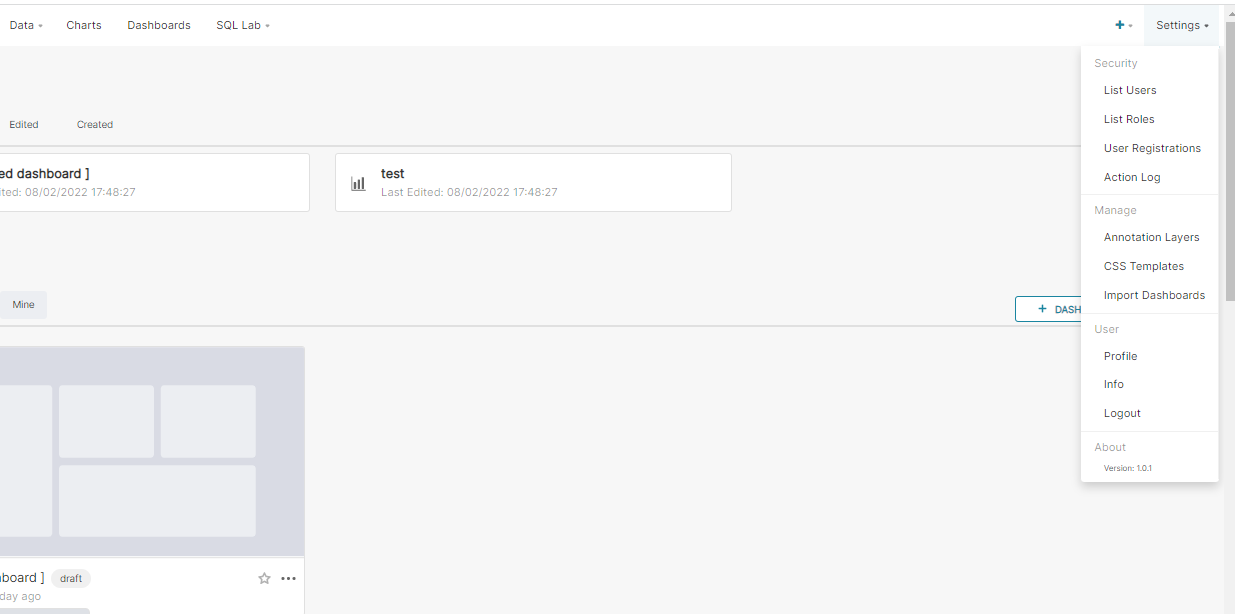 For reference:
I have configured the yaml from : https://github.com/apache/superset/blob/master/helm/superset/values.yaml
please can you suggest how can i enable row level security feature and other data access control features in it.
For reference:
I have configured the yaml from : https://github.com/apache/superset/blob/master/helm/superset/values.yaml
please can you suggest how can i enable row level security feature and other data access control features in it.

i have upgraded the version to 1.4.1 but there is issue in database connectivity. I am using CrateDB for database purpose.
Also i use command superset db upgrade.
After running superset init command i got error:
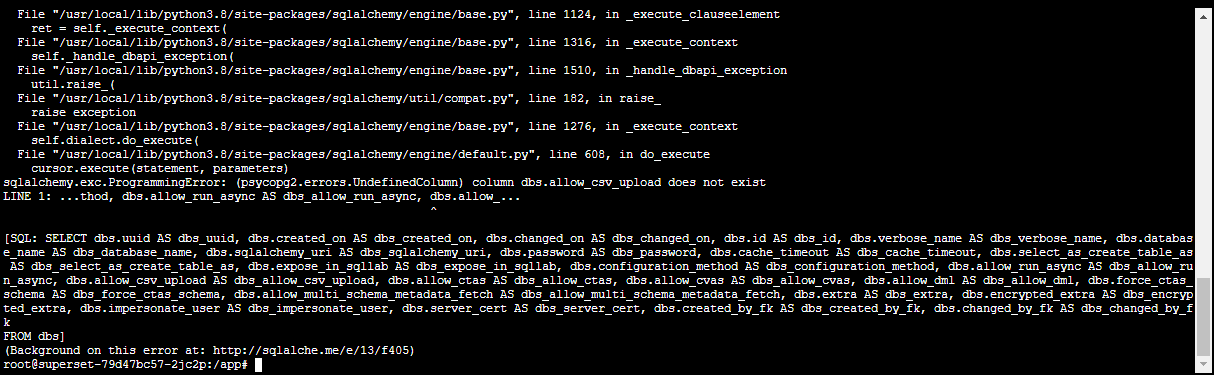 can anyone suggest how to fix it ?
Since we're now on 3.1, on the verge of 4.0, we're not supporting 2.x or prior versions actively. If anyone is experiencing this issue in current versions, please file a new issue with updated context and repro steps. Thank you for understanding :)
