

 apache
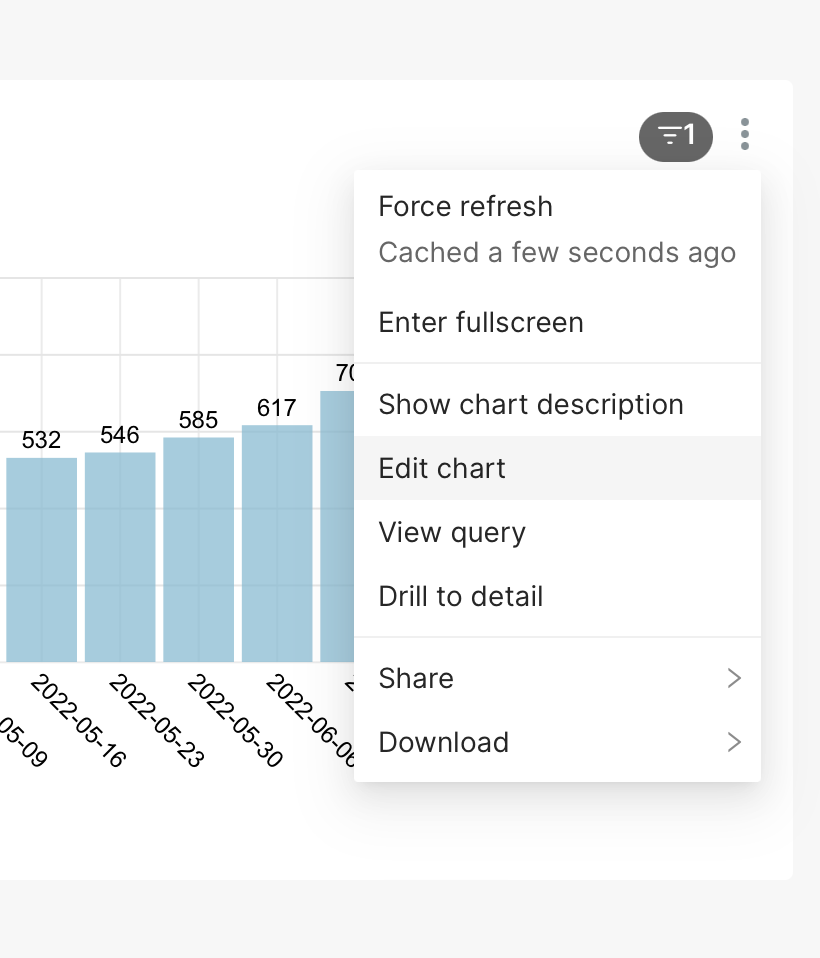
Edit Chart link has inconsistent behavior
How to reproduce the bug
- In a dashboard, look at a chart
- Click the vertical ellipsis in the top right
- Hit "Edit Chart"
Expected results
The browser navigates to a webpage for editing the chart.
- It should not open a new tab.
- It should not open a new window.
Actual results
In Chrome, it opens a new tab.
In Safari, nothing happens, because Safari thinks this is a popup.
Screenshots
Environment
(please complete the following information):
- Safari Version 15.3 (17612.4.9.1.5)
- Chrome Version 103.0.5060.114 (Official Build) (arm64)
- Running Preset, which says "Powered by Apache Superset Version: 2022.25.2"
Checklist
Make sure to follow these steps before submitting your issue - thank you!
- [x] I have checked the superset logs for python stacktraces and included it here as text if there are any.
- [x] I have reproduced the issue with at least the latest released version of superset.
- [x] I have checked the issue tracker for the same issue and I haven't found one similar.
Additional context
https://www.nngroup.com/articles/new-browser-windows-and-tabs/

This has been a quagmire for a long time, believe it or not. BUT... there are changes happening right now in making various bits of the application into a Single Page App (SPA) and this little link will be revisited in a new light. In short, I think we can resolve this, but there are some workflows that long-term users are quite used to that we'll have to change expectations/behavior around.

Hello,
I am not sure about the current implemented behavior. But I would argue that one would prefer having a new tab, which allow for Dashboard Editor to keep the original Dashboard Page, while editing a chart from the Dashboard Link.
On Chrome (Version 105.0.5195.125 (Official Build) (x86_64)), there is currently no new tab opening. I have just proposed PR to switch to target a new tab.
