

 apache
Copy row as text option not shown when right click on AdvancedDataGrid row
In Royale, there's no option to copy text, select text, and copy row as text.
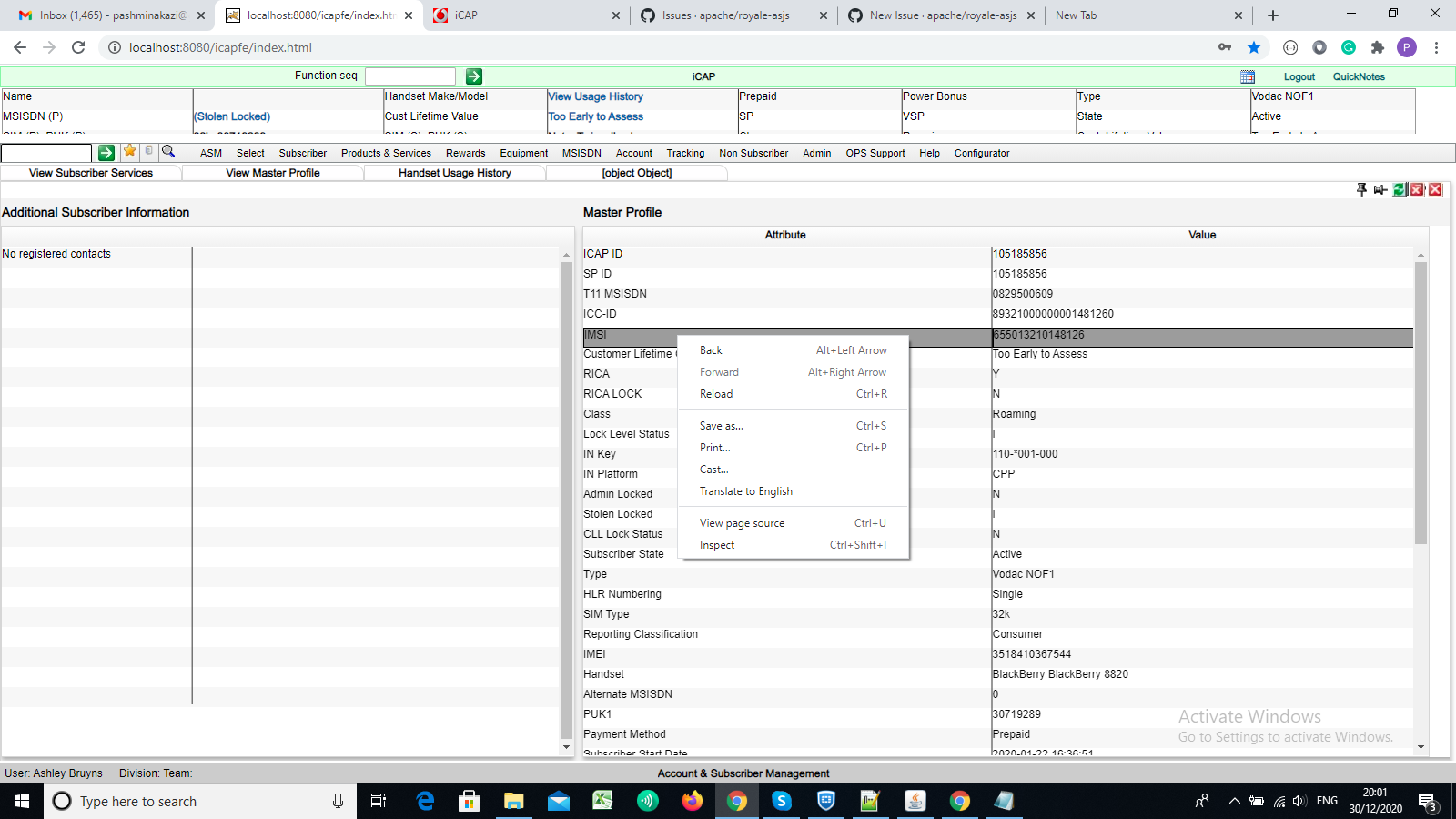
In Flex:
When right-clicking on any cell there's an option to copy row as text
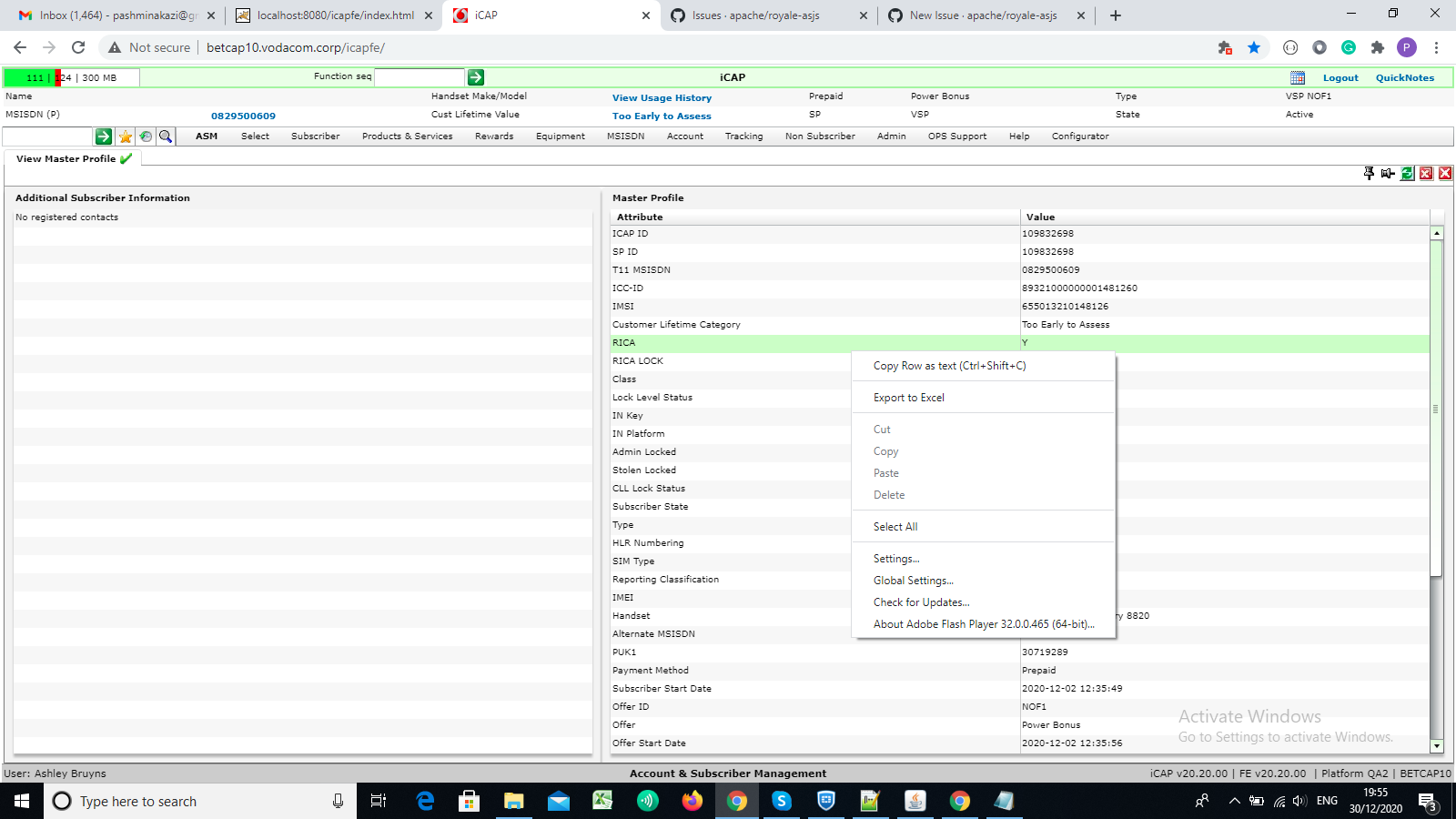 Paste copied row
Attribute Value
RICA Y
Paste copied row
Attribute Value
RICA Y
or
if right-click on any text copy options also shows


Looks like custom right-click actions?
Code to format the data from the grid cells is fairly straight-forward.
I have an implementation of System.setClipboard() that I could clean up and check in, for the "Copy Row" action, if that would help.
The "Export to Excel" action would be via FileReference.save().
For the right-click action menu, I guess ContextMenu needs to be implemented for JS?
Might be easier to implement via buttons, right now.

@estanglerbm when will you check-in your commits for "Copy Row", It's urgent please help
@pashminakazi Oh, I didn't realize that you were waiting on me for something.
I checked in MX System.setClipboard() for the actual copy-text-to-OS-clipboard part, in PR #1038.
I'll post some example code for getting info out of an MX AdvancedDataGrid / Spark DataGrid.
@estanglerbm Thank u so much I want to ask a question, Are you talking about ContextMenu Class or ContextMenu Event?
for right-click I have to add ContextMenu Event in any class which was in IterativeObject class in flex, if yes then in which class should I add this Event?
or you are talking about ContextMenu Class?
Here is some sample code that copies grid data to the clipboard in CSV format (copyValues), and some sample code that copies grid data to a file in CSV format (saveValues) for use in Excel:
Note that I've changed the code up from the original, and I have not compiled it, so YMMV.
Also, this was originally Flex code that worked (for Spark DataGrid), but on the Royale side (after some changes to handle XML and switch back to MX AdvancedDataGrid), I'm not 100% sure if the logic for "selected items" works (for doing a subset of rows).
@pashminakazi The ContextMenu class.
In Flex MX ADG, there was actually a contextMenu property that you could set to a ContextMenu object:
https://help.adobe.com/en_US/FlashPlatform/reference/actionscript/3/flash/display/InteractiveObject.html#contextMenu
But I don't see any ContextMenu class (and associated classes and events) implemented in Royale, yet. (I mean there is no ContextMenu class at all, not just about grids.)
So it may be easier to set up a button and, in the click event, use the current grid selection to copy to clipboard.