

 apache
fx:Array doesn't works with Object or ADGColumns
There's a problem that we are creating AdvancedDataGrid in Base Class and ADGColumns are created In child class which is starting with tag core:BaseClassName. AdvancedDataGridColumns are created within <fx:Array id="dgColumns"> tag that is not working in SDK. Here's the example please check the issue if you have time, In debug mode, there's no exception and In Elements tag ADG is not added there Zip File: https://drive.google.com/file/d/141cTBvSKM67ZM3klbQCGLb-rPqj63pNE/view?usp=sharing
Even a simple example using fx:Object within the tag of fx:Array is not working,I have also tried making [Bindable] var in script block with the same name but it doesn't work. Simple Example File : https://paste.apache.org/fdr2y Please help

Test case doesn't seem complete; no calls to replaceCustomDataGridContents() or any code to add items to dgColumns.
But if you mean that you are adding items to an fx:Array and expecting binding (i.e. {dgColumns}) to see those changes... it won't:
https://stackoverflow.com/a/6465380

This is an example: https://drive.google.com/file/d/1c-ykoHJxOPFv39_1Xzu8Hwnqbl57WiEy/view?usp=sharing
There is only one column shown in output that is assigned to dataprovider, the column I created in a file is not displaying in ADG
how can I show those columns on the screen, please check this example
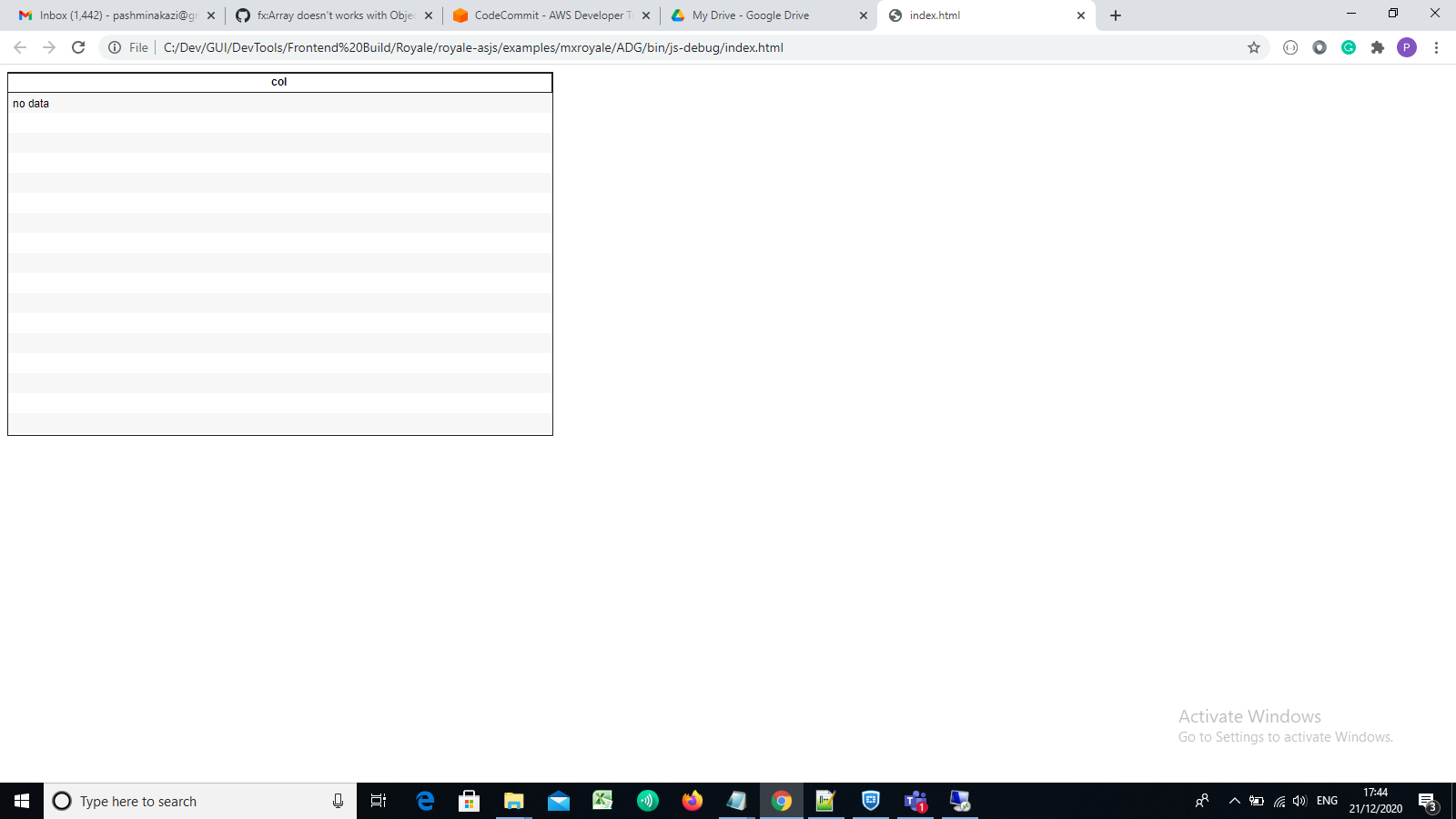
@aharui Thank u so much Alex but still fx:Array not working,Please check this Example : https://drive.google.com/file/d/1c-ykoHJxOPFv39_1Xzu8Hwnqbl57WiEy/view?usp=sharing

Sorry, Example Zip: https://drive.google.com/file/d/141cTBvSKM67ZM3klbQCGLb-rPqj63pNE/view?usp=sharing Ok I will explain in words but please this example as well
There are 2 different ways of using fx:Array in AdvancedDataGrid
- Create AdvancedDataGrid with mx:columns and within mx:columns using fx:Array in the same class which is working in Royale
<mx:AdvancedDataGrid  allowMultipleSelection="true"
							 height="100%"
							 horizontalScrollPolicy="auto"
							 id="dg_main"
							 dataProvider="{dpFlat}"
							 selectable="true"
							 verticalScrollPolicy="auto"
							 width="100%">
	   <mx:columns>
			<fx:Array id="dgColumns">

				<mx:AdvancedDataGridColumn id="TypeID" width="70" dataField="type" headerText="Type" visible="false"/>

				<mx:AdvancedDataGridColumn width="40" dataField="seq" headerText="Seq" visible="false"/>

			 </fx:Array>
		</mx:columns>
	</mx:AdvancedDataGrid>
- The problem I am facing with fx:Array is I created an MXML class with AdvancedDataGrid without any columns there E.g BaseTabPlainTable.mxml There are another MXML class SubscriberServices.mxml which is extending BaseTabPlainTable.mxml and the columns are created in SubscriberServices.mxml within fx:Array tag but the columns are not shown on screen.
This example has all related files with my scenario and the scenario is created in that example, Please make this example working as I tried every possible change but nothing works in my scenario Thank u so much
Are you sure this worked in Flex? I would think you would need x:Declarations tag around the set of fx tags
Yes it was working in flex. In flex it was working without fx:Declarations tag around fx:Array tag but In Royale without fx:Declarations AdvancedDataGrid disappears from screen In this example fx:Declarations is already added around fx tag. After adding fx:Declarations tag AdvancedDataGrid appears on screen without any columns
The example in the zip did not include fx:Declarations. I added it and saw a warning about not able to bind to dgColumns.
I want to rewrite this part of the compiler. Not sure how long that will take. I recommend as a workaround re-coding the MXML as ActionScript. Create the array of ADG columns in AS and assign it to dgColumns. Make dgColumns [Bindable] in the base class to get rid of the warning.