

 apache
where is SPRING_CONFIGURATION_FILE: /pulsar-manager/pulsar-manager/application.properties
I have used docker-compose file.
version: "3.7" services: pulsar: image: apachepulsar/pulsar command: bin/pulsar standalone hostname: pulsar ports: - "8080:8080" - "6650:6650" restart: unless-stopped volumes: - "./data/:/pulsar/data" dashboard: image: apachepulsar/pulsar-manager:v0.2.0 ports: - "9527:9527" - "7750:7750" depends_on: - pulsar links: - pulsar environment: SPRING_CONFIGURATION_FILE: /pulsar-manager/pulsar-manager/application.properties
can anyone tell me where is application.properties file please ?
Thanks.

This is a configuration file for the backend service, you can find a template here https://github.com/apache/pulsar-manager/blob/master/src/main/resources/application.properties @karankardas

@tuteng when i try to change in application.properties file. it did not work example i have already changed pulsar.peek.message=true. it did not show any message in pulsar manager it show me error.
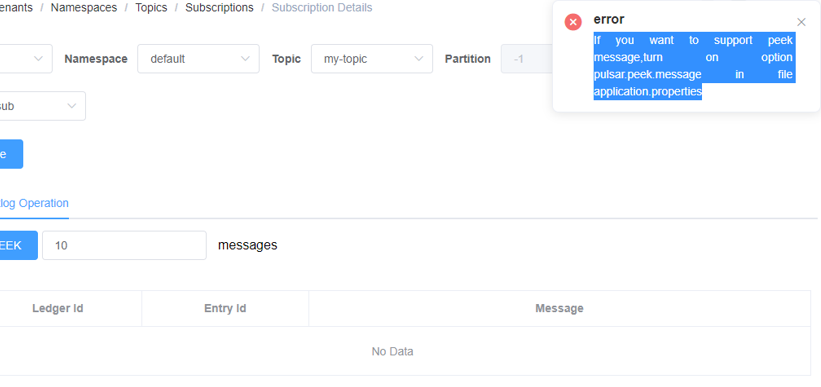
You can log into your pulsar-manager container and view the contents of this file /pulsar-manager/pulsar-manager/application.properties to confirm that the pulsar.peek.message=true option is turned on correctly, If this option is not enabled, you can modify the file and mount it in the container with docker's -v option @karankardas