

 apache
NuttX Window Manager Demo (nxwm) does not Work on the Simulator
Setup:
- Using Ubuntu 20.04.2 LTS on a virtual machine (VirtualBox)
- Using the configuration "tools/configure.sh -l sim:nxwm"
- Using NuttX 10.3.0
Expected output: Something similar to the output in the article below, but running on the simulator. https://cwiki.apache.org/confluence/pages/viewpage.action?pageId=139629401
Actual output below:
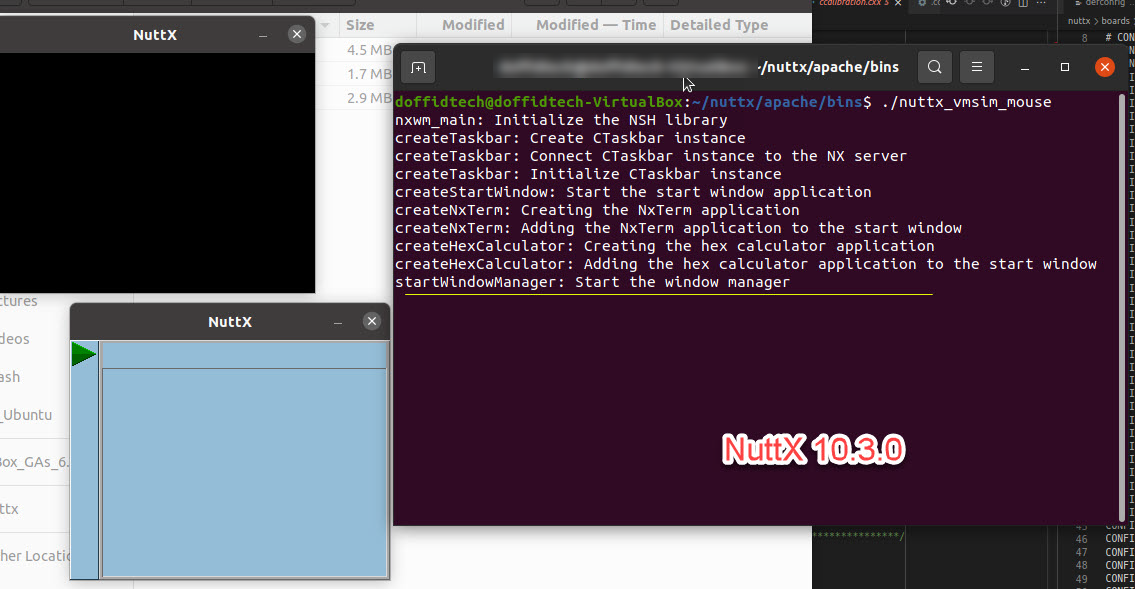
Note/s: There was a separate window with a black background. Also, no errors were seen in the logs. Nothing happened when I clicked the green triangular button on the task bar.
I also checked for other issues that might be related to this issue. Most of them were fixed. Based on the time line of these issues, I tried various release versions of NuttX but no luck. NuttX 10.3.0 (latest)
- with an extra window (black background)
- no response to mouse and keyboard inputs
NuttX 10.2.0
- with an extra window (black background)
- no response to mouse and keyboard inputs
NuttX 10.0.0
- NO extra window
- no response to mouse and keyboard inputs
NuttX 9.1.1
- application crashed
Also, I modified the code to show the start window (it is initially minimized in the original code), and I got the result below:
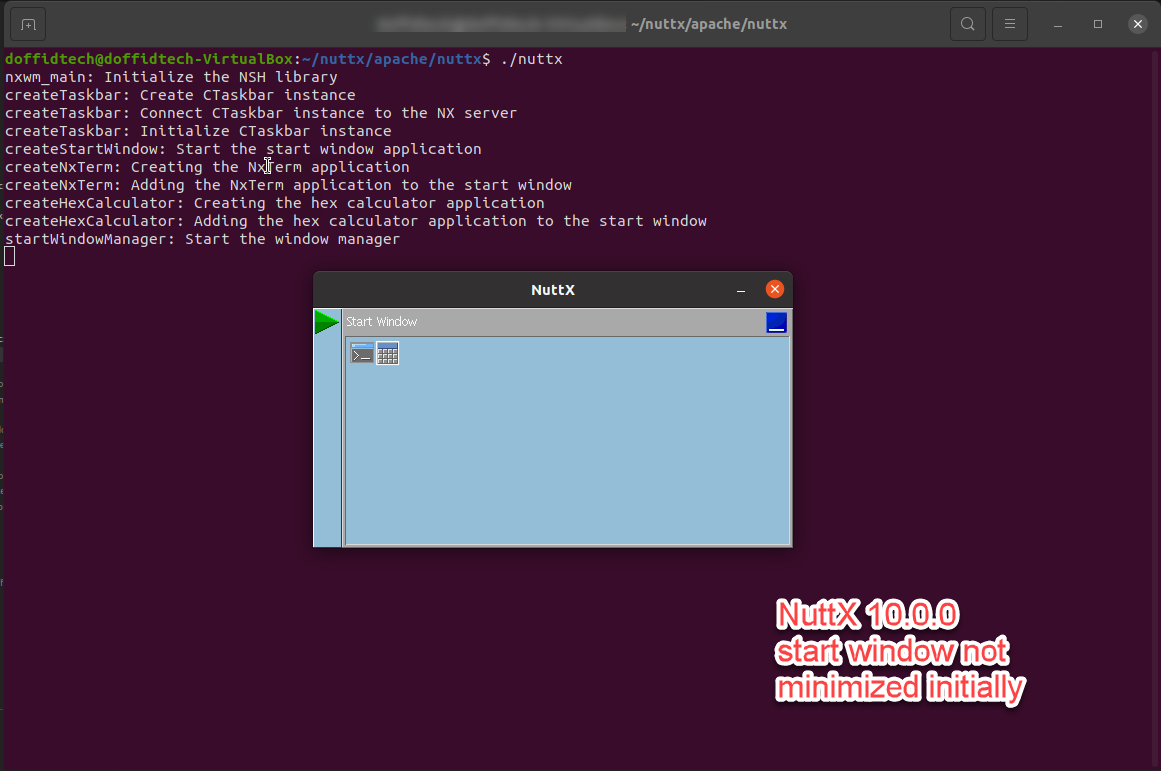
However, the demo still did not respond to mouse and keyboard inputs.
Since the LVGL simulation demo was working (it was responsive to mouse inputs, using NuttX 10.3.0), I checked the settings in the config file "tools/configure.sh -l sim:lvgl" then compared them to those in ""tools/configure.sh -l sim:nxwm". As a result, I experimented with various parameter settings, specifically in the ff sections:
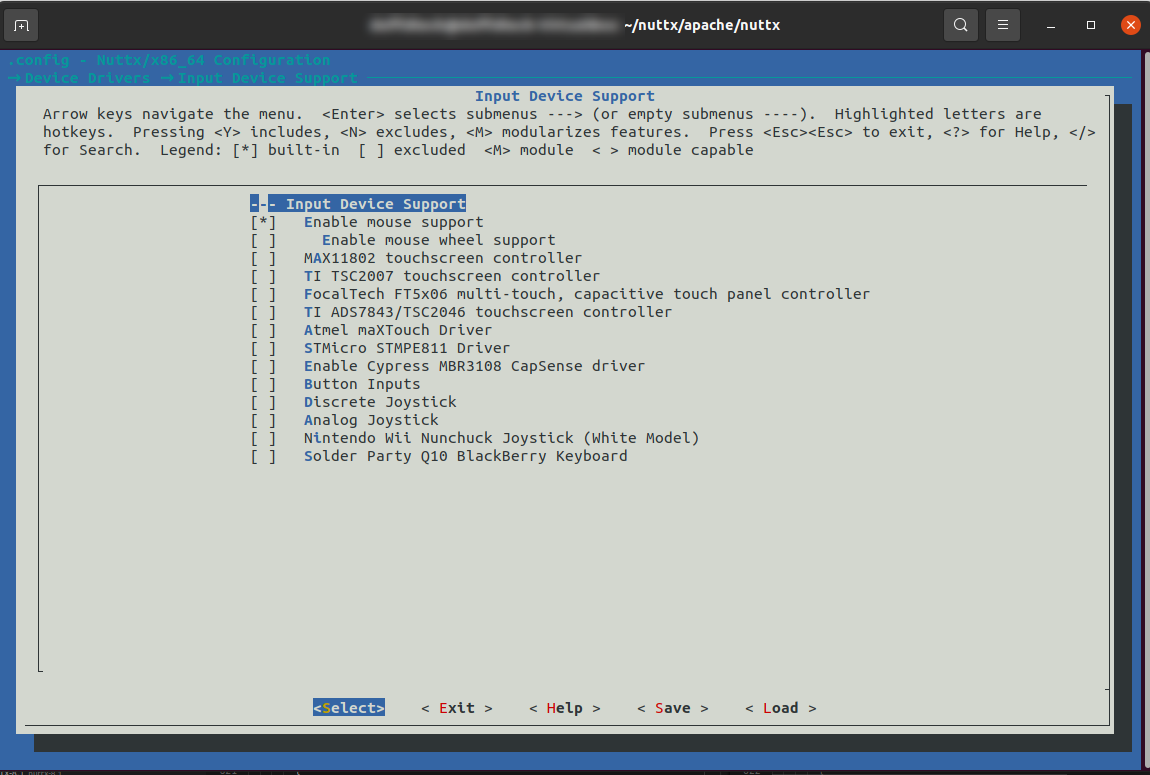
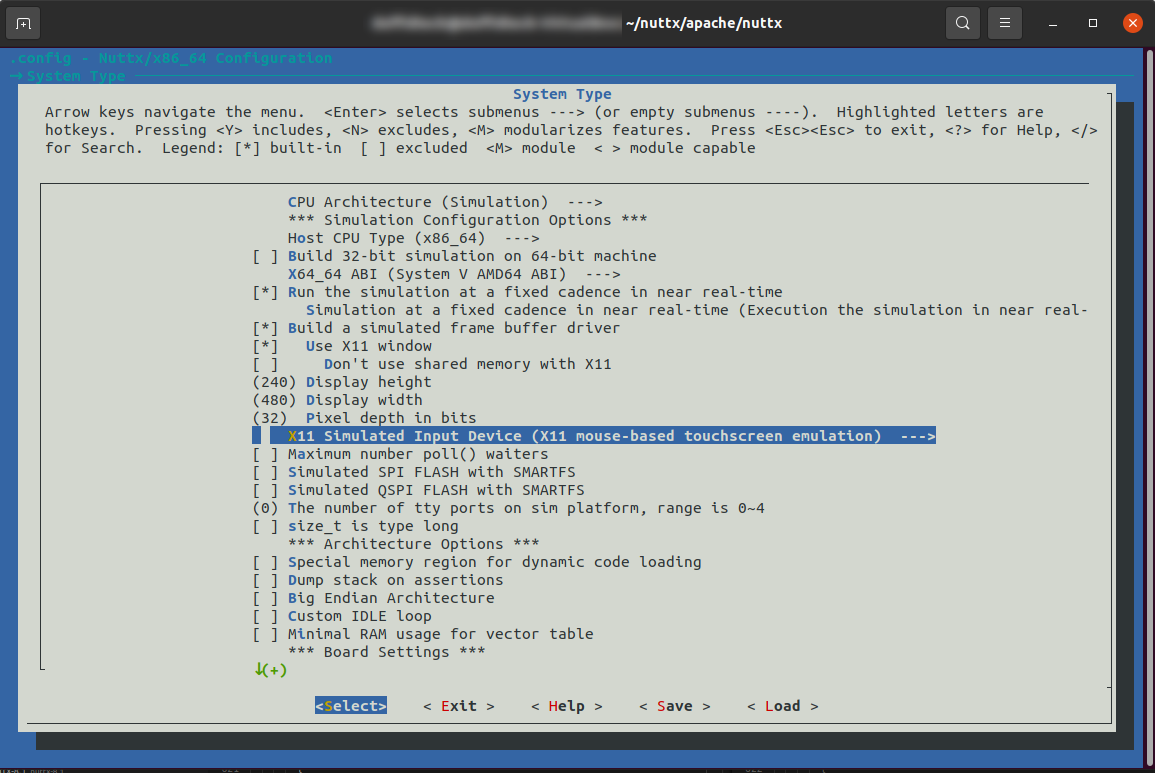
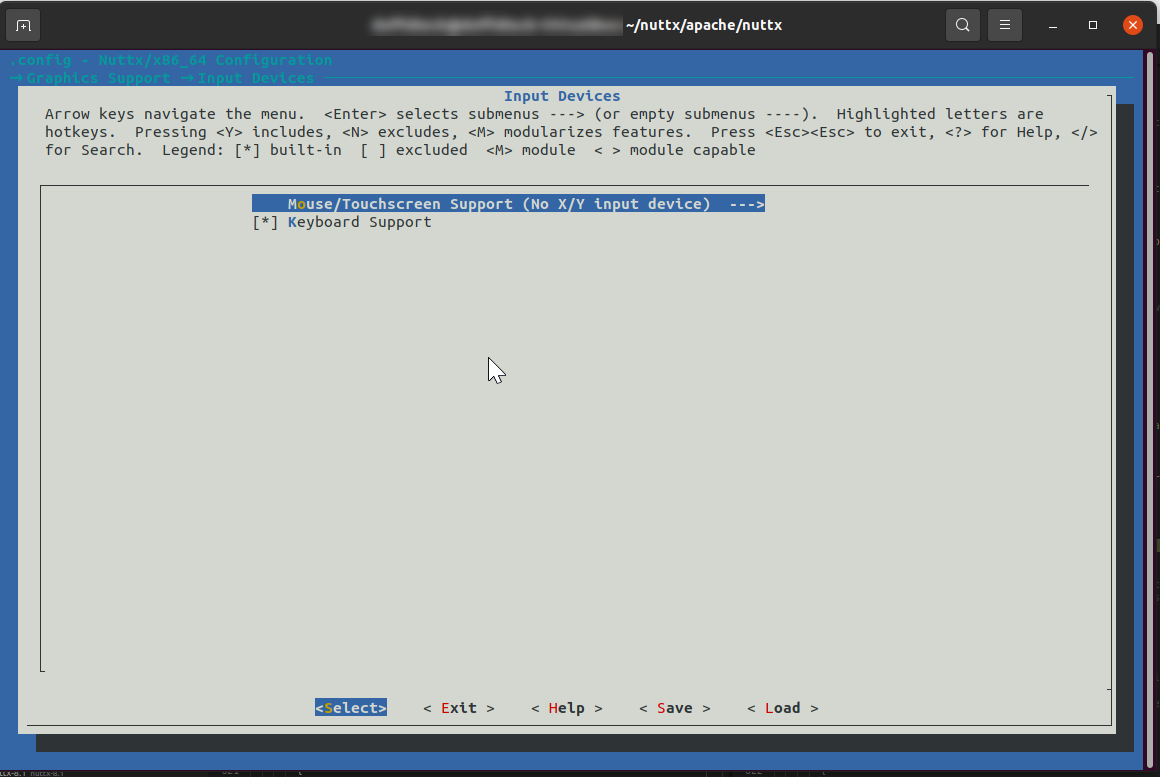
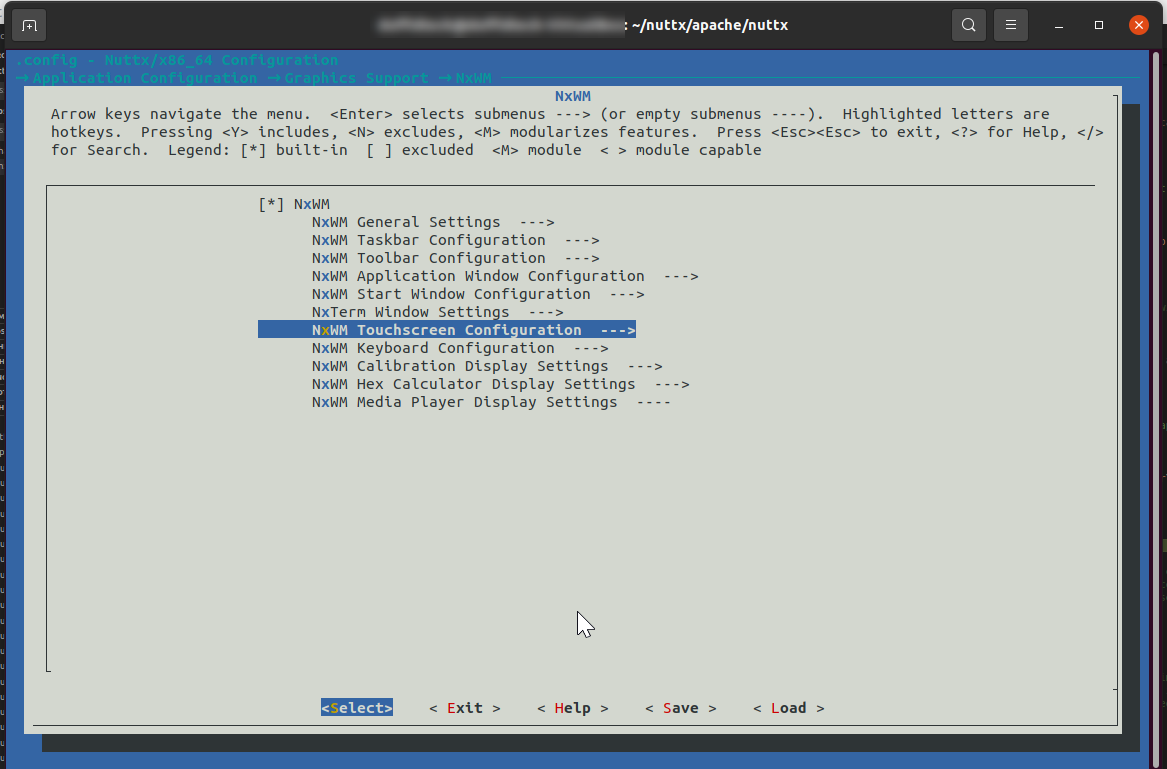
I got the result shown below:
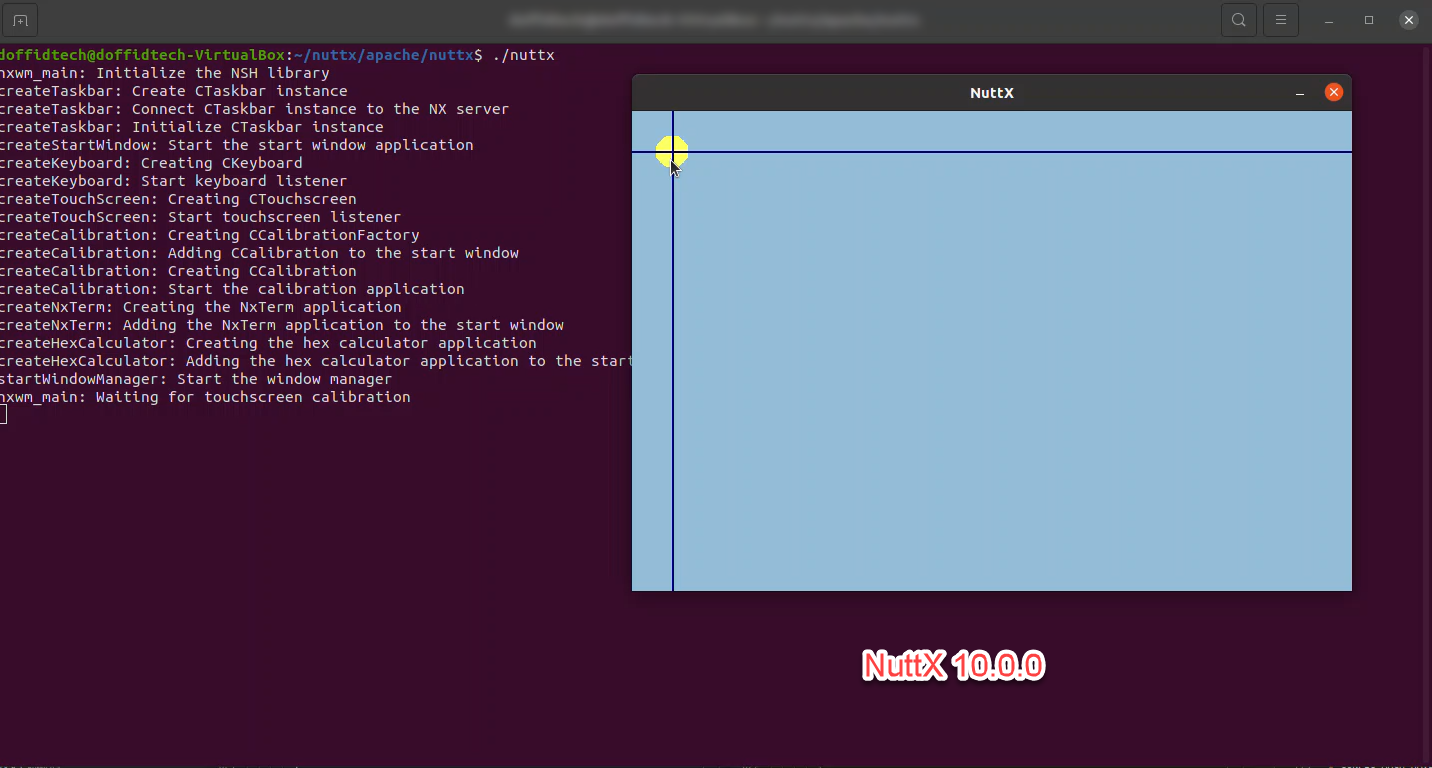
The touch calibration window now appeared at the start. However, the application still did not respond to mouse inputs. Actually, pressing anywhere on the window toggled the color of the circle between yellow to white, but the calibration did not proceed.
I think that mouse inputs are not properly handled by the NuttX Window Manager demo (nxwm) when running on the simulator, or that I'm using the wrong menu config settings.
Any ideas on how to fix these issues?

hi @elTeriblePacman, did you try on real hardware as well? I noticed that the mouse input on simulator doesn't behavior correctly on my Ubuntu Linux. The NX has very nice features, but because the examples are not so "eyes-candy" like the LVGL some people are no using it. We need someone with good graphic design skills to improve this situation. Are you willing to use NX Graphics?

Hello @acassis , thank you for your inputs. Yes I'm interested in NX Graphics, most specially with its tiny "windowing" component as documented here: https://nuttx.apache.org/docs/latest/components/nxgraphics/index.html#nx-nxsu-and-nxmu
But I would like to evaluate using the simulator first. Anyway, I will check if I can also try on a real hardware as you suggested.
Hi @elTeriblePacman Is any update about this, I am developing the S3's LCD driver and touchpad driver, and suffered with the same issue like yours. When finishing touchpad's calibrating, the GUI system stops without any new displaying like your first picture.
