

 apache
Per File Encoding
Description
Hi.
I work in a company where everybody is free to use the software they want to develop, as long as the applications developed work without any issues. Some of us use JDeveloper, others use IntelliJ, Eclipse, etc.. It's good to work in a place where there are no IDE restrictions.
The problem I'm currently facing with NetBeans: Some of our older projects have multiple encodings, JAVA and PROPERTIES files are in Windows-1252, POM, XML and XHTML files are in UTF-8 (with the encoding="UTF-8" in the top of the file); The POM files are correctly configured, with the <project.build.sourceEncoding>Cp1252</project.build.sourceEncoding> and everything compiles correctly and works without any issues; NetBeans will incorrectly use 1252 for every file in the project.
I found this old issue: https://bz.apache.org/netbeans/show_bug.cgi?id=157498
Thanks.
Use case/motivation
NetBeans to be able to use different encodings in different files of the same project.
Related issues
No response
Are you willing to submit a pull request?
No
Code of Conduct
Yes

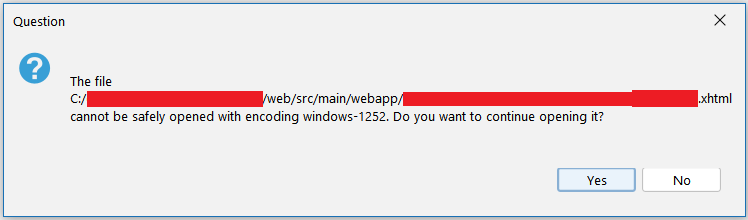
I get this message if I try to open a file with special characters in a project with a different encoding than the one defined in the POM for the Java files.
As a workaround and just if it helps, you can try to use this plugin: https://github.com/junichi11/netbeans-encoding-plugin. You can still open files as default or "open in encoding" and also you can see and change the encoding of the file, in the status bar.

Thanks @Chris2011 . It's not automatic, but it works very well. I'll be using it as a workaround :)