

 apache
[Bug] Truncated Data Label in Datazoom component
Version
5.3.2
Link to Minimal Reproduction
https://codesandbox.io/s/xvivf1?file=/index.js
Steps to Reproduce
add datazoom-slider to a chart
Current Behavior
Data label is truncated when there's no enough space
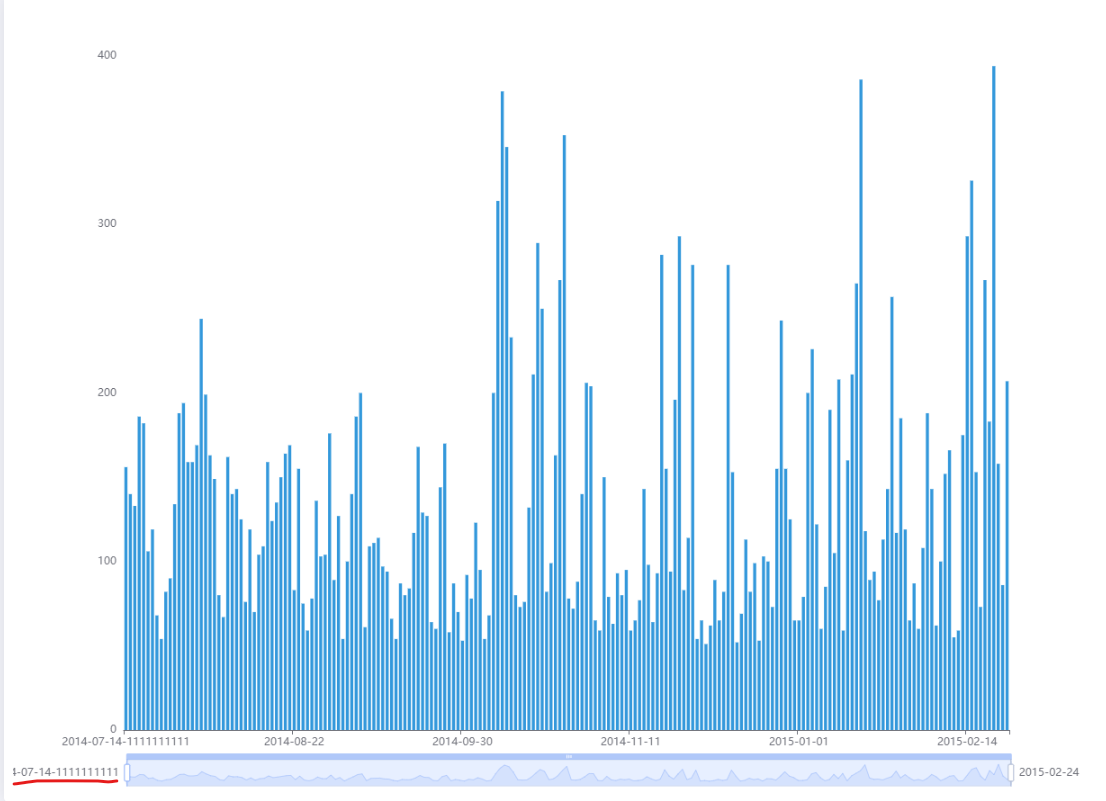
Expected Behavior
Data labels should be shown adaptively. When there's no enough space to the left of the handle, the data label should be shown on the right, and vice versa, just like the pic below.

Environment
- OS:win 11
- Browser: chrome 111.0.5563.111
Any additional comments?
No response

I'm sorry to close this issue for it lacks the necessary title. Please provide a descriptive and as concise as possible title to describe your problems or requests and then the maintainers or I will reopen this issue.
Every good bug report or feature request starts with a title. Your issue title is a critical element as it's the first thing maintainers see.
A good issue title makes it easier for maintainers to understand what the issue is, easily locate it, and know what steps they'll need to take to fix it.
Moreover, it's better to include keywords, as this makes it easier to find the issue self and similar issues in searches.
![echarts-bot[bot] avatar](https://avatars.githubusercontent.com/in/20872?v=4 "Published by a pub.dev verified publisher")
Not a fix, but a relief, is to use dataZoom: [{ textStyle: { width:77, overflow: 'break' } }]

Not a fix, but a relief, is to use
dataZoom: [{ textStyle: { width:77, overflow: 'break' } }]
Seems still need some solution (same result with breakAll), for example echarts demo
