

 apache
[Bug] The elements selected during the scaling of ScatterChart under large data volumes do not disappear
Version
5.3
Link to Minimal Reproduction
No response
Steps to Reproduce
1.ScatterChart of big data
2.Place the mouse over an element to scale the canvas
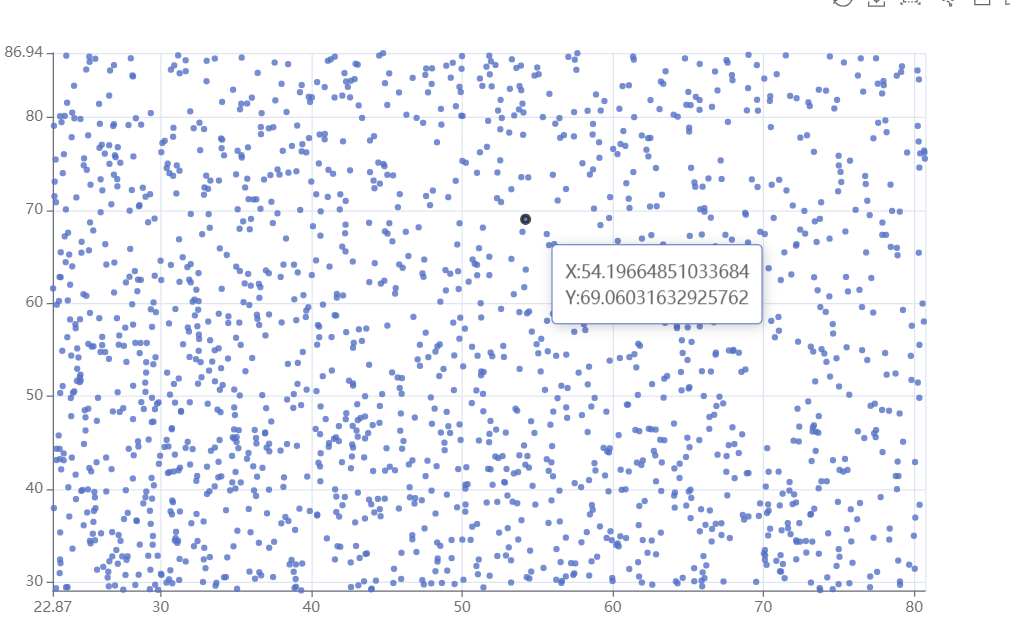
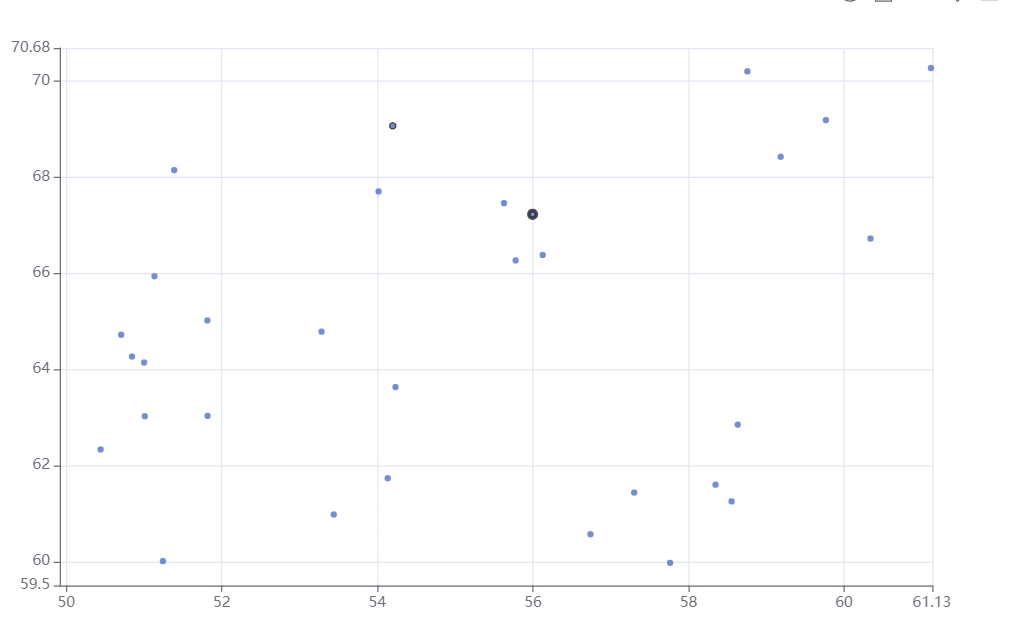
Current Behavior
Selected elements do not disappear during scaling
Expected Behavior
Hide the element selected at the beginning of the mouse during zooming
Environment
- OS: Windows 10
- Browser:Chrome 100.0.4896.127
- Framework: JS
Any additional comments?
No response


@shiboqingning Please provide a demo for the issue either with Official Editor, CodePen, CodeSandbox or JSFiddle.
![echarts-bot[bot] avatar](https://avatars.githubusercontent.com/in/20872?v=4 "Published by a pub.dev verified publisher")
The renderings are as follows:
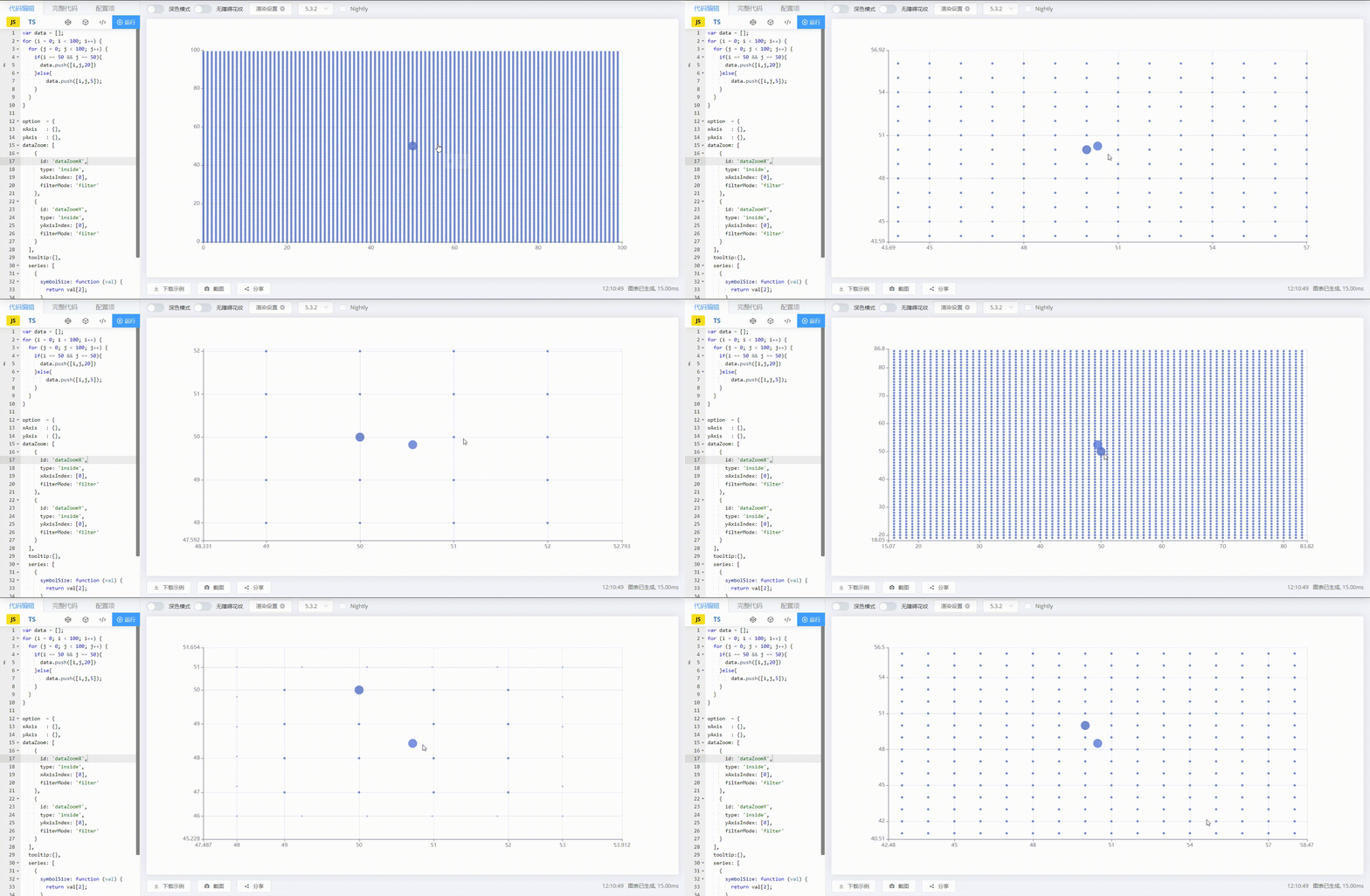
See The Following Code:
var data = []; for (i = 0; i < 100; i++) { for (j = 0; j < 100; j++) { if(i == 50 && j == 50){ data.push([i,j,20]) }else{ data.push([i,j,5]); } } }
option = { xAxis : {}, yAxis : {}, dataZoom: [ { id: 'dataZoomX', type: 'inside', xAxisIndex: [0], filterMode: 'filter' }, { id: 'dataZoomY', type: 'inside', yAxisIndex: [0], filterMode: 'filter' } ], tooltip:{}, series: [ { symbolSize: function (val) { return val[2]; }, data: data, type: 'scatter' } ] };
This issue has been automatically marked as stale because it did not have recent activity. It will be closed in 7 days if no further activity occurs. If you wish not to mark it as stale, please leave a comment in this issue.
![github-actions[bot] avatar](https://avatars.githubusercontent.com/in/15368?v=4 "Published by a pub.dev verified publisher")
This issue has been automatically closed because it did not have recent activity. If this remains to be a problem with the latest version of Apache ECharts, please open a new issue and link this to it. Thanks!