

 apache
Camera wont open on OnePlus 7T.
Bug Report
Problem
Camera wont open on OnePlus 7T. Works as intended on every other device we have tested with, including emulators.
Do you guys have any solution for me? Or tips as to what I can do next to try to resolve this problem?
What is expected to happen?
Camera opens, and pictures can be taken.
What does actually happen?
Nothing happens.
Information
Screenshots from debugging:
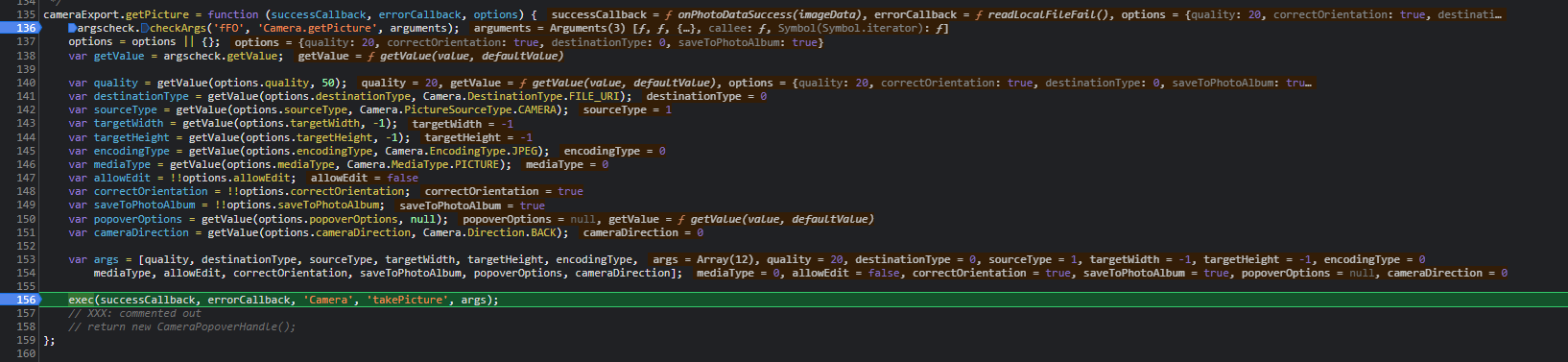
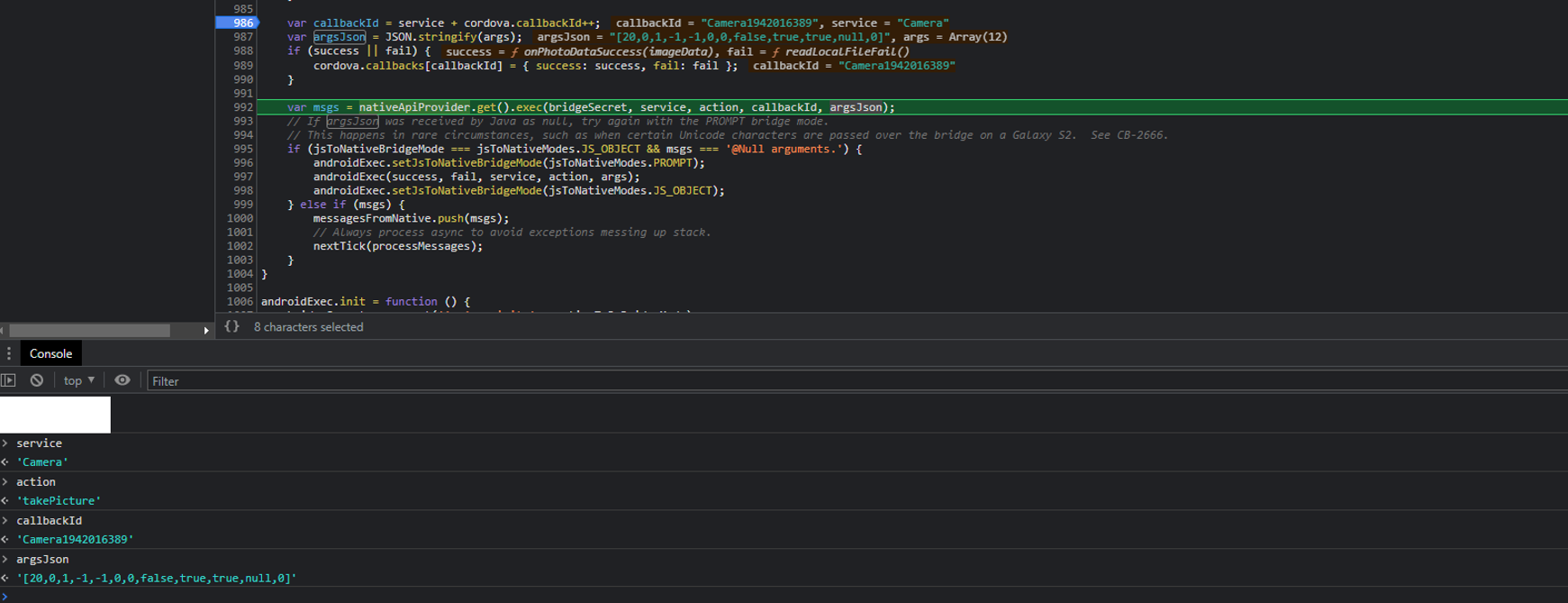 => msgs = undefined
Short explanation: I get into the exec function, when running the line with msgs = nativeaApiProvider... It ends up not returning anything. Resulting in that msgs = undefined, and nothing more happens from that function.
Neither success, nor fail, callback functions are invoked.
Command or Code
navigator.camera.getPicture(onSuccess, onFail, {
        quality: 20,
        correctOrientation: true,
        destinationType: navigator.camera.DestinationType.DATA_URL,
        saveToPhotoAlbum: true,
});
The only custom xml-field for android:
<platform name="android">
        <edit-config file="app/src/main/AndroidManifest.xml" mode="merge" target="/manifest/application">
            <application android:usesCleartextTraffic="true"/>
        </edit-config>
</platform>
Environment, Platform, Device
Phone: OnePlus 7T OS: Android 11
Version information
From package.json:
Cordova ^9.0.0 cordova-plugin-camera ^6.0.0
Checklist
- [x] I searched for existing GitHub issues
- [x] I updated all Cordova tooling to most recent version
- [x] I included all the necessary information above

It was driving me nuts when I checked the whole docs twice looking for ANY hint on what could I be missing, since the Gallery action worked great (after a couple of patches, since....... the DATA_URL isn't a URL but a crude base64? lol).
Then I decided to dig into the issues and discovered THIS ONE. That's exactly my device. I mean.... what the hell? And also, Android fragmentation is an issue up to this day?
And lastly: this plugin seems abandoned, if not Cordova as a whole. For good. I'm resorting to this plugin ONLY because cordova-android can't properly handle the capture optionS in a file input.
Wish you all best of luck.

~The partial solution at #763 might be helpful?~
Adding the camera permission does cause the call to getPicture() to trigger an Android permission request (didn't need cordova-custom-config to get to it), but even with it granted, nothing happens.
I'm resting my case and adding a model sniff to say "sorry, use the browser version instead or take pics and select from the gallery".
This seems solved on cordova-android 12 :pray:
My OP 7T currently runs Android 12.