
cloudstack
 cloudstack copied to clipboard
 apache
There is no secondary storage VM for system VM, start ssvm failed.
Hello everyone
i have a problem with cloudstack, it happens like this after i finished creating zone, pod, host, ... And i checked the log it says 2 vm system problem. I am doing lab on hyper v, I don't know how many NICS it needs for vm Management server. Looking forward to your help, thanks very much.


Thanks for opening your first issue here! Be sure to follow the issue template!
![boring-cyborg[bot] avatar](https://avatars.githubusercontent.com/in/50386?v=4 "Published by a pub.dev verified publisher")


@khoinek @haccolo1, can you give some more information please? How can we reproduce this scenario? What are the versions and other parameters of the environment you are running (i.e. what type of hypervisors/storage/network)? thanks

@DaanHoogland

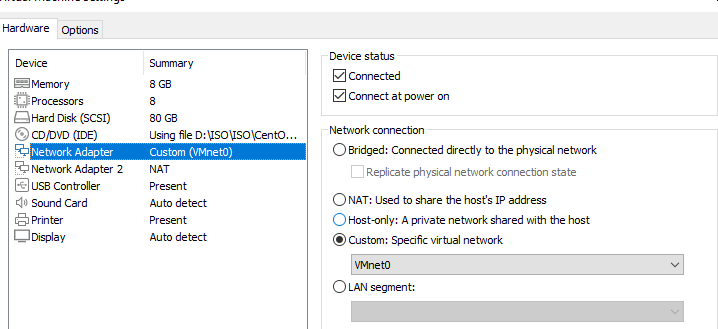 Ok, thank you for your interest in my problem, i used Cloudstack version 4.17.1, the environment i am running for management server is Centos 7, hypervisor is hyper-v, shared storage using SMB and NFS on windows server 2019, i do lab and only add 1 bridged network card, I don't know if I need to add any other card for IP Public when creating zones ?
Thank you very much.
Ok, thank you for your interest in my problem, i used Cloudstack version 4.17.1, the environment i am running for management server is Centos 7, hypervisor is hyper-v, shared storage using SMB and NFS on windows server 2019, i do lab and only add 1 bridged network card, I don't know if I need to add any other card for IP Public when creating zones ?
Thank you very much.
@khoinek @haccolo1, can you give some more information please? How can we reproduce this scenario? What are the versions and other parameters of the environment you are running (i.e. what type of hypervisors/storage/network)? thanks
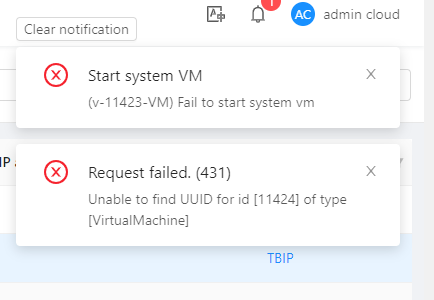
if all logical networks are on the same physical network you should only need one nic. I have no experience with hyperv, so I am not sure if there are extra requirements on the hypervisor side. There is nothing wrong with the log fragments except for the first one, but there should be a cause for the InsuficientCapacityException prior to it in the log
Did you setup your physical networks for Public, Guest and Managemeng traffic? Did you assign an IP range for public traffic?

Also, I'd suggest you setup ACS with a trial version of ESX, get your zone up and running, make sure you understand all the requirements for an ACS Zone and then create a new Zone (or add a POD) for HyperV.