

 apache
UI: Login failed after session timeout
ISSUE TYPE
- Bug Report
COMPONENT NAME
UI
CLOUDSTACK VERSION
4.17.0.1
CONFIGURATION
N/A
OS / ENVIRONMENT
N/A
SUMMARY
After a session timeout, the user is returned to the login screen. Whatever credentials are entered, the login will always fail with "Login failed", until the page is reloaded.
STEPS TO REPRODUCE
Log into your Cloudstack account
Wait for session timeout (whenever a click returns you to the login screen)
Try to log in again
EXPECTED RESULTS
Successful login with valid credentials
ACTUAL RESULTS
"Login failed" error message

@vdombrovski I tried with latest from 4.17 branch and I can log on immediately after timeout, without cache clean, reload or anything. Can you try latest?


Hi. I tried with the latest 4.17 branch but no error like above. Can you give me a picture or video of the steps to make the above error?

@utchoang not sure if the same issue but I was able to reproduce something similar. But this was seen only on installed env and I was not able to reproduce when UI is run locally with npm run serve.
UI Login Failure.webm
Could be related to #5663

@shwstppr Your problem I'm not sure is the same as @AA's. But in your case, for the main branch (not in the 4.17 branch), there is an error from Console.vue, which causes error and does not initialize sourceToken (image below). Fixed in https://github.com/apache/cloudstack/pull/6741
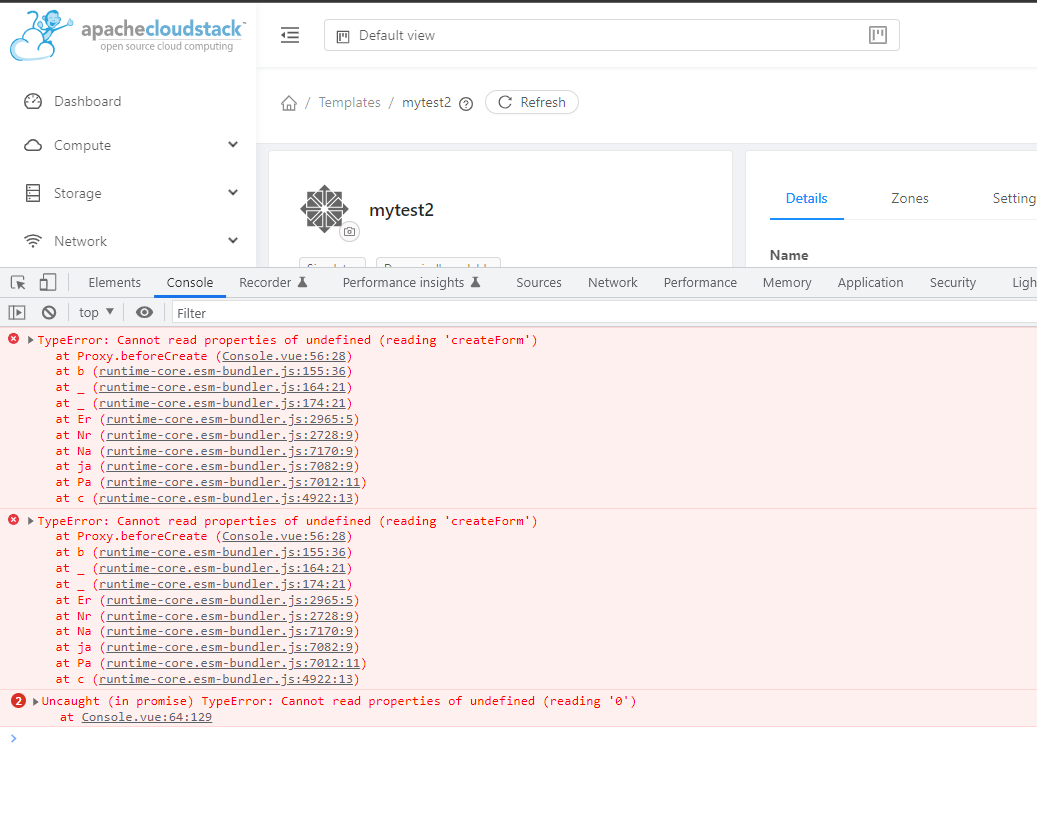
@utchoang I was using an env from 4.17 branch. Will try to check and see if I can provide something useful
Did some more testing; Here is a way to reproduce one of the possible issues:
- Open 2 tabs inside your browser and go to login page on both
- Log into ACS with your user on one tab
- Try to log into ACS with the same (or any user) from another tab
- Your page will display 'Login failed', and in the console you will be getting "Uncaught (in promise) r {message: undefined}"
Tried on 4.17.0.1, didn't try any other releases.
@shwstppr sounds like a blocker/critical issue? @vdombrovski does it help if you clean your site data (I use Chrome -> developer tools -> Application tab -> clear site data)?

@rohityadavcloud I guess not a blocker because login starts working (atleast in my tests) once refresh the page in browser.
I tried following steps like @vdombrovski but didn't notice the problem. Maybe I'm doing it wrong or maybe it's a browser bug (I did it on Chrome Version 105.0.5195.102). @shwstppr can you make the same error :(
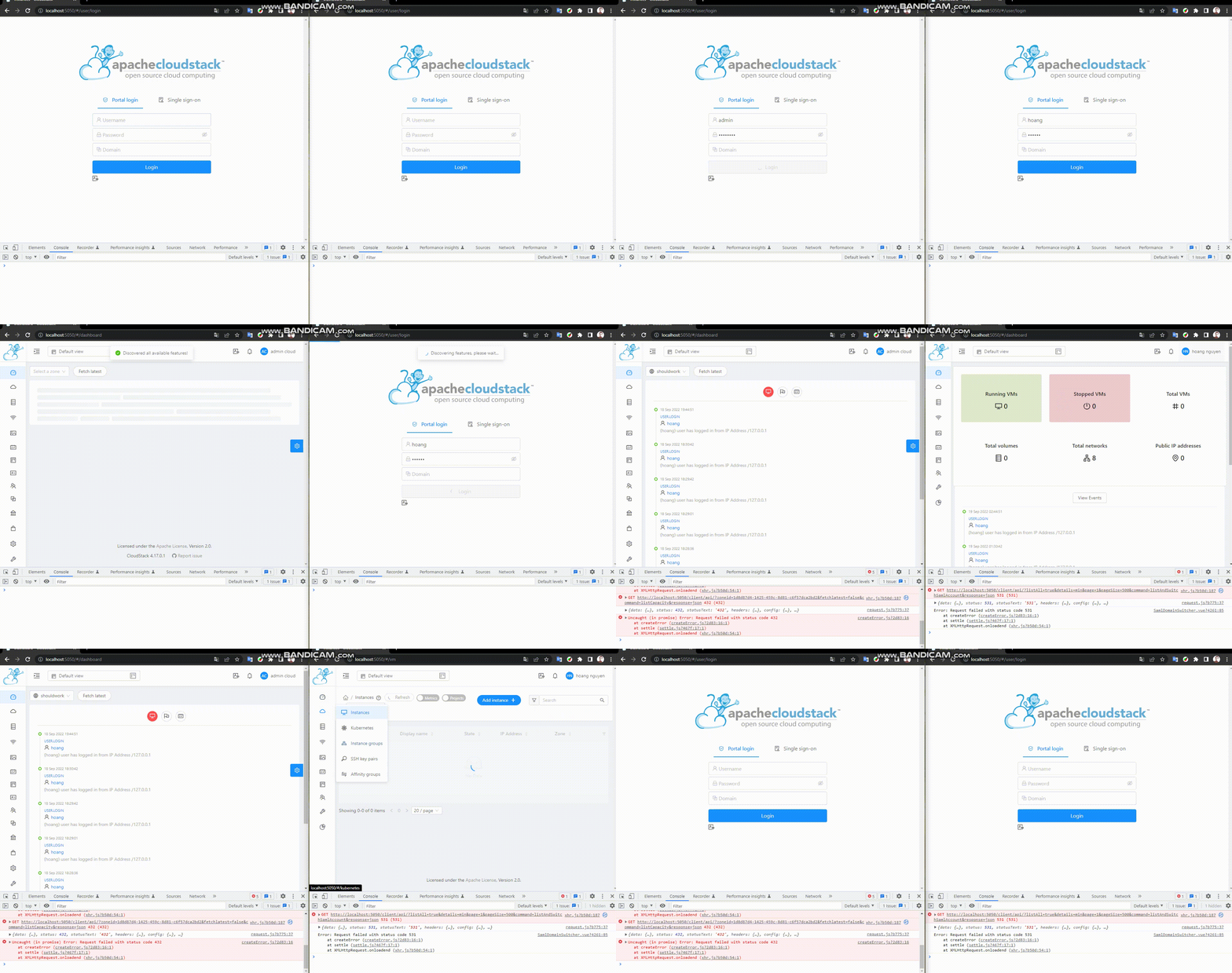
@utchoang will check. I was able to reproduce similar console error with an installed env. Though same error is not seen in dev run using npm run serve
Could you try an installed version of 4.17.0.1 and also 4.17.1.0 @shwstppr ?
I'd like to report the same issue on 4.17.0.1 and I can reproduce it reliably (I think).
I'm able to log in and log out as expected. However, if I navigate to the profile page (this seems to trigger it reliably), then log out, I'm unable to log in again unless I do a full page reload. When this does happen, the login page will show a notification stating "Unauthorized / Session expired, authorization verification failed."
Working:
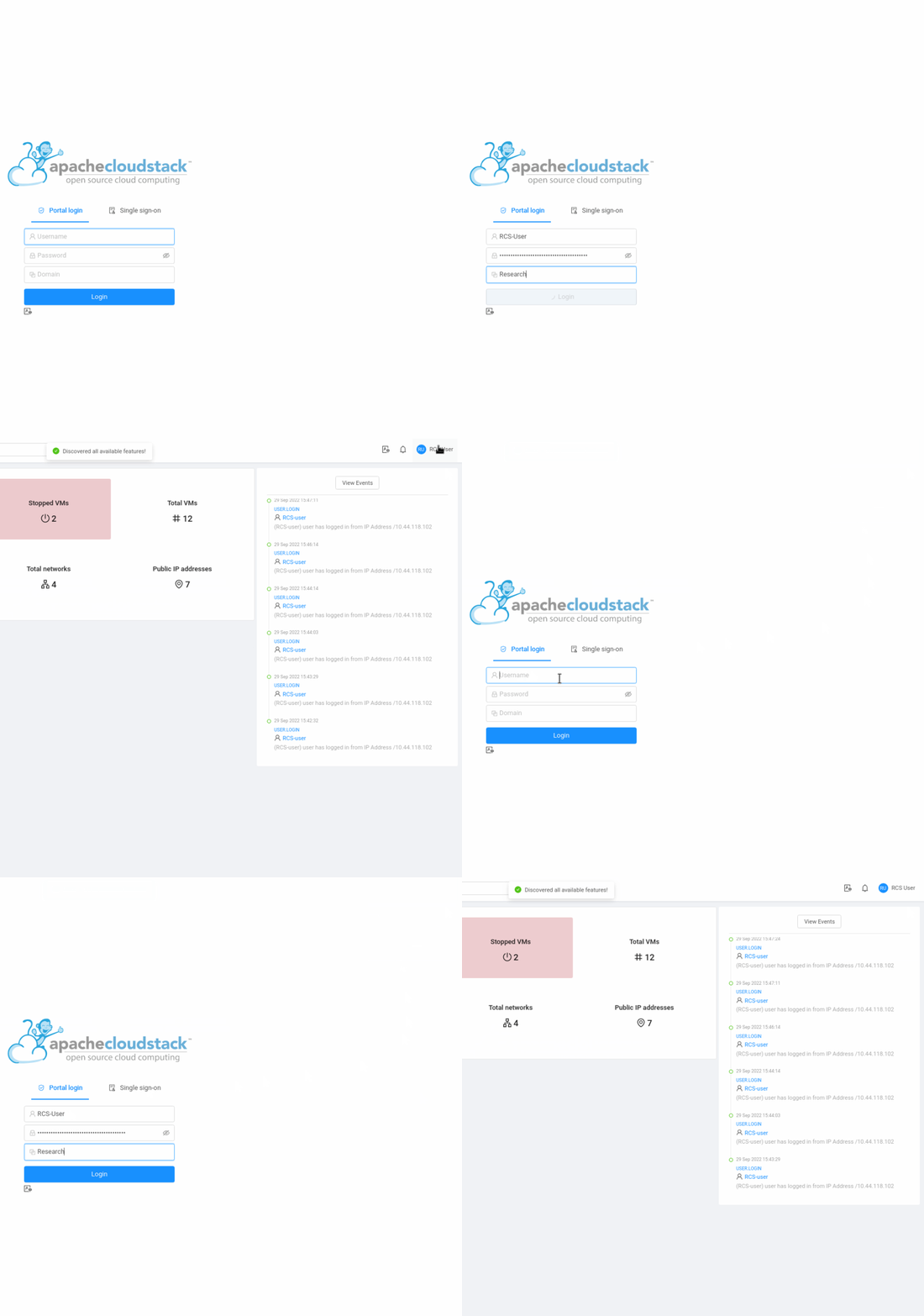
Broken. Only difference is I navigate to the profile page before logging out:

Are you able to replicate this issue on your end?

I think there's something in the UI code that's requesting for listResourceIcon after the logout occurs in some instances which triggers this issue.
After navigating to the profile page and logging out, I see that the browser sent the following request, only to get a 401 Unauthorized reply, which then causes an unhandled JS exception which then breaks the UI.
GET /client/api/?resourceids=a03c9ece-9b15-4638-a1d4-ee9e05edf81f&resourcetype=domain&command=listResourceIcon&response=json HTTP/1.1
JS Console shows:
       Uncaught (in promise) Error: Request failed with status code 401
    at e.exports (createError.js:16:15)
    at e.exports (settle.js:17:12)
    at XMLHttpRequest.c (xhr.js:54:7)
Subsequent login attempts just error out immediately, without any HTTP requests ever being made.